Popular Keyword
Showvia

- Global Payment
- Malaysia Payment
Global Payment Method
Step 1
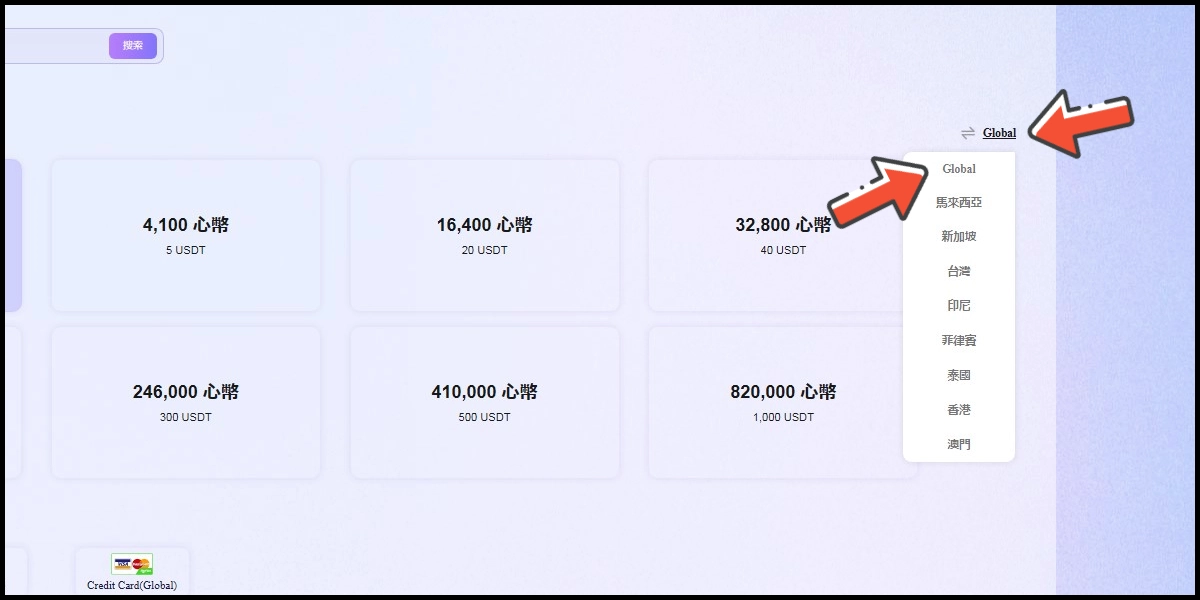
Click here to go to the top-up page, and select Global as your payment region.
Step 2
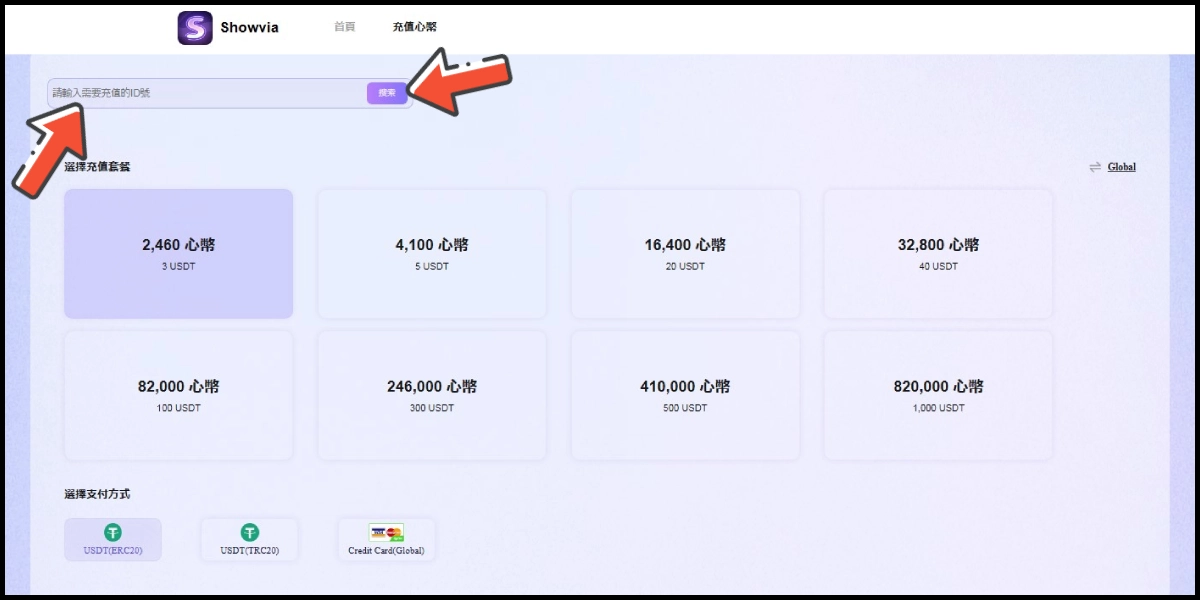
Enter your account ID and click the 搜索 (search) button.
Step 3
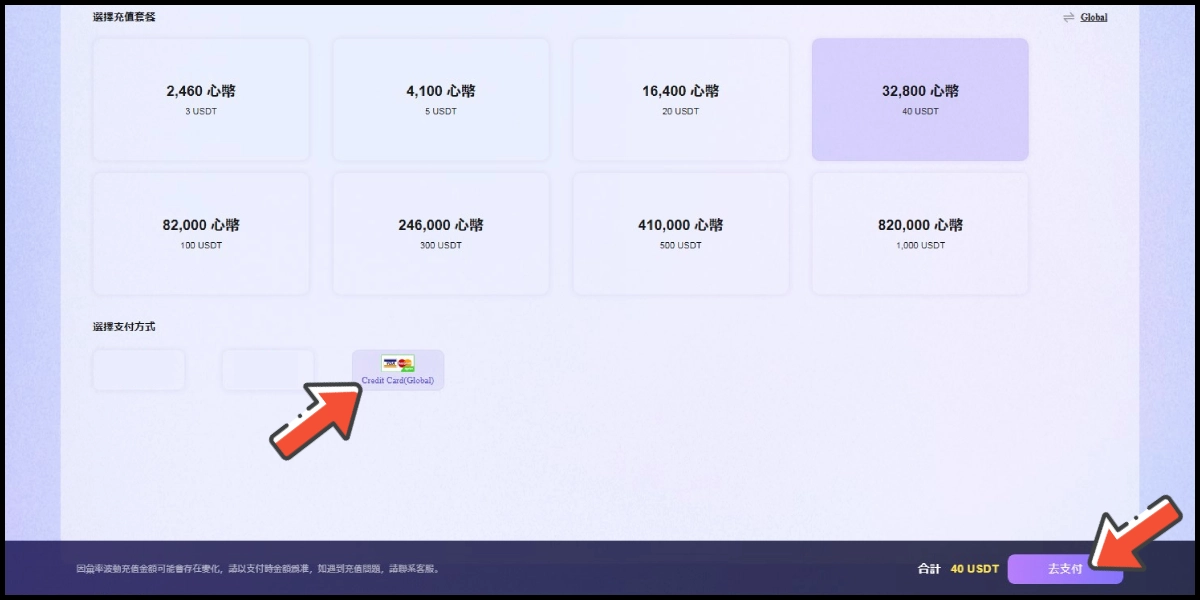
Choose the item you want to top up, select Credit Card as the payment method, and click the 去支付 (Pay) button.
Step 4
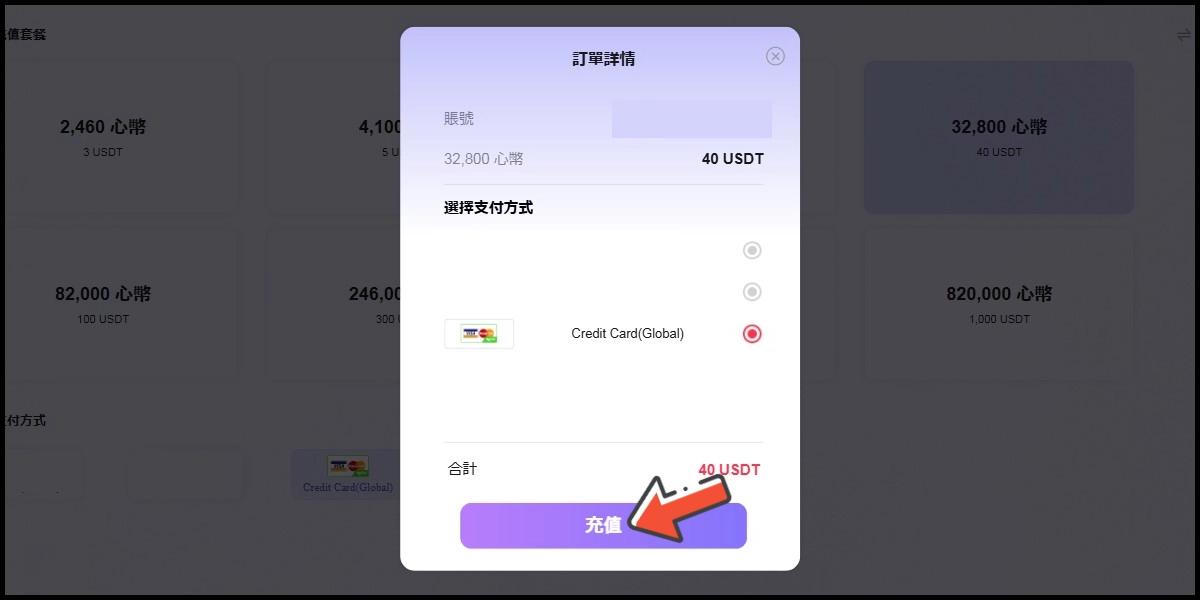
Confirm your top-up information and payment method, then click the 充值 (top-up) button.
Step 5
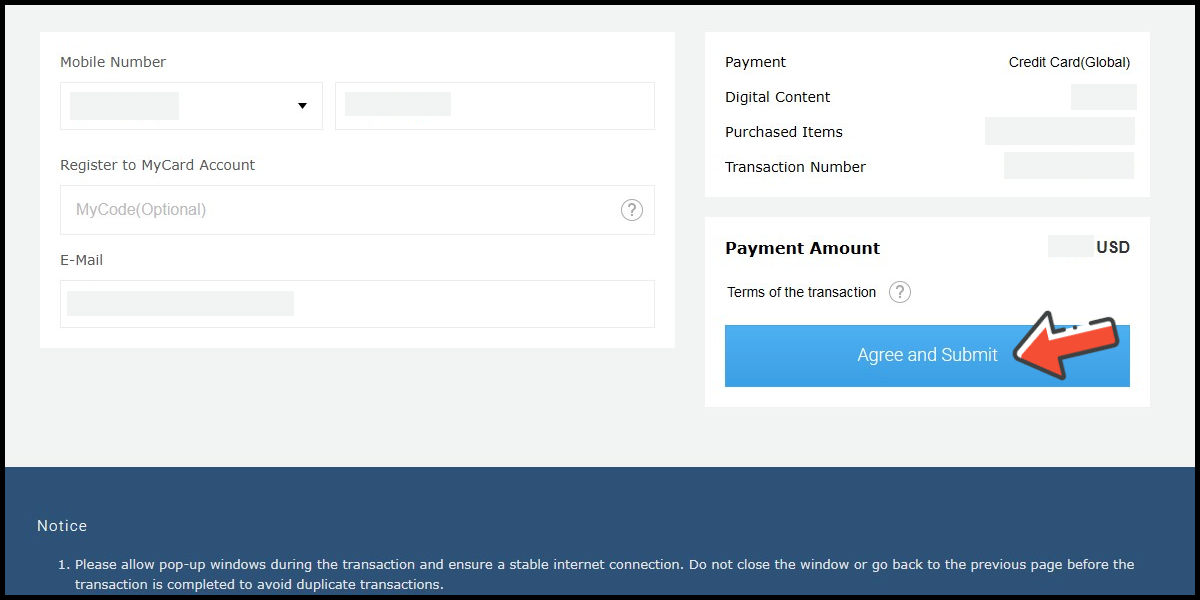
Fill in the required transaction information, then click the "Agree and Submit" button.
Step 6
Carry out the payment procedure to complete the transaction.

Malaysia Payment Method
Step 1
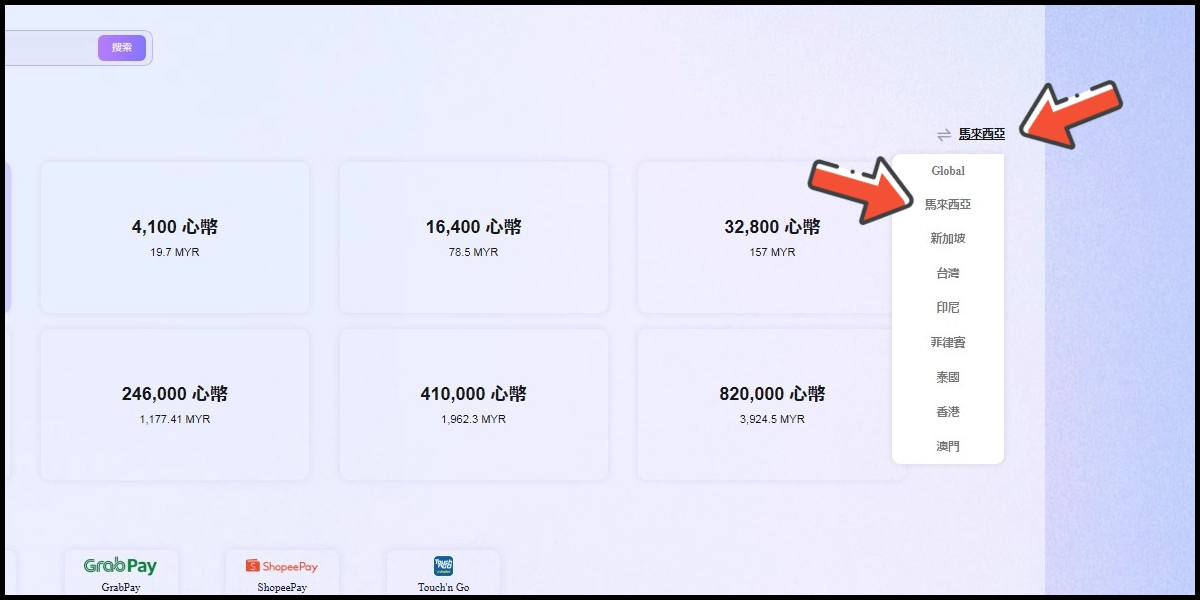
Click here to go to the top-up page, and select Malaysia as your payment region.
Step 2
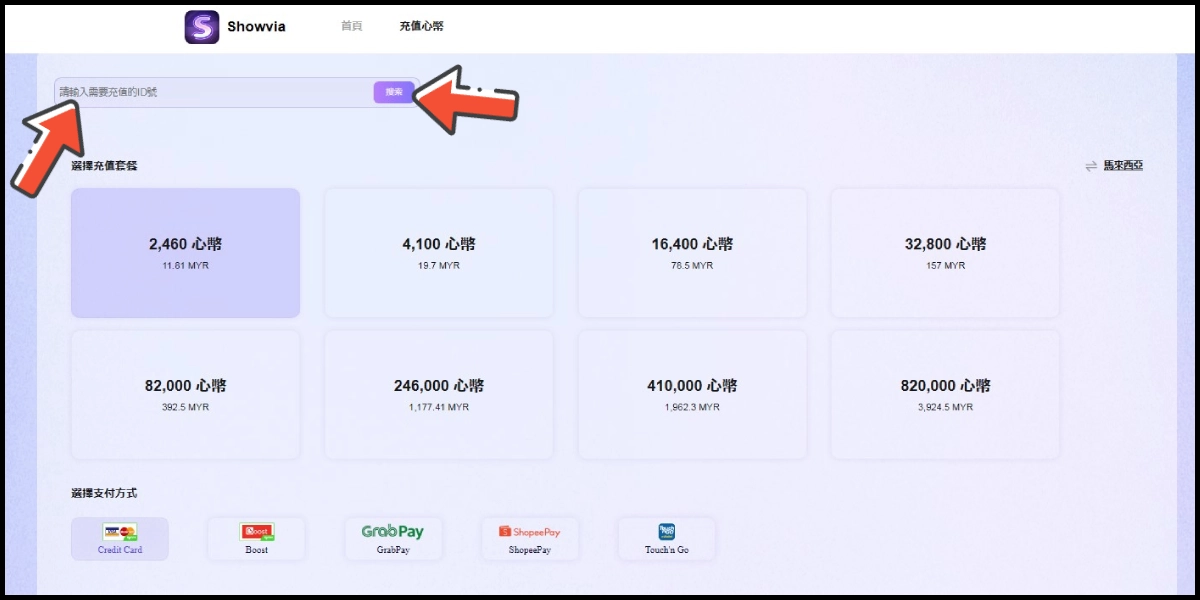
Enter your account ID and click the 搜索 (search) button.
Step 3
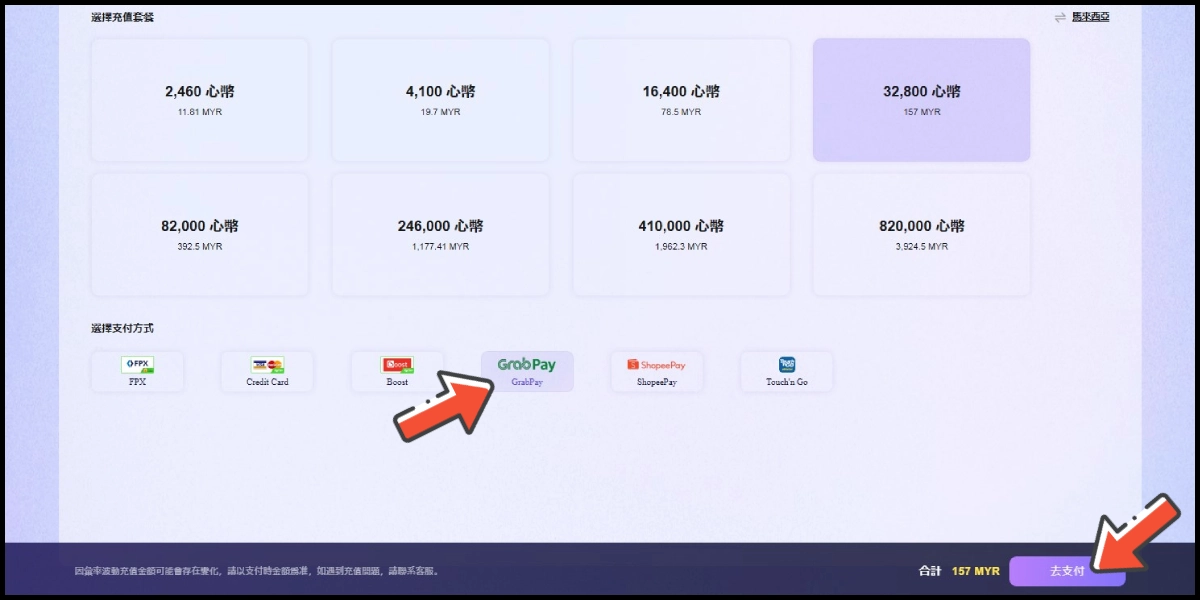
Choose the item you want to top up, select GrabPay as the payment method, and click the 去支付 (Pay) button.
Step 4
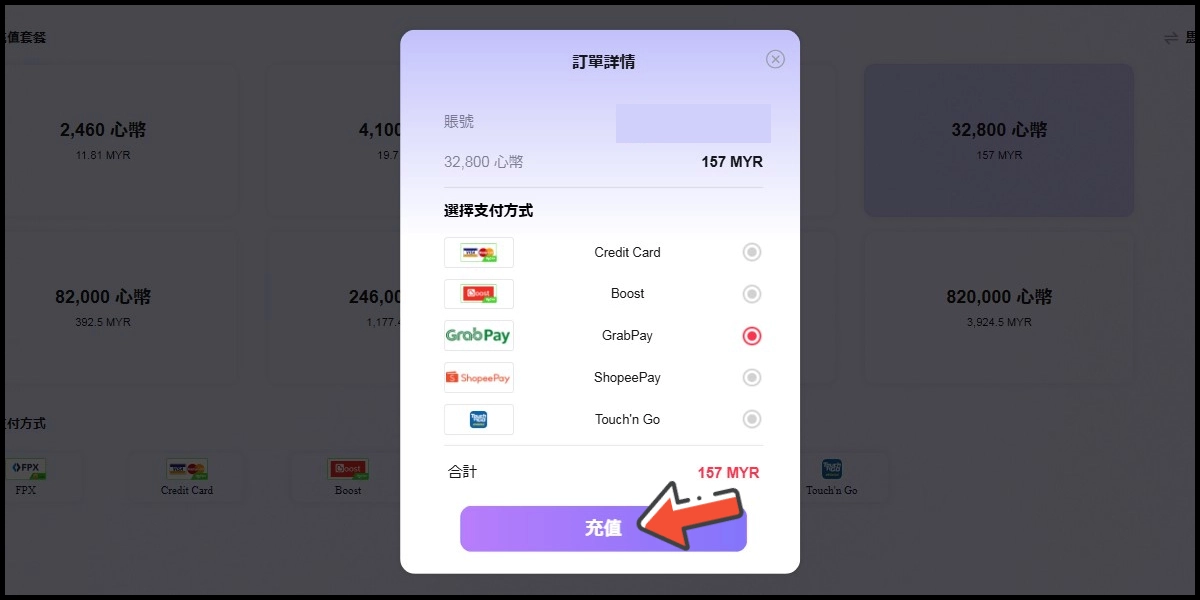
Confirm your top-up information and payment method, then click the 充值 (top-up) button.
Step 5
Fill in the required transaction information, then click the "Agree and Submit" button.

Step 6
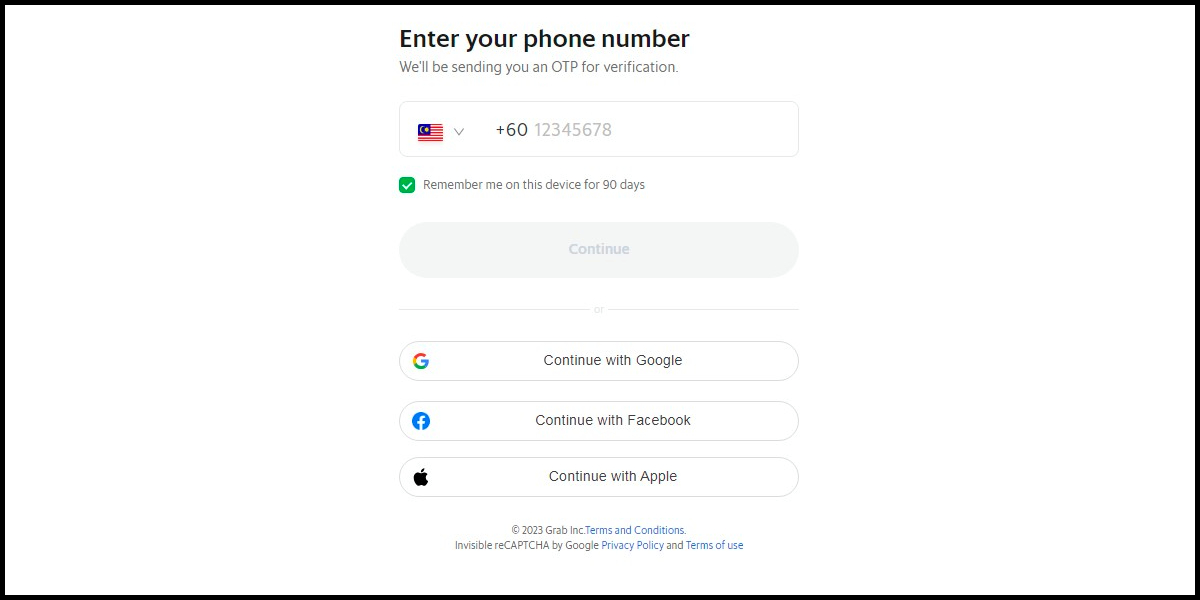
Carry out the Grab payment procedure to complete the transaction.