Popular Keyword
Windrider Origins

- Philippines Payment
- Malaysia Payment
- Singapore Payment
Philippines Payment Method
Step 1
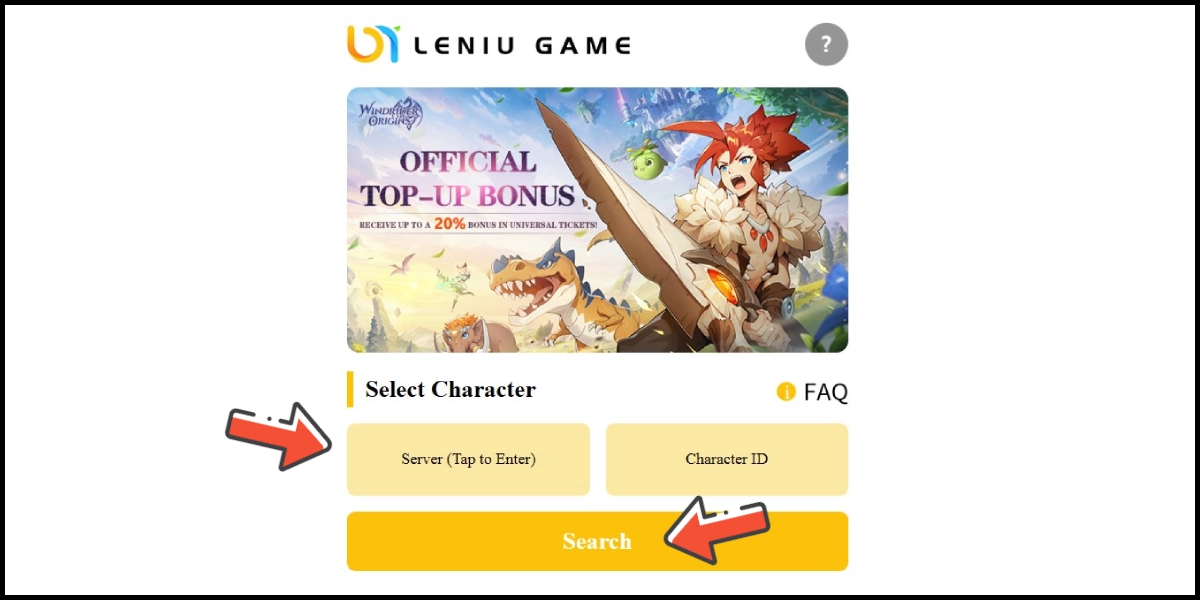
Click here to go to the top-up page. Select your server and enter your Character ID, then click the Search button.
Step 2
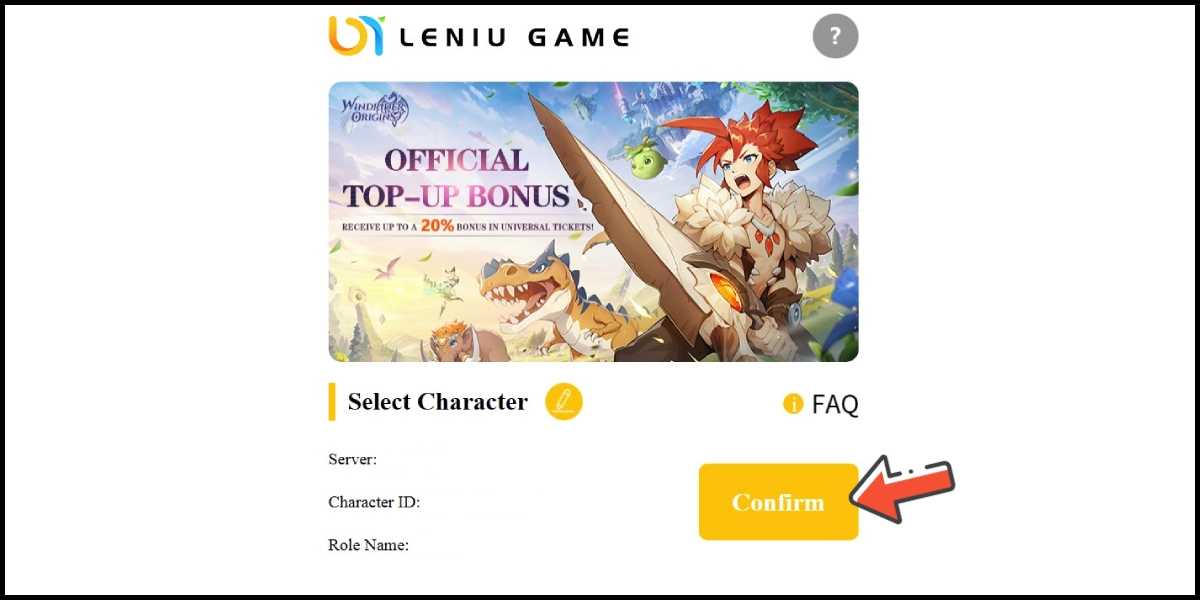
Confirm your character information, and click the Confirm button.
Step 3
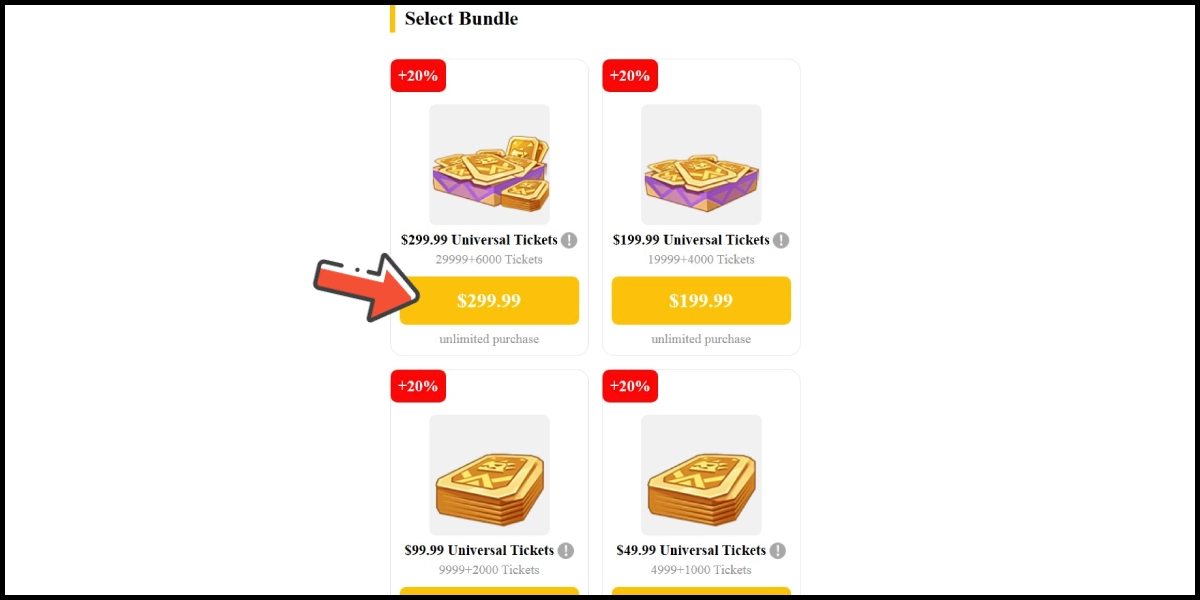
Choose the item you want to top up.
Step 4
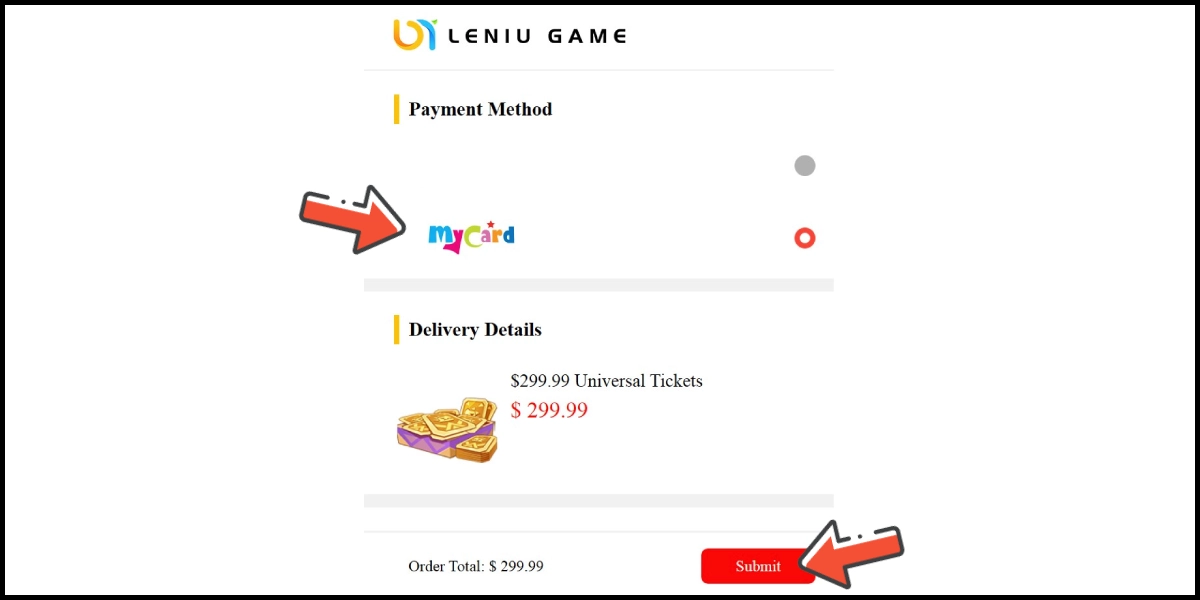
Select MyCard as the payment method, and click the Submit button.
Step 5
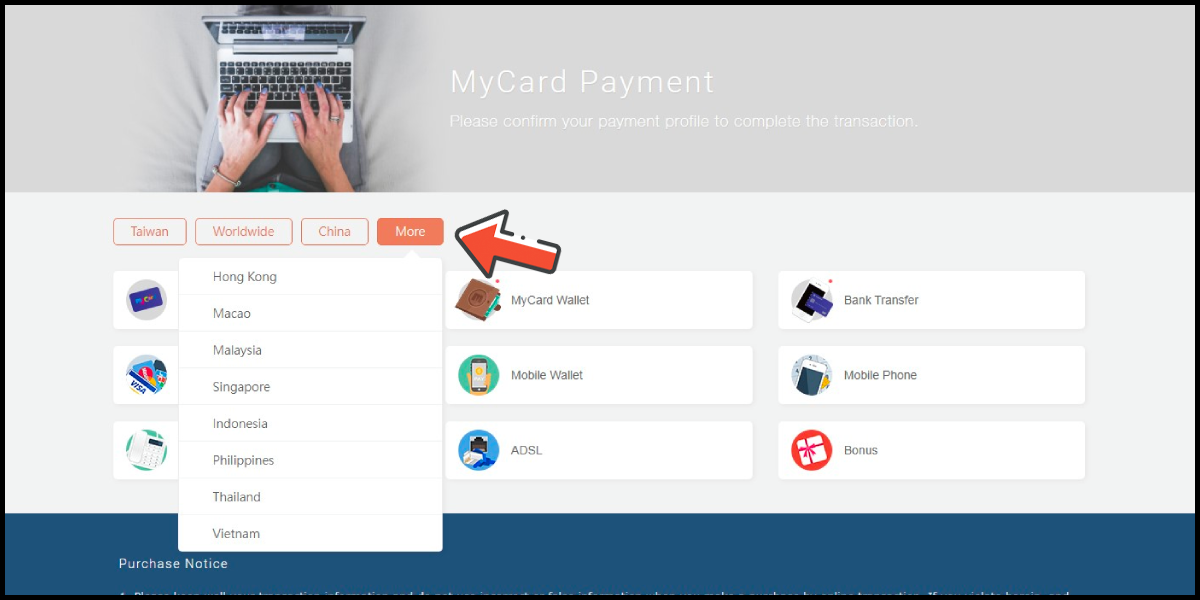
You will enter the MyCard Payment page, the available payment methods vary depending on your location, click "More" as shown by the arrow in the image to switch to the payment method for each country/region.
Step 6
Select the payment method you want to use. (this guide use E-Wallet as an example)

Step 7
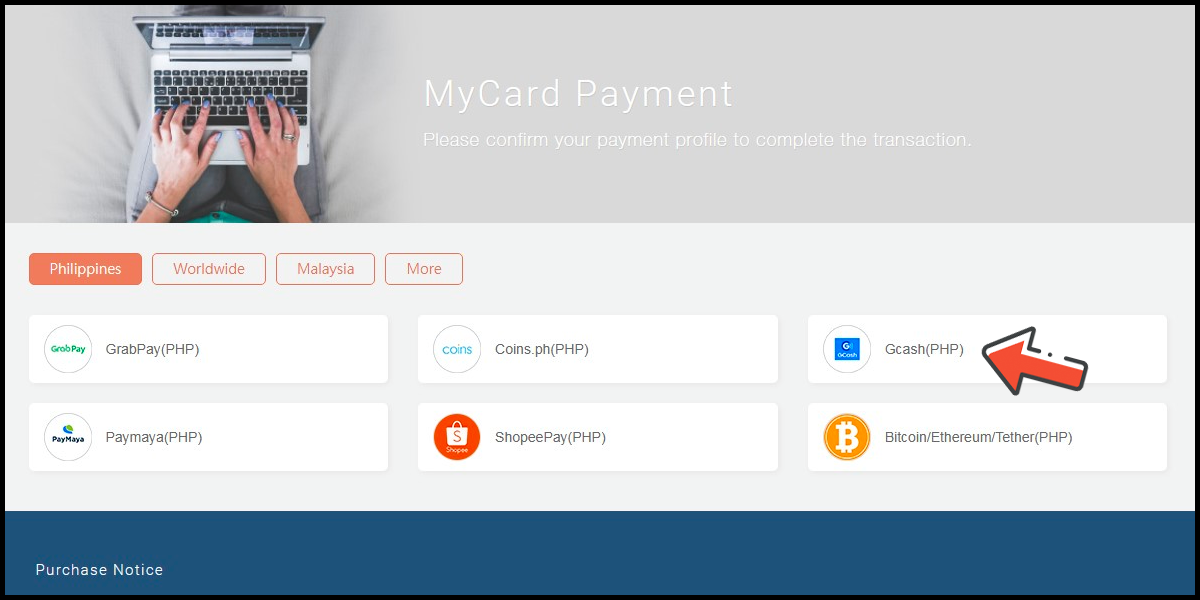
Select the payment channel. (this guide use Gcash as an example)
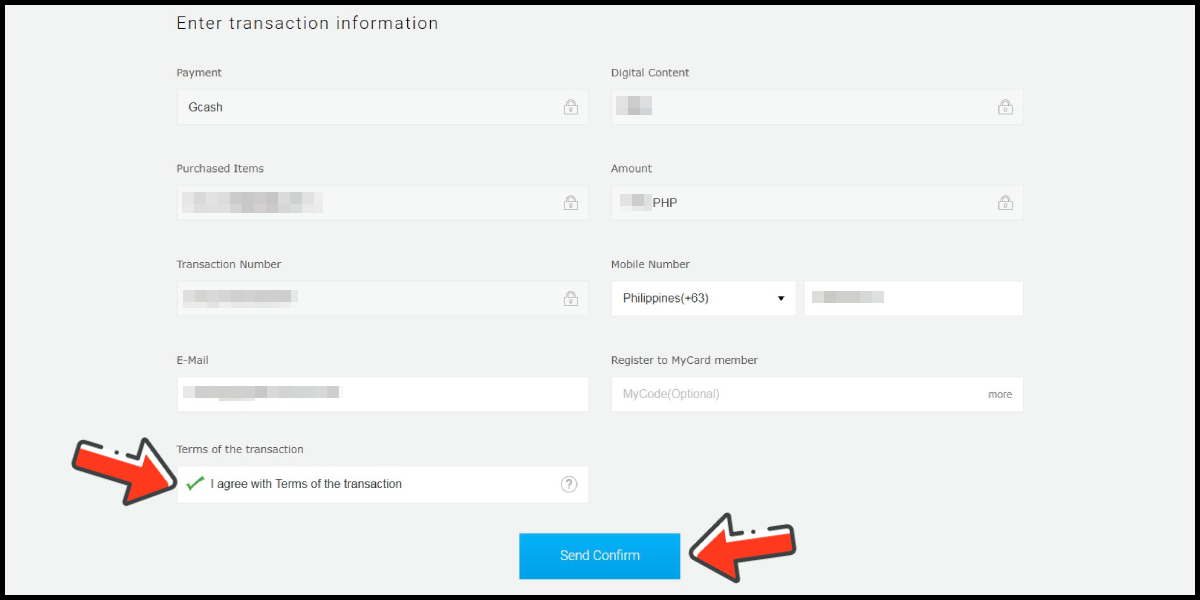
Step 8
Fill in the required transaction information, then click the "Agree and Submit" button.
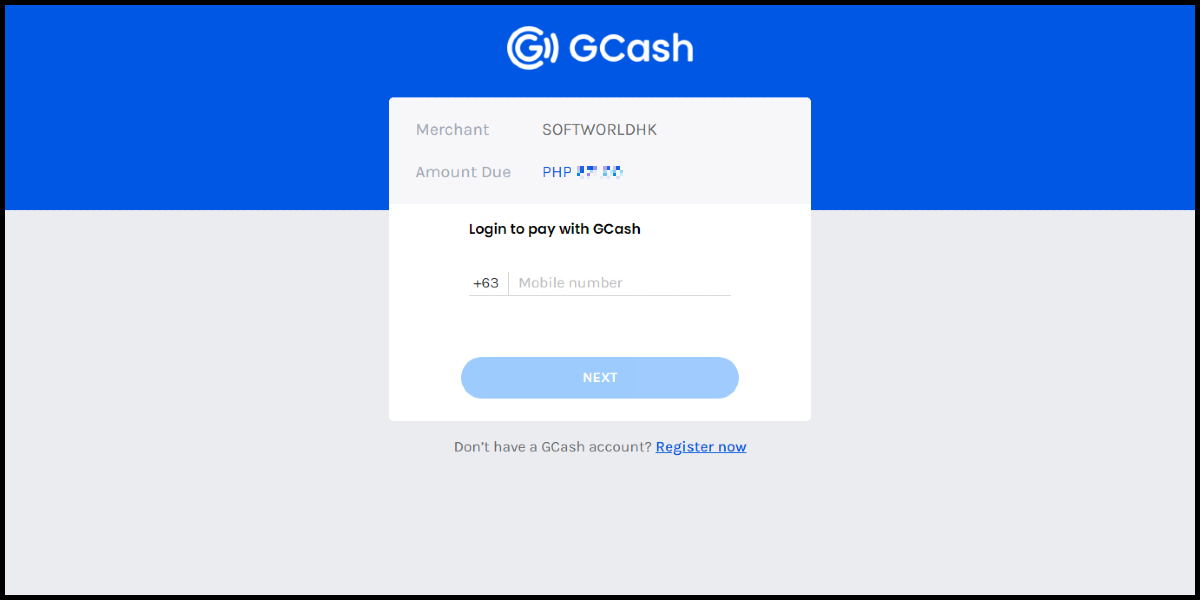
Step 9
Log in to your Gcash account and carry out the Gcash payment procedure to complete the transaction.
Malaysia Payment Method
Step 1
Click here to go to the top-up page. Select your server and enter your Character ID, then click the Search button.
Step 2
Confirm your character information, and click the Confirm button.
Step 3
Choose the item you want to top up.
Step 4
Select MyCard as the payment method, and click the Submit button.
Step 5
You will enter the MyCard Payment page, the available payment methods vary depending on your location, click "More" as shown by the arrow in the image to switch to the payment method for each country/region.
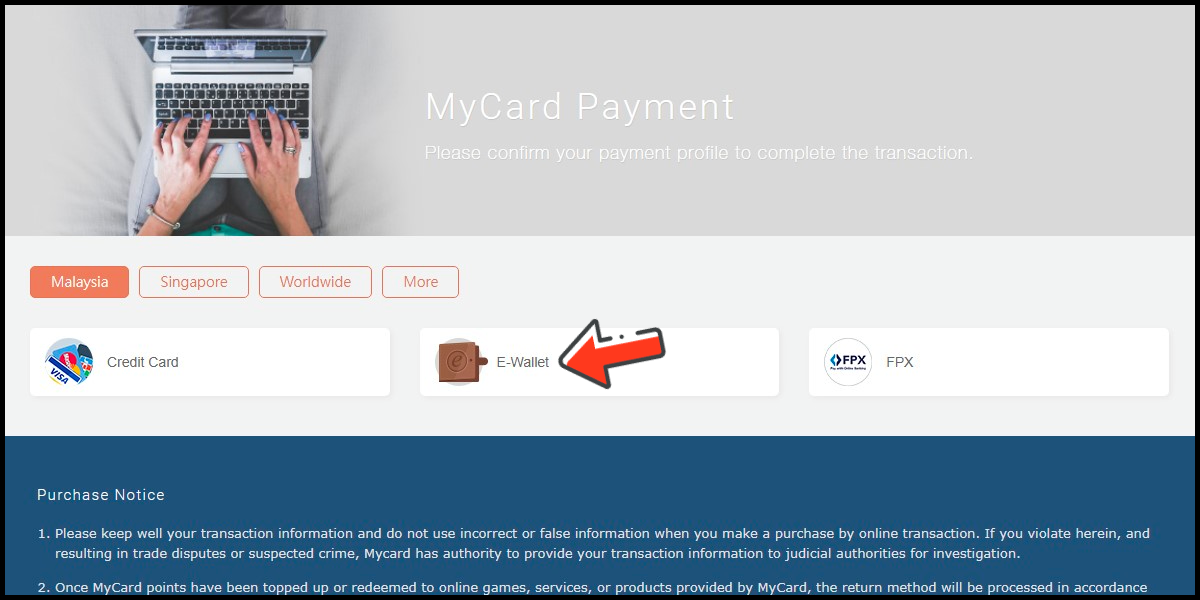
Step 6
Select the payment method you want to use. (this guide use E-Wallet as an example)
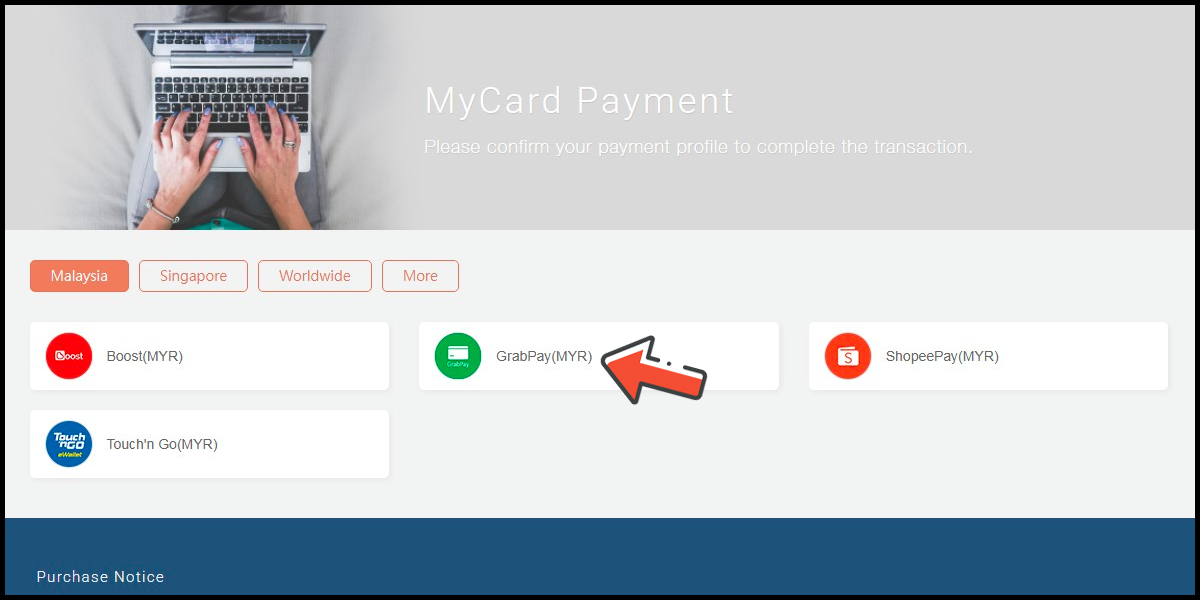
Step 7
Select the payment channel. (this guide use Grab(MYR) as an example)
Step 8
Fill in the required transaction information, then click the "Agree and Submit" button.

Step 9
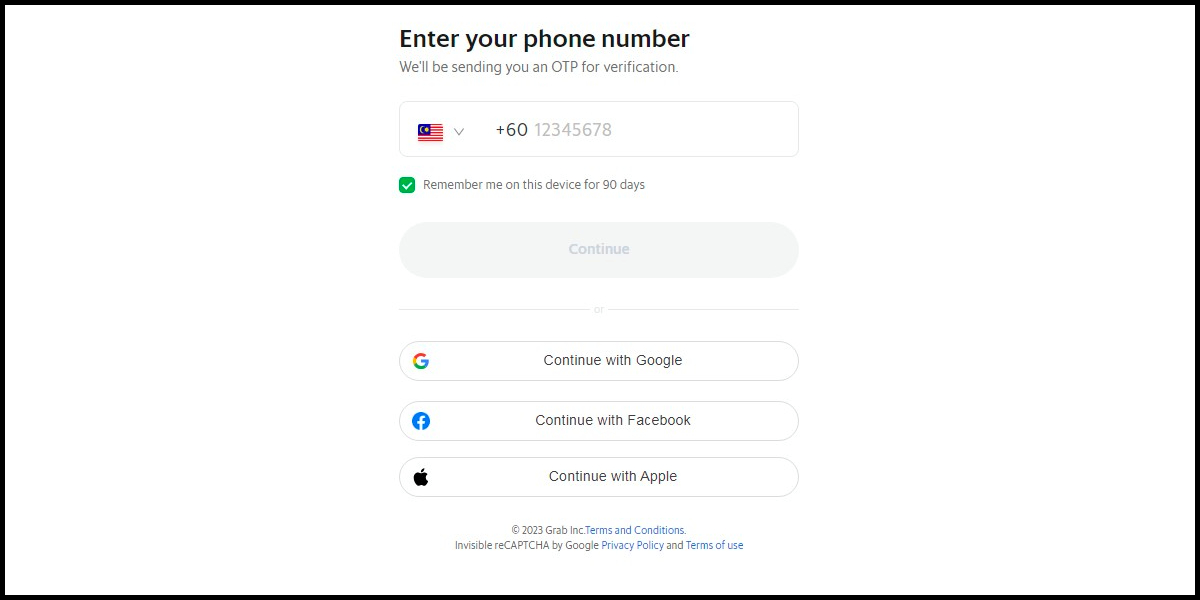
Carry out the Grab payment procedure to complete the transaction.
Singapore Payment Method
Step 1
Click here to go to the top-up page. Select your server and enter your Character ID, then click the Search button.
Step 2
Confirm your character information, and click the Confirm button.
Step 3
Choose the item you want to top up.
Step 4
Select MyCard as the payment method, and click the Submit button.
Step 5
You will enter the MyCard Payment page, the available payment methods vary depending on your location, click "More" as shown by the arrow in the image to switch to the payment method for each country/region.
Step 6
Select the payment method you want to use. (this guide use E-wallet as an example)
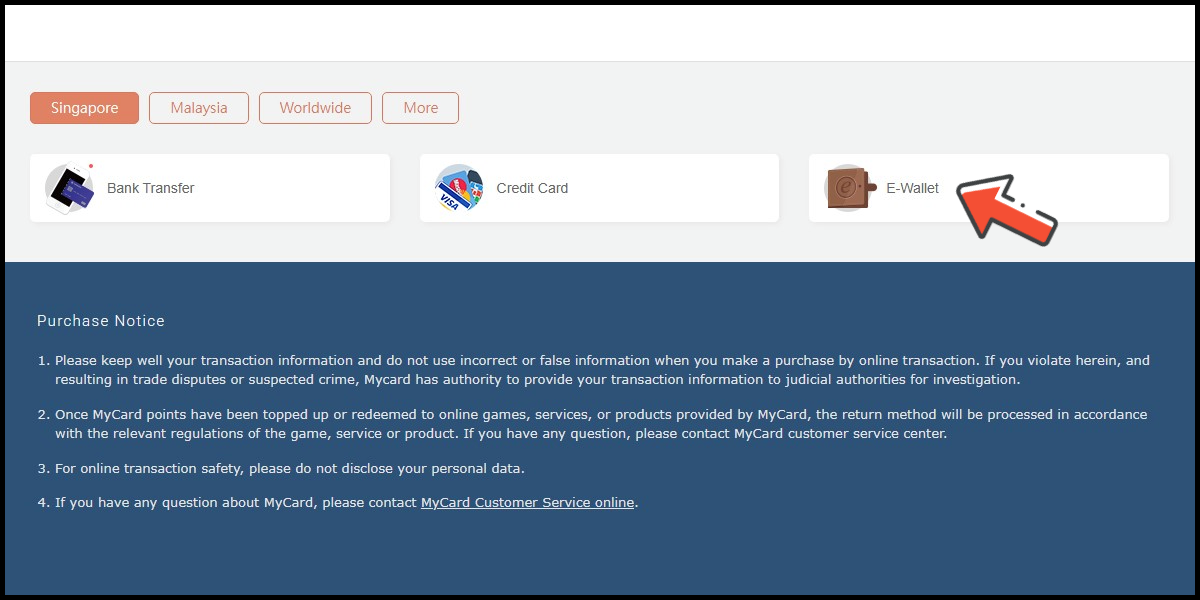
Step 7
Select the payment channel. (this guide use GrabPay (SGD) as an example)
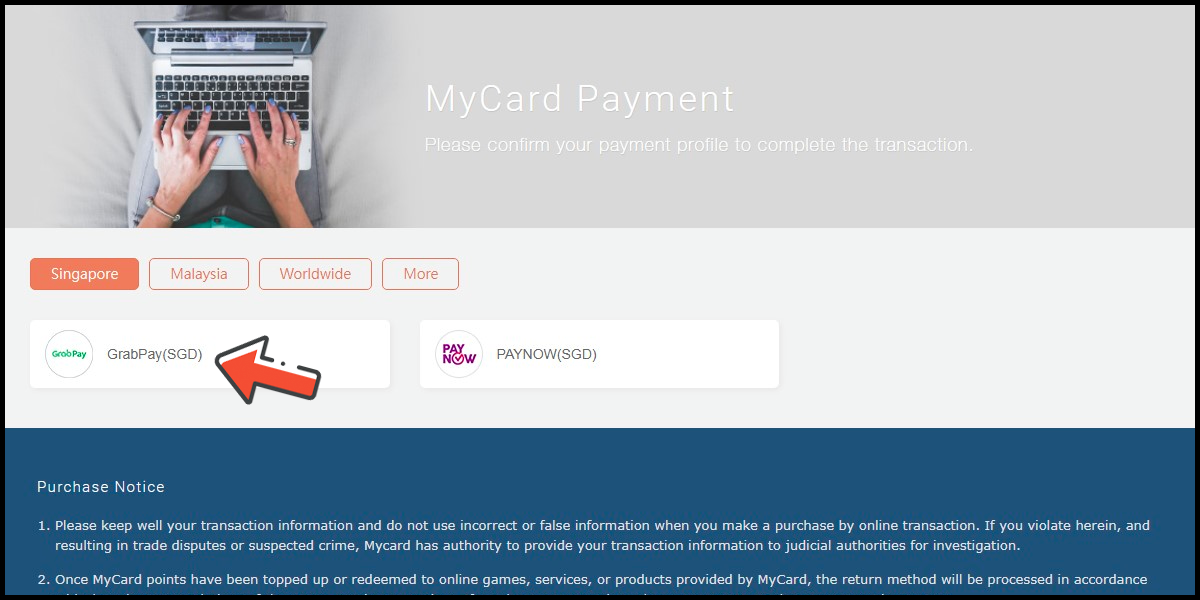
Step 8
Fill in the required transaction information, then click the "Agree and Submit" button.

Step 9
Carry out the payment procedure to complete the transaction.