Popular Keyword
Tara Tarot

- Malaysia Payment
- Singapore Payment
- MyCard Point Card
- MyCard Wallet
Malaysia Payment Method
Step 1
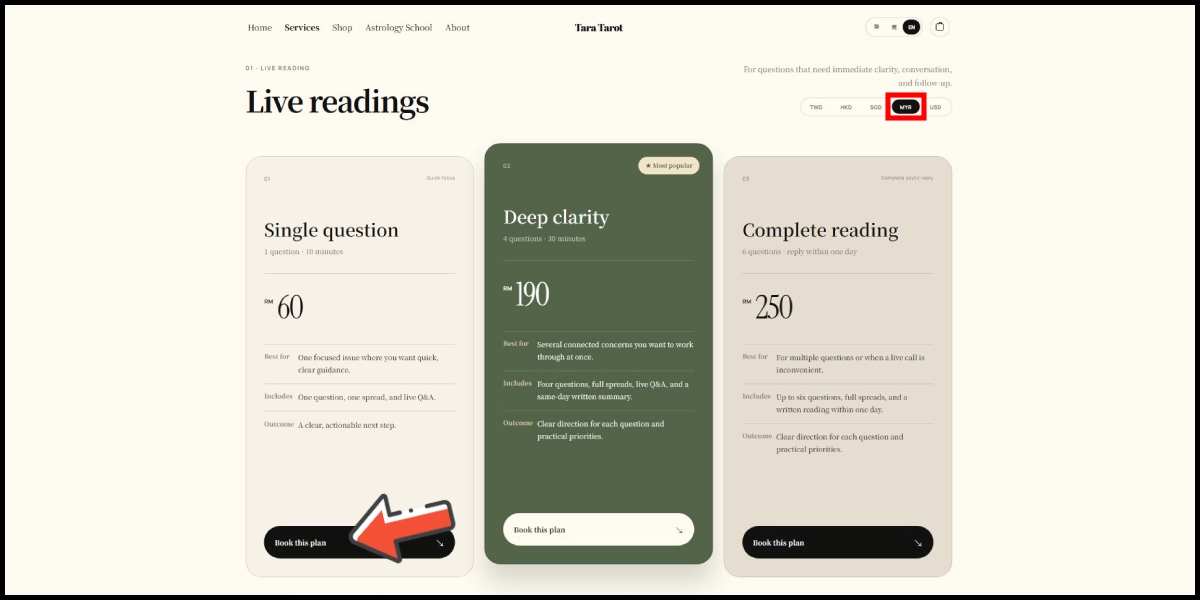
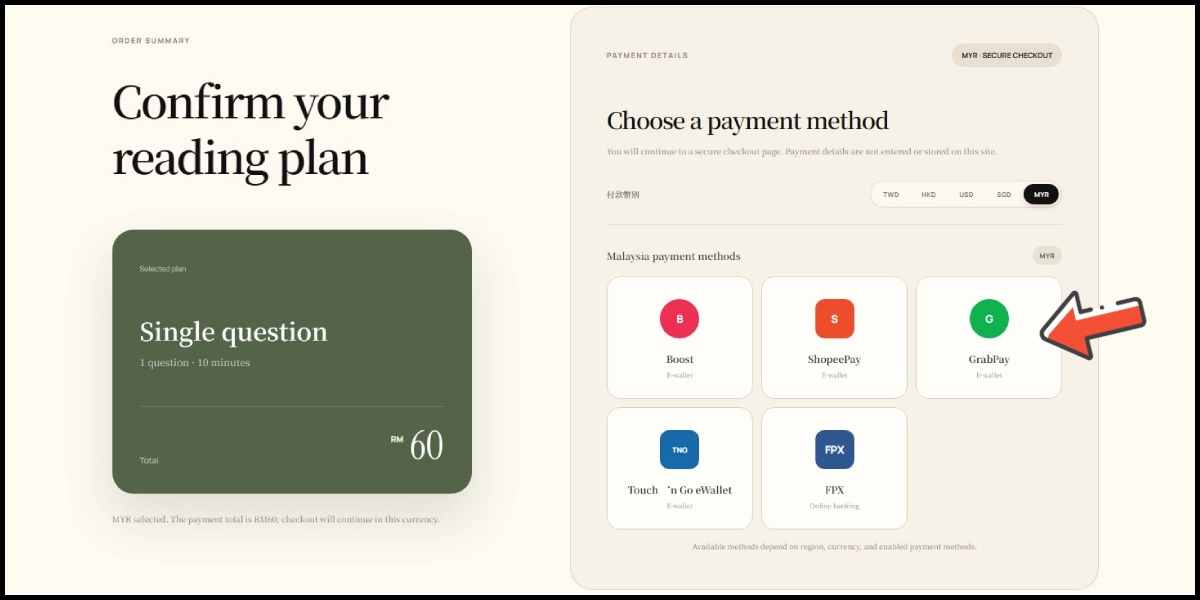
Click here to go to the top-up page, then select the plan you want to book. (make sure your payment region is Malaysia)
Step 2
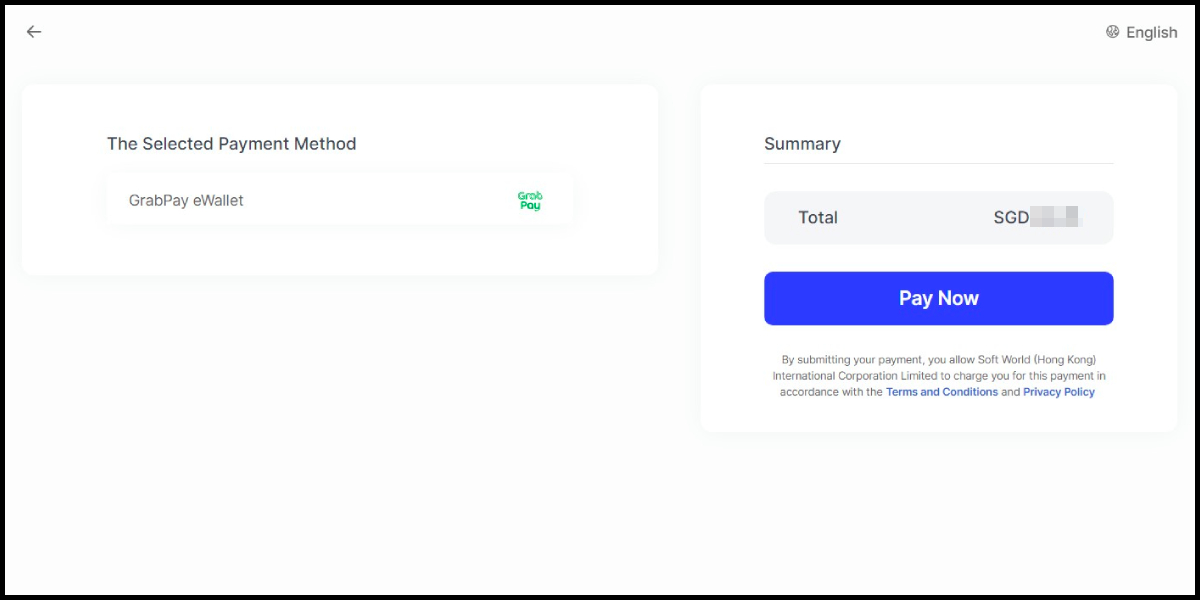
Select GrabPay as the payment method. (this guide use GrabpPay E-Wallet as an example)
Step 3
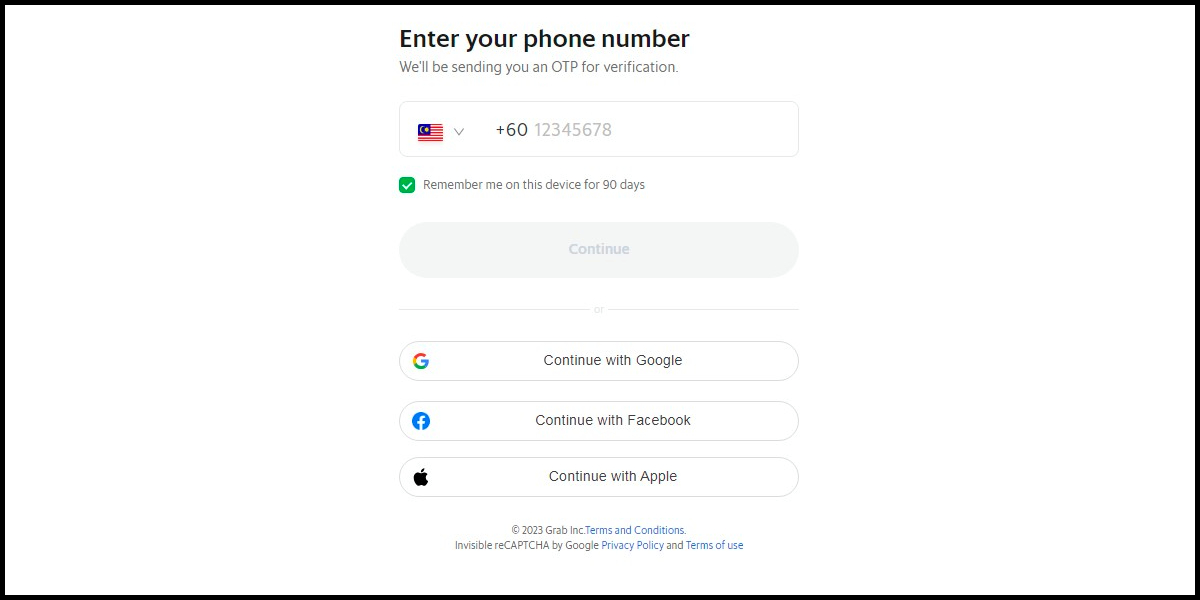
Fill in the required transaction information, then click the "Agree and Submit" button.

Step 4
Carry out the Grab payment procedure to complete the transaction.
Singapore Payment Method
Step 1
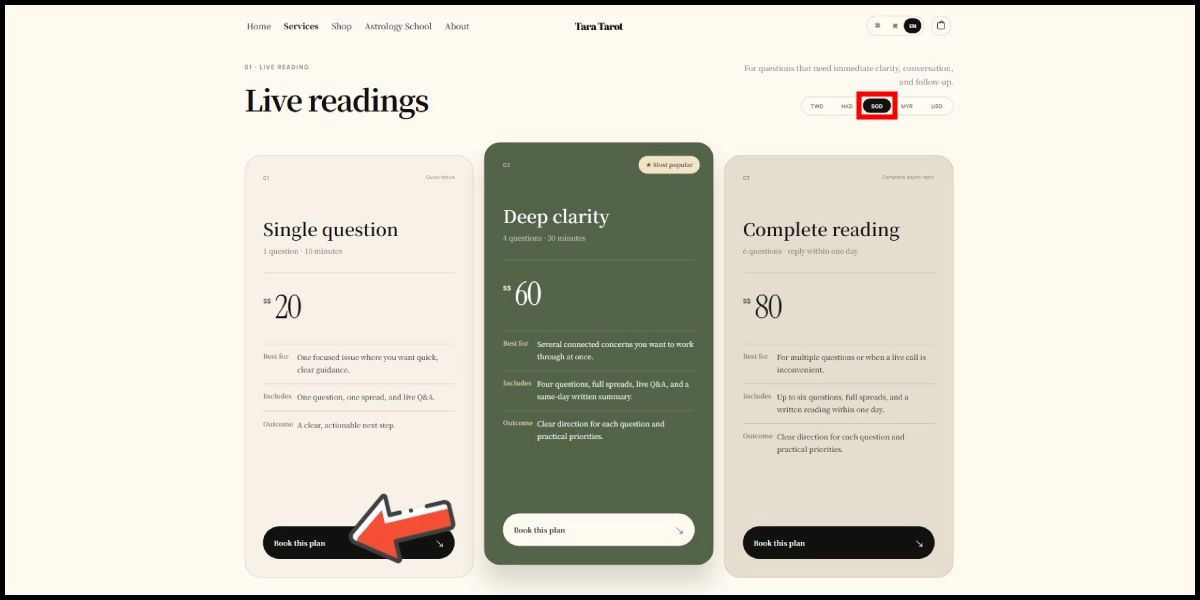
Click here to go to the top-up page, then select the plan you want to book. (make sure your payment region is Singapore)
Step 2
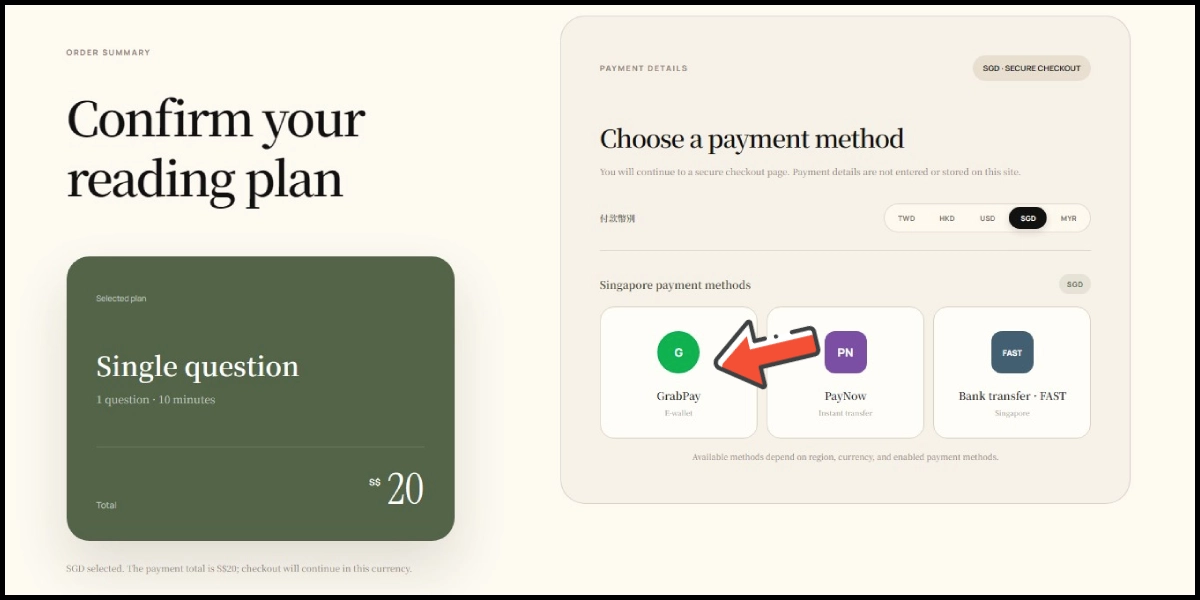
Select GrabPay as the payment method. (this guide use GrabpPay E-Wallet as an example)
Step 3
Fill in the required transaction information, then click the "Agree and Submit" button.

Step 4
Carry out the payment procedure to complete the transaction.
MyCard Point Card
※MyCard point card only available for specified top up amount, if you wish to top up different amount, you can top up your MyCard point card to your MyCard member account, and use MyCard Wallet to top up the game. How to top up MyCard Point Card to member account
Step 1
Click here to go to the top-up page, then select the plan you want to book. (make sure your payment region is Taiwan)
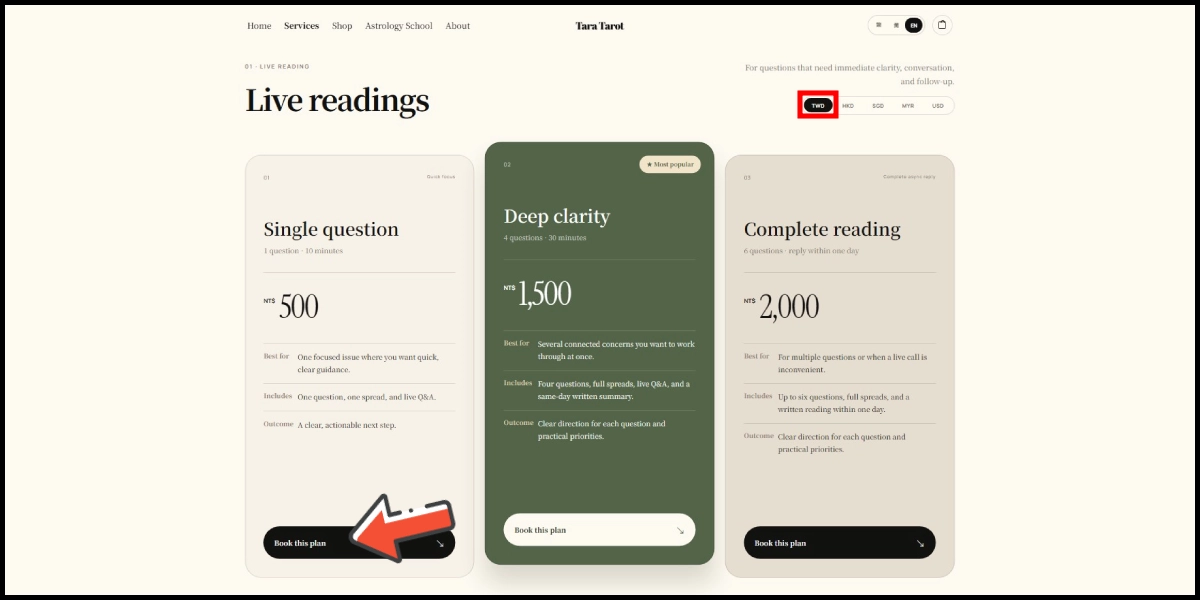
Step 2
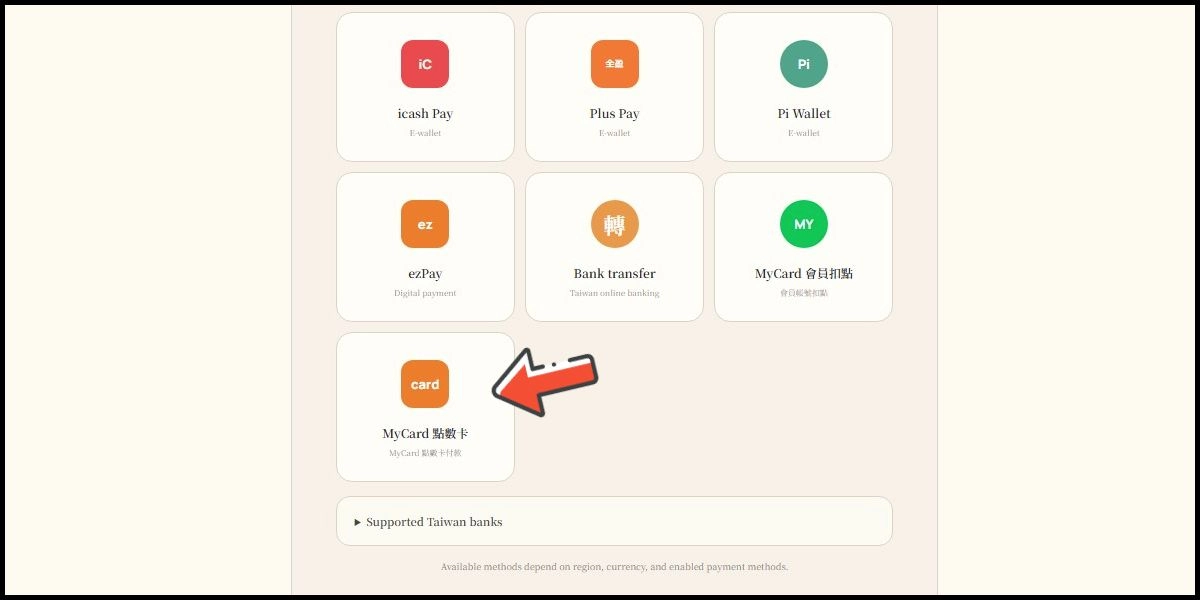
Select MyCard點數卡 (MyCard Point Card) as the payment method.
Step 3
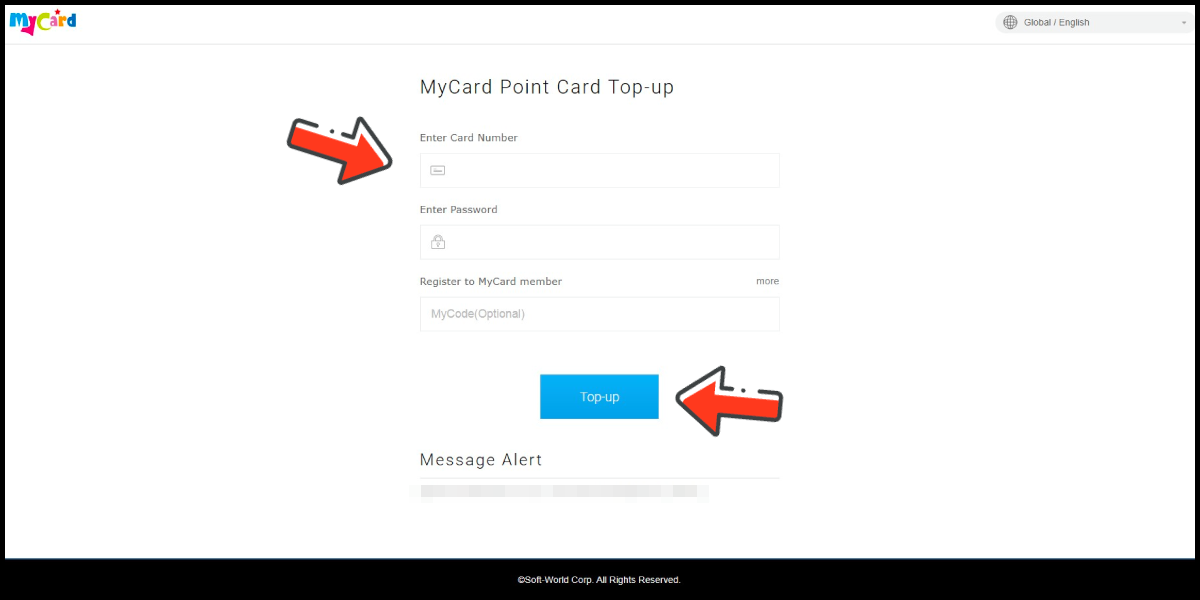
Enter MyCard card number and password and click "Top-up" to complete the top up process.
MyCard Wallet
Step 1
Click here to go to the top-up page, then select the plan you want to book. (make sure your payment region is Taiwan)
Step 2
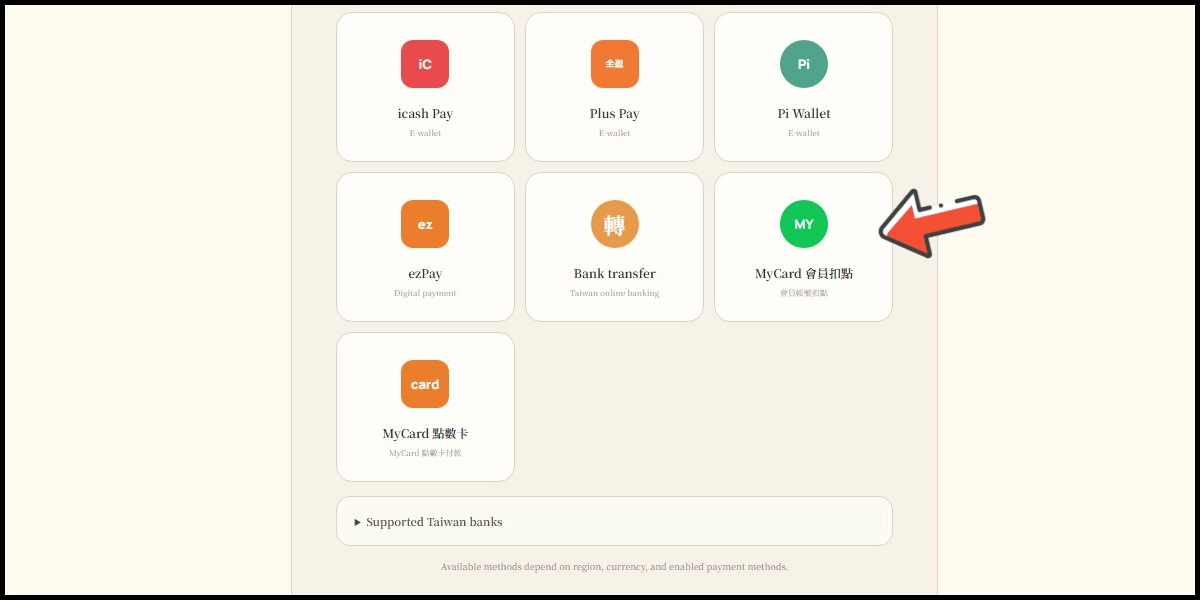
Select MyCard會員扣點 (MyCard Wallet) as the payment method.
Step 3
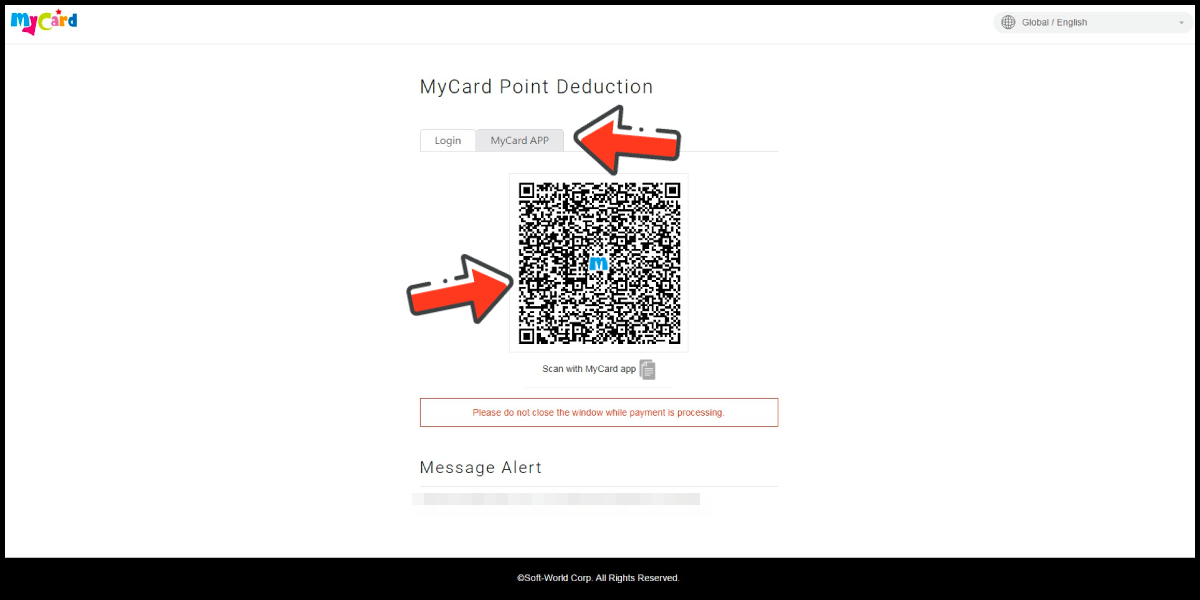
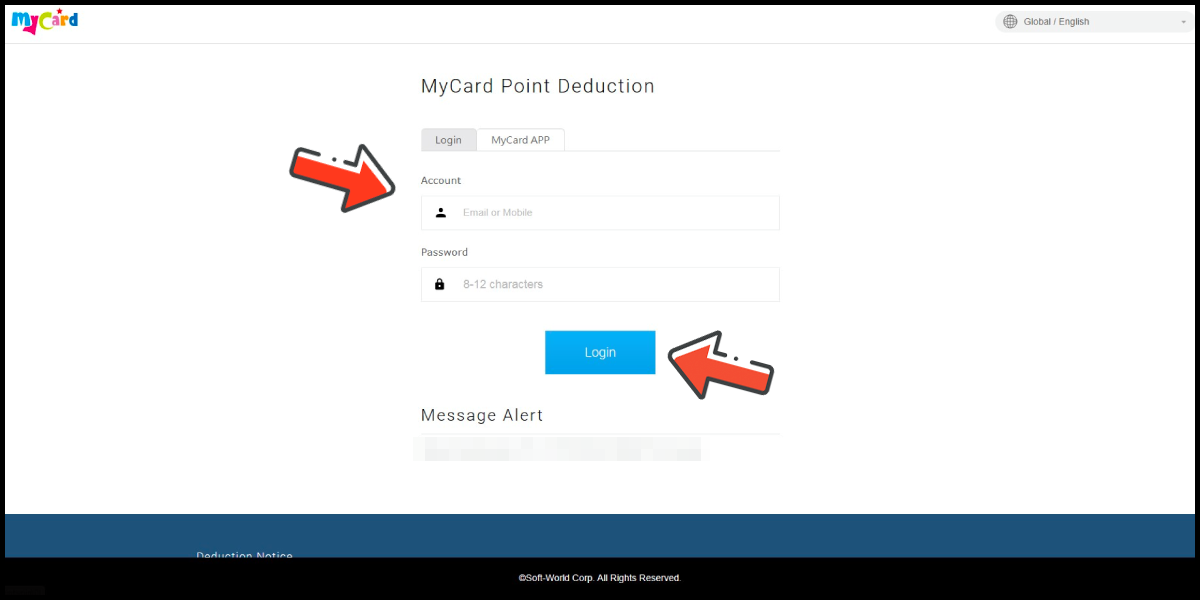
Log in to your MyCard member account. (You can also pay by MyCard App)
Step 4
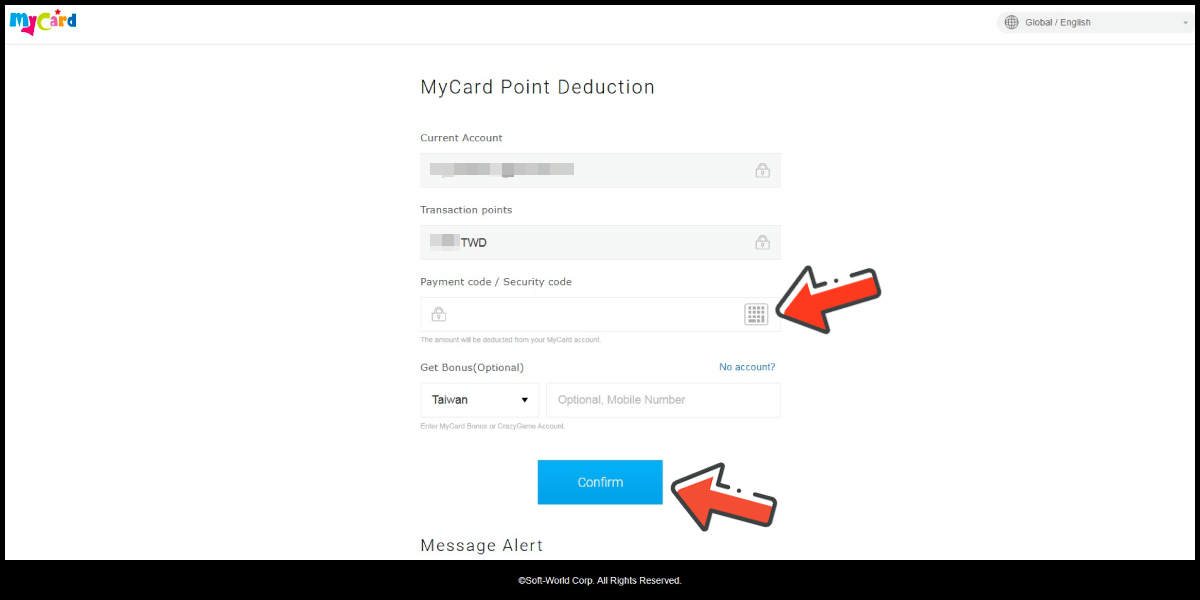
Enter the payment password, mobile number (optional), and then click "Confirm" to complete the top up process.
Pay by MyCard App
Click the "MyCard APP" tab which is pointed by the arrow in the picture, open the MyCard app in your mobile device and scan the QR Code on the top up page to complete the top up process. (Not the QR Code in this guide page)