The lucky draw entrance will be open at 2026/12/02 00:00 (GMT+8)

Popular Keyword
AION2

Event Period: 2026/11/18 12:00 - 2026/12/31 23:59 (GMT+8)
During the event period, MyCard members who top up their AION 2 game account with the specified amount per transaction using MyCard Wallet can click the button below to enter the lucky draw for a chance to win an AION 2 Exclusive Point Card!
| Top-Up Amount | Prize |
|---|---|
| 550 Points | AION 2 Exclusive Point Card 190 Points |
- MyCard Wallet
- MyCard Point Card
- Paypal
MyCard Wallet
Step 1
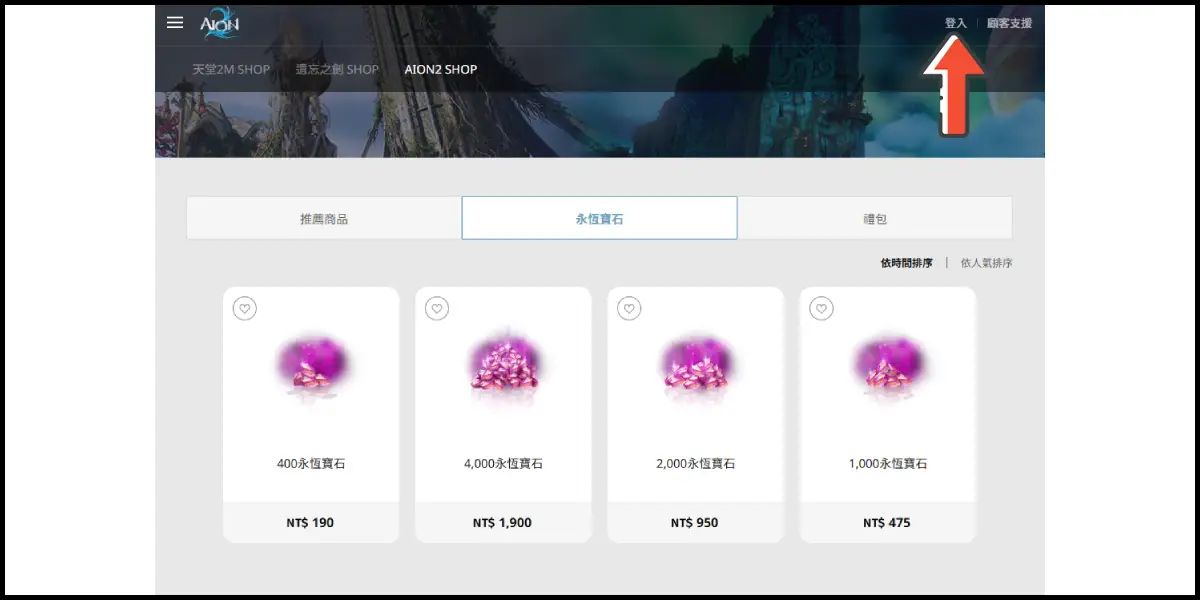
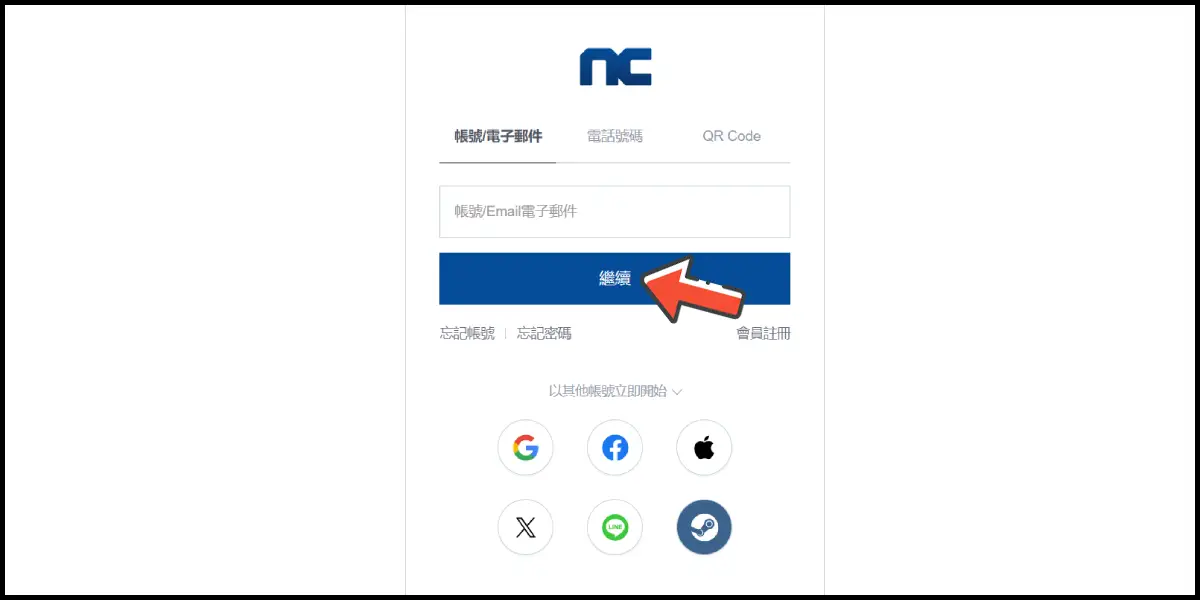
Click here to go to the top up page, click 登入 (login) and log in to your game account.
Step 2
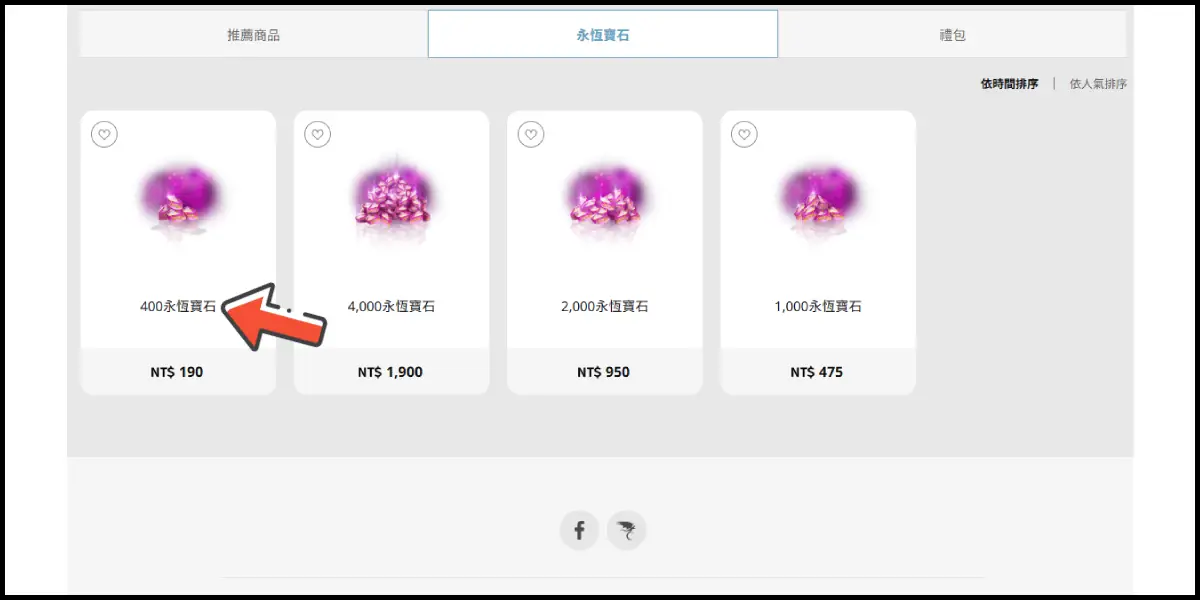
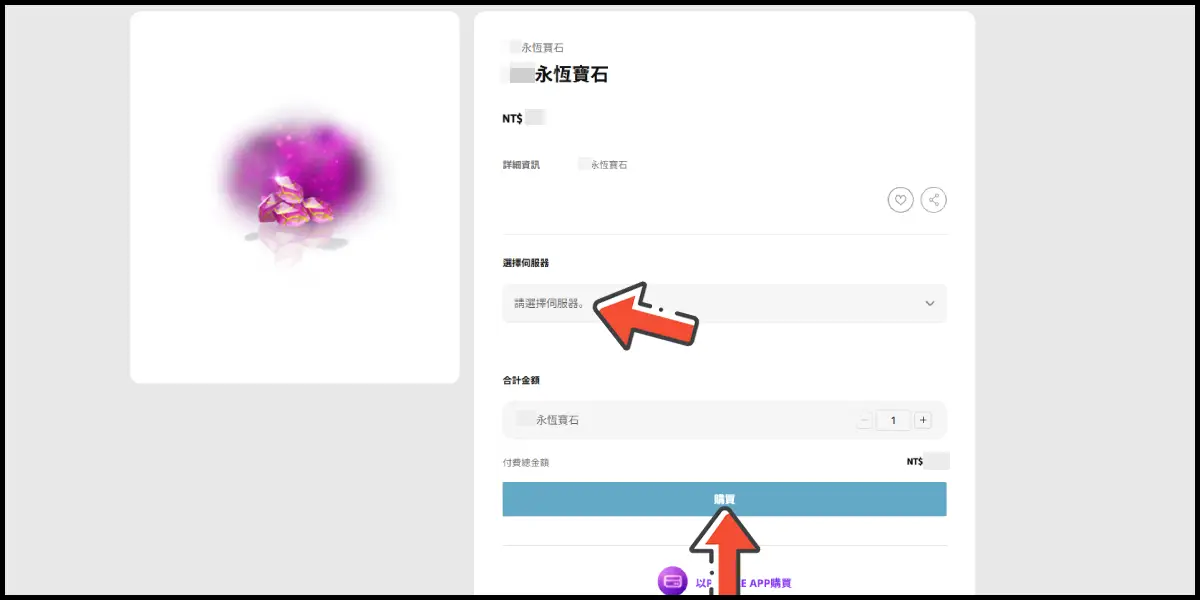
Select the item you want to top up, choose your game server (請選擇伺服器), then click the 購買 (Purchase) button.
Step 3
Click the 付款方式 (Payment Method) button.

Step 4
Under the MyCard會員扣點 tab, choose MyCard會員扣點 (MyCard Wallet), then click the 選擇 (Select) button.

Step 5
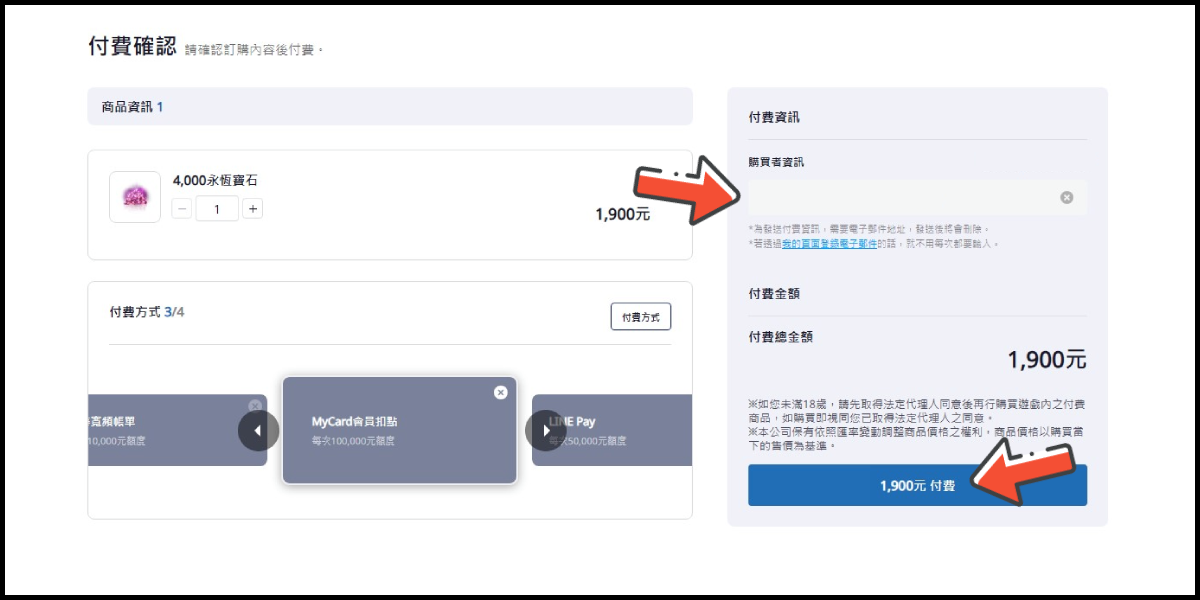
Enter your email address (輸入電子郵件信箱), then click the 付款 (Pay) button.
Step 6
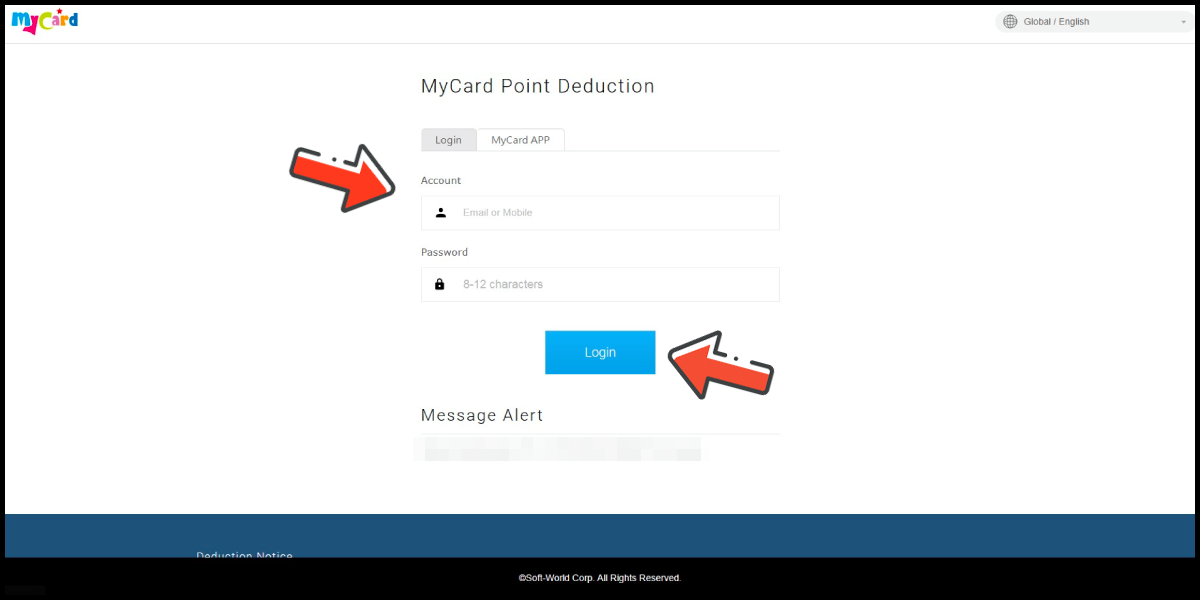
Log in to your MyCard member account. (You can also pay by MyCard App)
Step 7
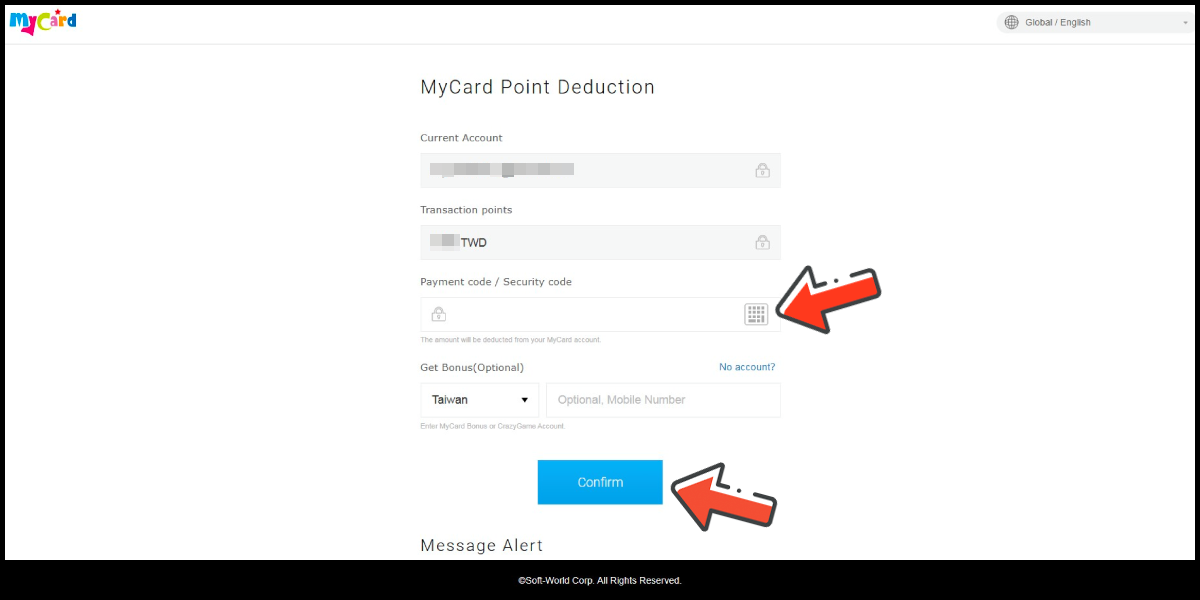
Enter the payment password, mobile number (optional), and then click "Confirm" to complete the top up process.
Pay by MyCard App
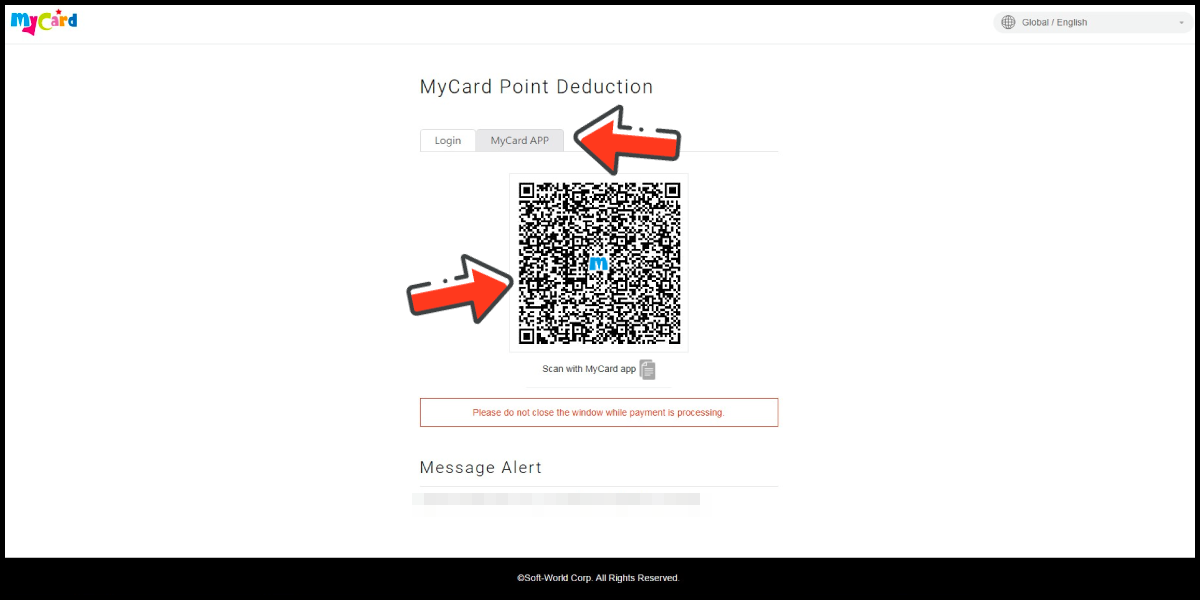
Click the "MyCard APP" tab which is pointed by the arrow in the picture, open the MyCard app in your mobile device and scan the QR Code on the top up page to complete the top up process. (Not the QR Code in this guide page)
MyCard Point Card
※MyCard point card only available for specified top up amount, if you wish to top up different amount, you can top up your MyCard point card to your MyCard member account, and use MyCard Wallet to top up the game. How to top up MyCard Point Card to member account
Step 1
Click here to go to the top up page, click 登入 (login) and log in to your game account.
Step 2
Select the item you want to top up, choose your game server (請選擇伺服器), then click the 購買 (Purchase) button.
Step 3
Click the 付款方式 (Payment Method) button.
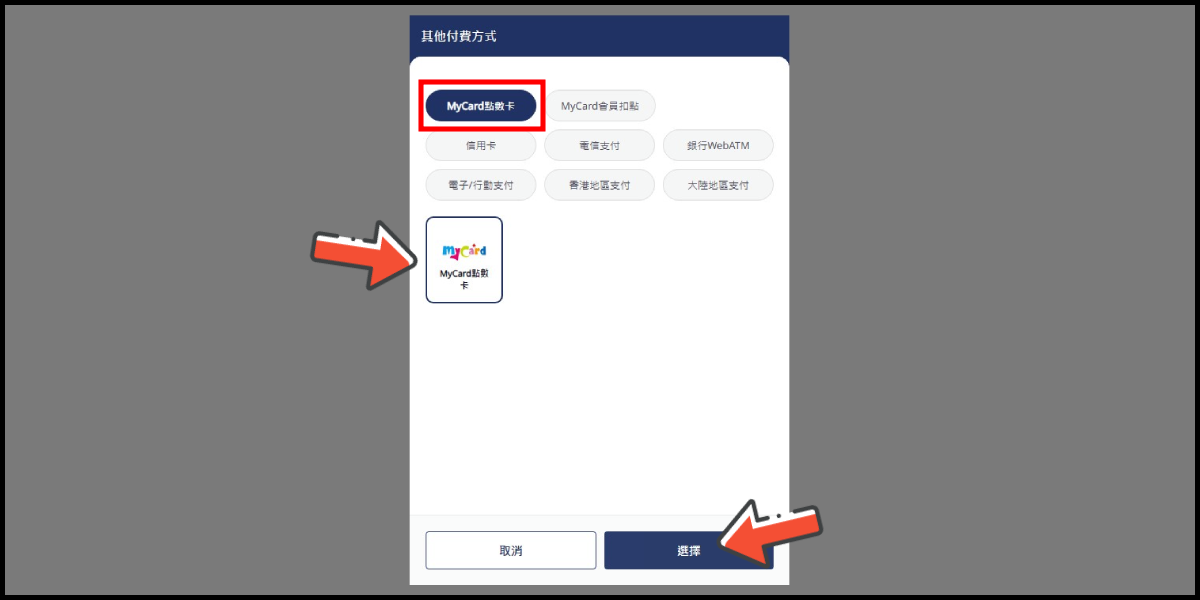
Step 4
Under the MyCard點數卡 tab, choose MyCard點數卡 (MyCard Point Card), then click the 選擇 (Select) button.
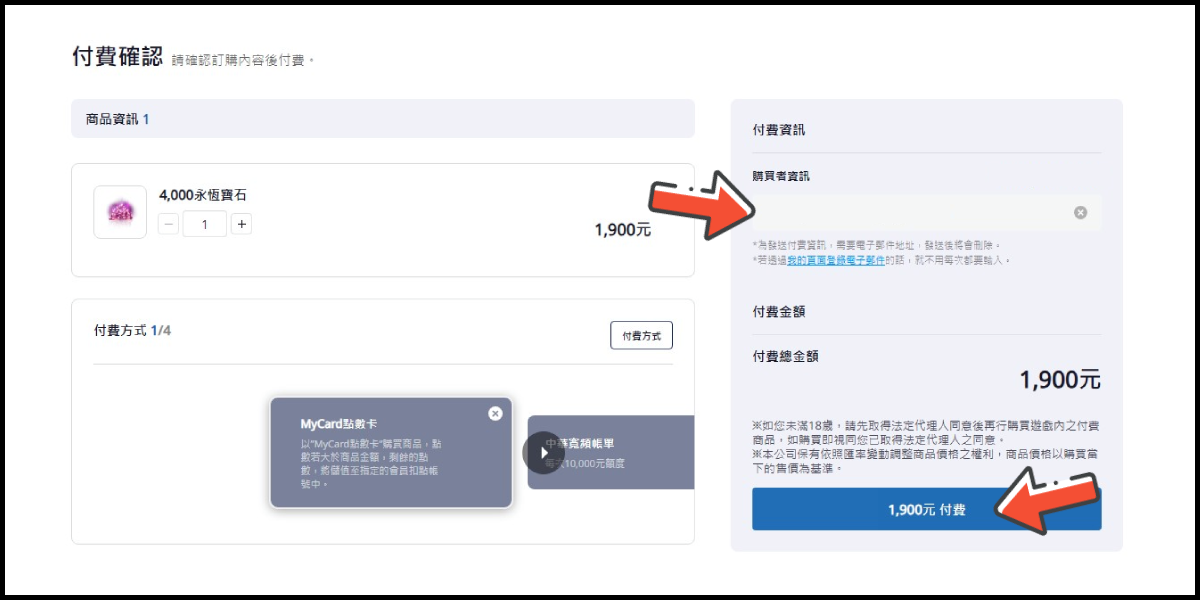
Step 5
Enter your email address (輸入電子郵件信箱), then click the 付款 (Pay) button.
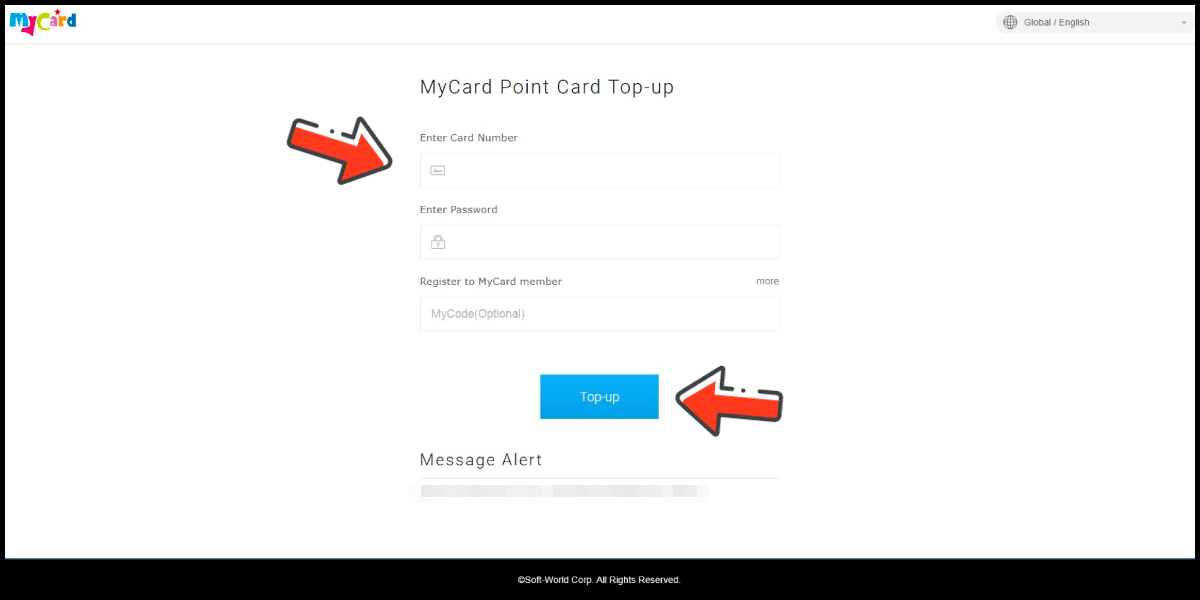
Step 6
Enter MyCard card number and password and click "Top-up" to complete the top up process.
Paypal
Step 1
Click here to go to the top up page, click 登入 (login) and log in to your game account.
Step 2
Select the item you want to top up, choose your game server (請選擇伺服器), then click the 購買 (Purchase) button.
Step 3
Click the 付款方式 (Payment Method) button.
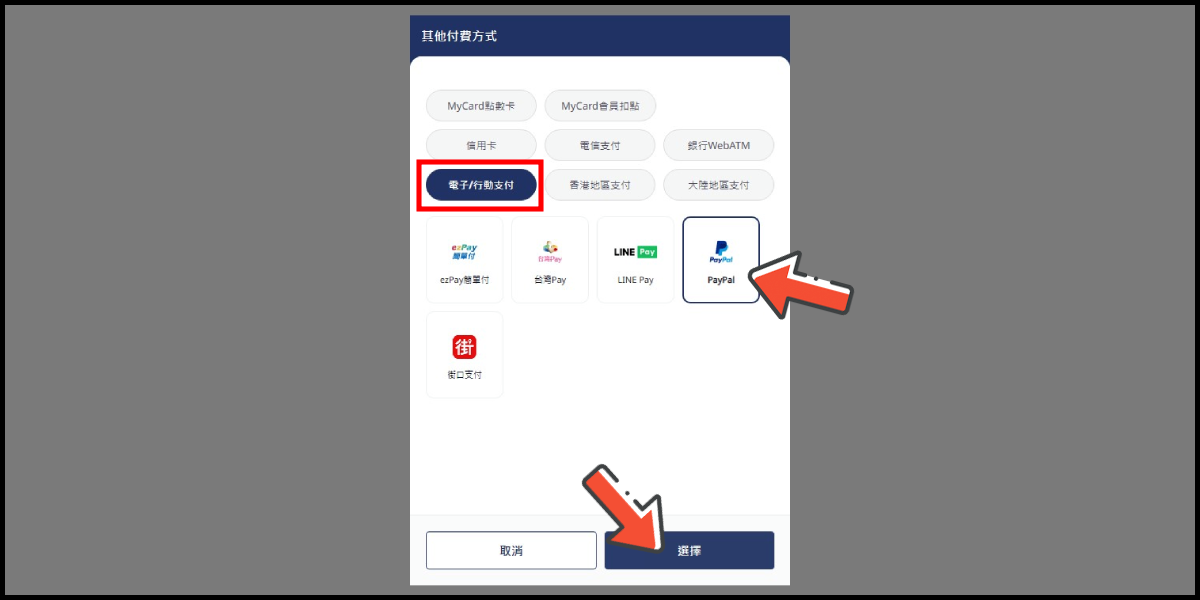
Step 4
Under the 電子/行動支付 (e-wallet) tab, choose Paypal, then click the 選擇 (Select) button.
Step 5
Enter your email address (輸入電子郵件信箱), then click the 付款 (Pay) button.
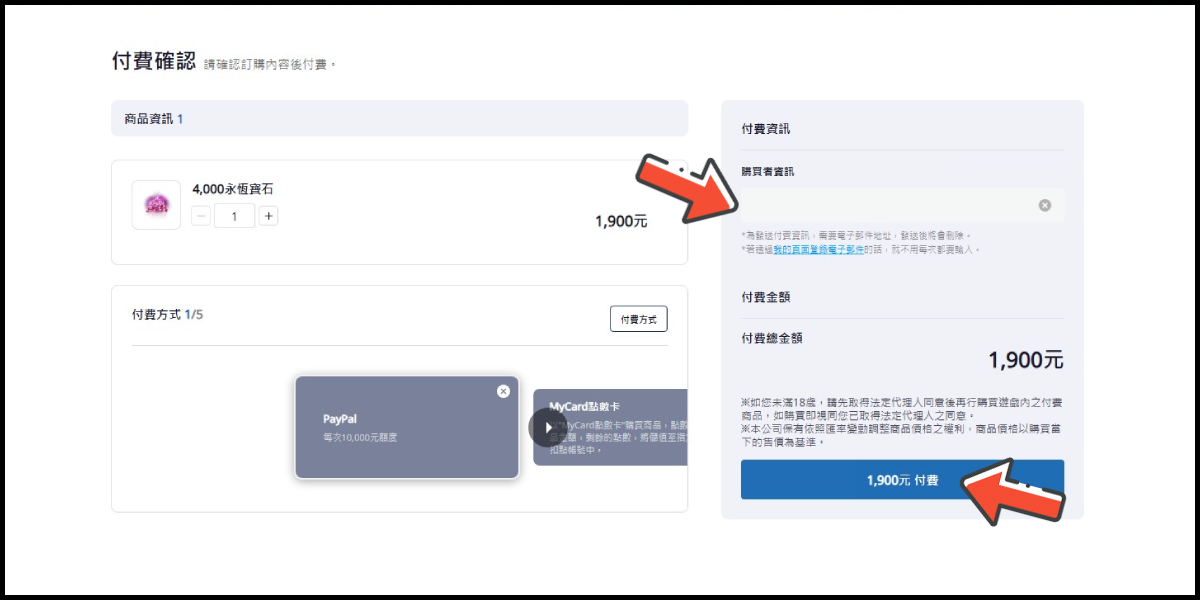
Step 6
Fill in the required transaction information, then click the "Agree and Submit" button.
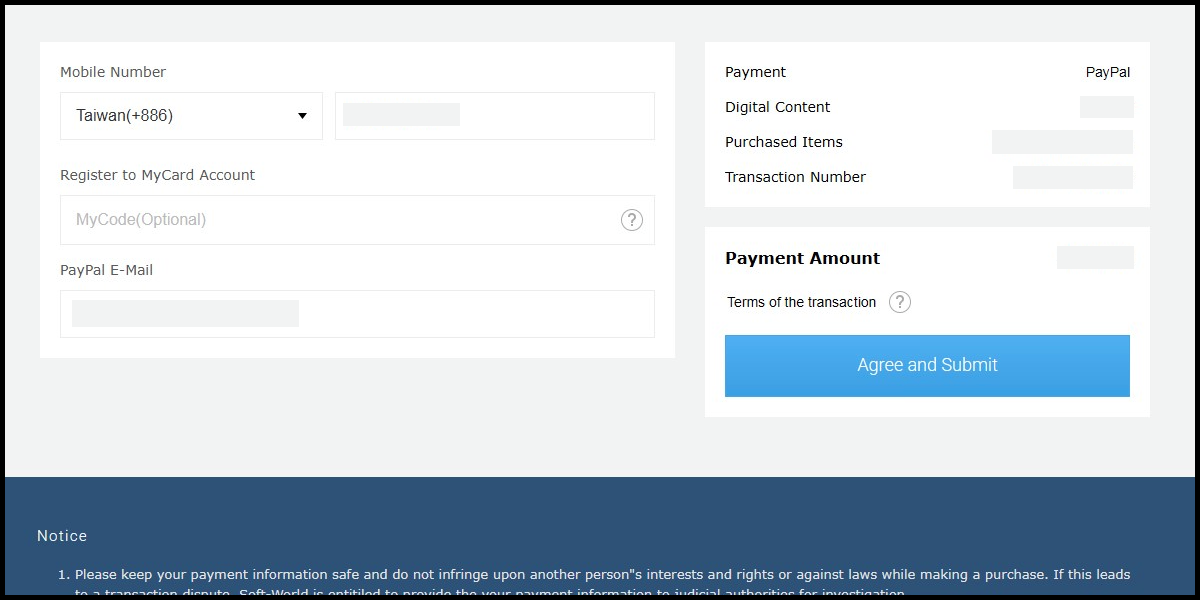
Step 7
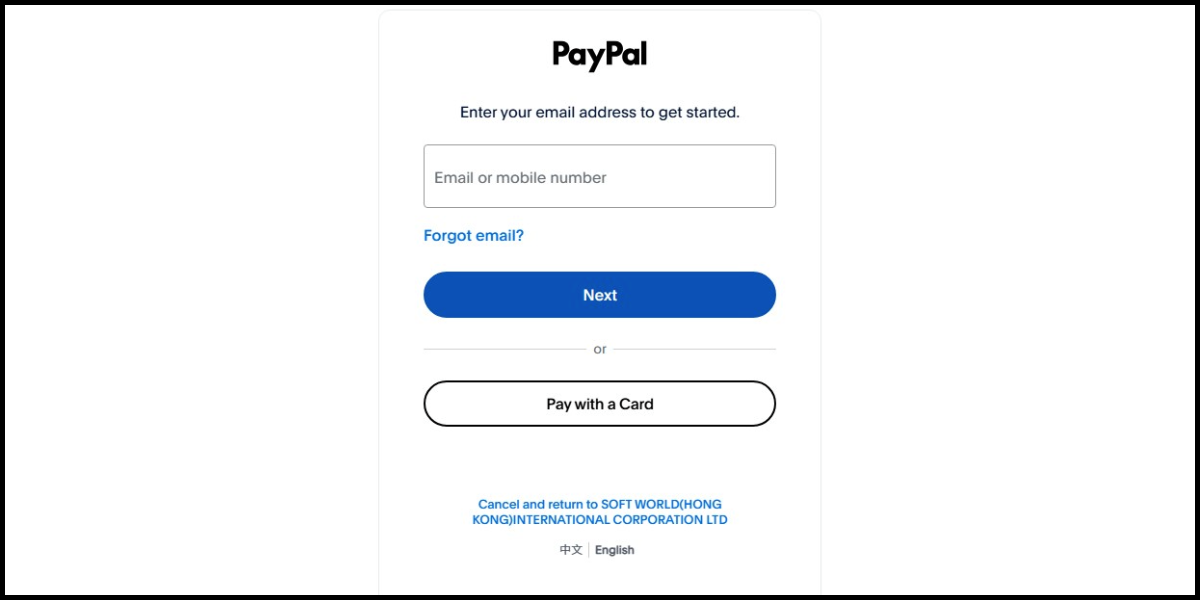
Log in to your paypal account and carry out the payment procedure to complete the transaction.


©Soft-World International Corporation & Subsidiaries. All Rights Reserved.