Popular Keyword
This Three Kingdoms is Ridiculous (這個三國超扯的)

- Malaysia Payment
- Singapore Payment
- Taiwan Payment
- MyCard Point Card
- MyCard Wallet
Malaysia Payment Method
Step 1
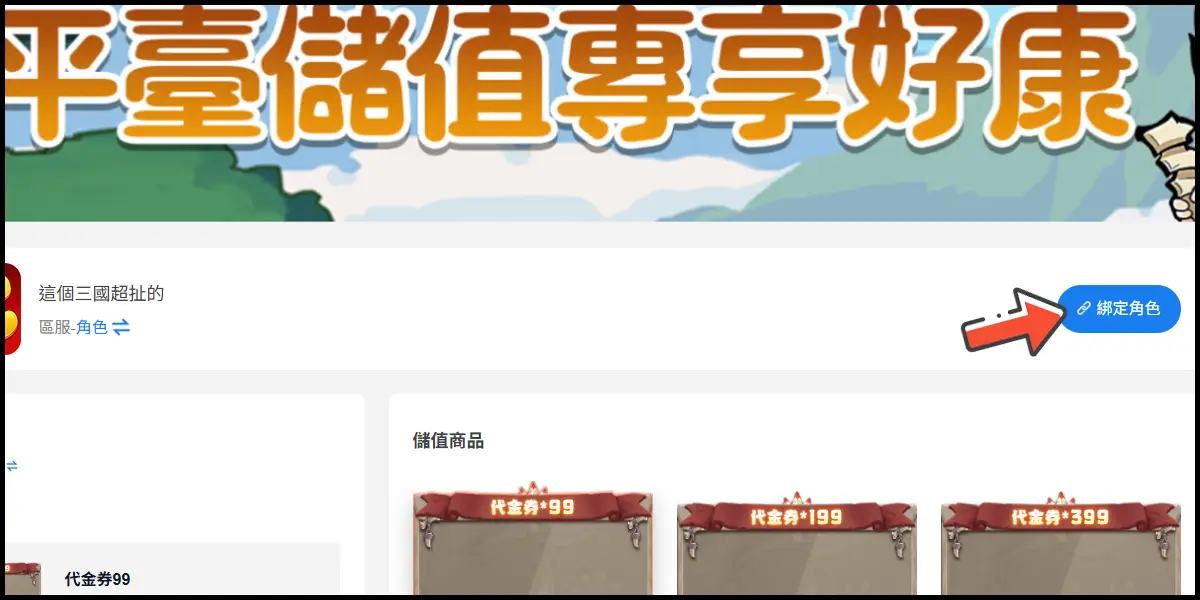
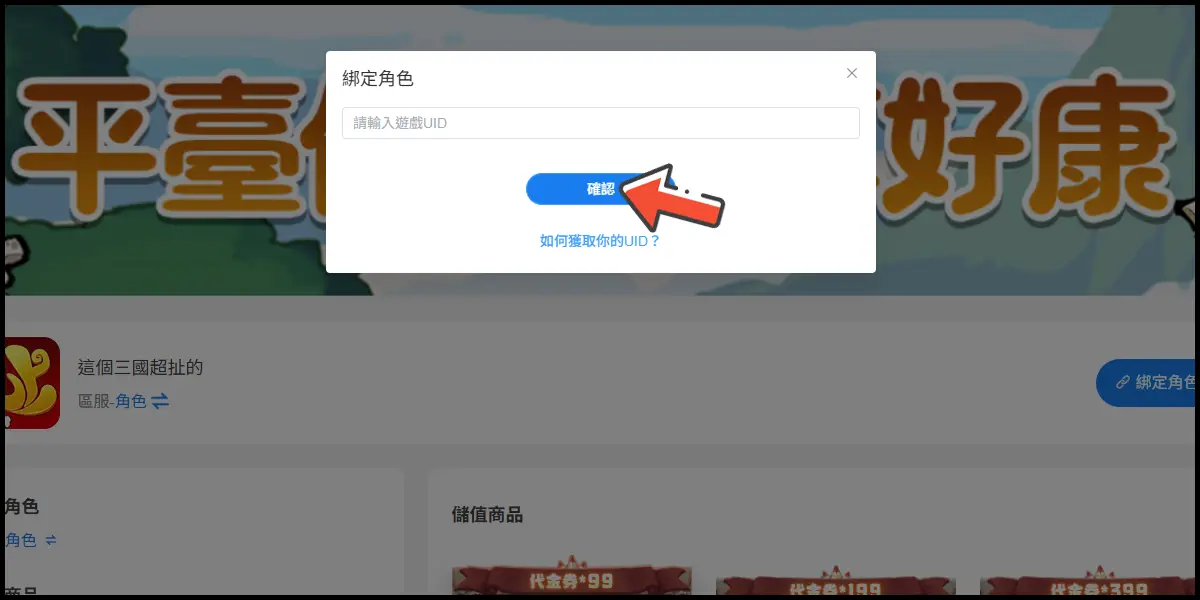
Click here to go to the top-up page. Click the 綁定角色 (Bind A Character) button, then enter your UID and click the 確認 (OK) button.
Step 2
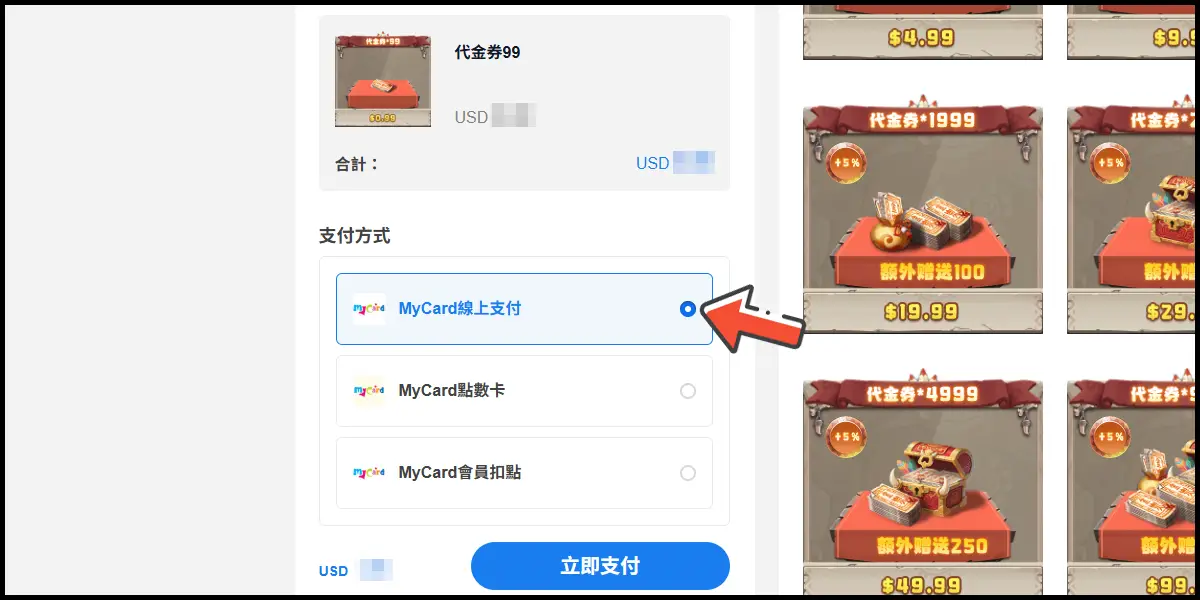
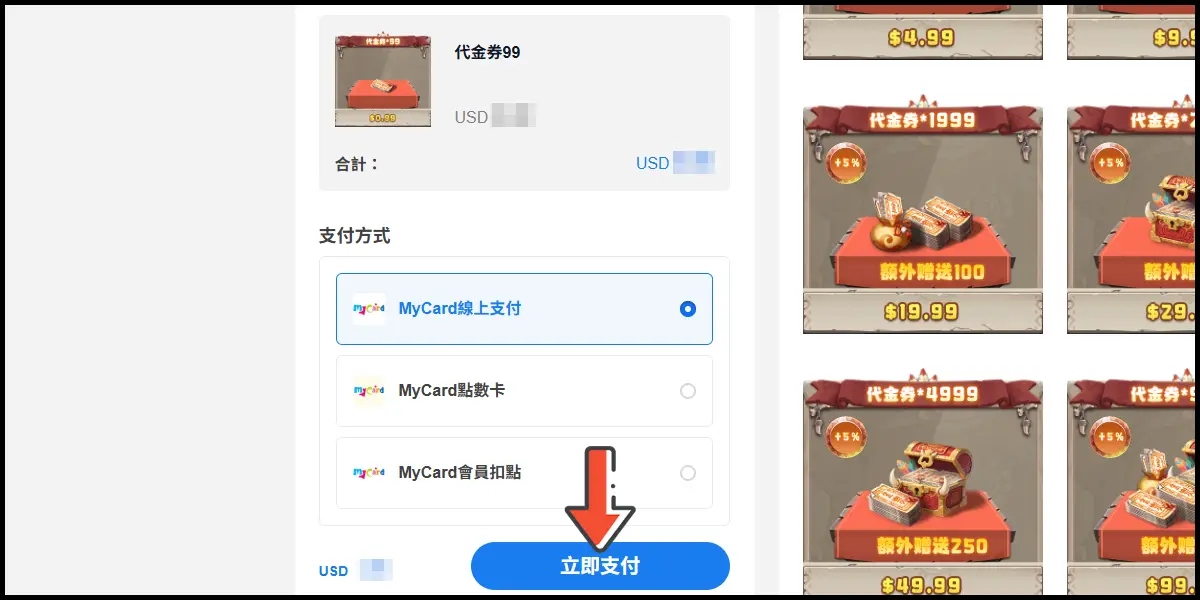
Select MyCard線上支付 (MyCard Online Payment) as the payment method.
Step 3
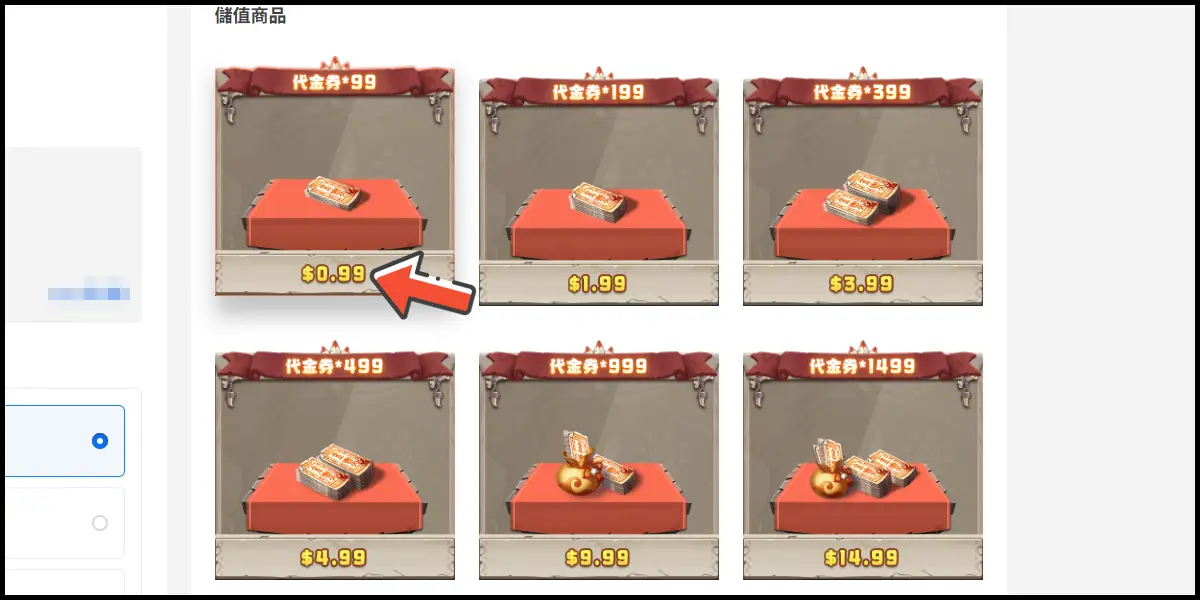
Select the item you want to top up, then click the 立即支付 (Pay) button.
Step 4
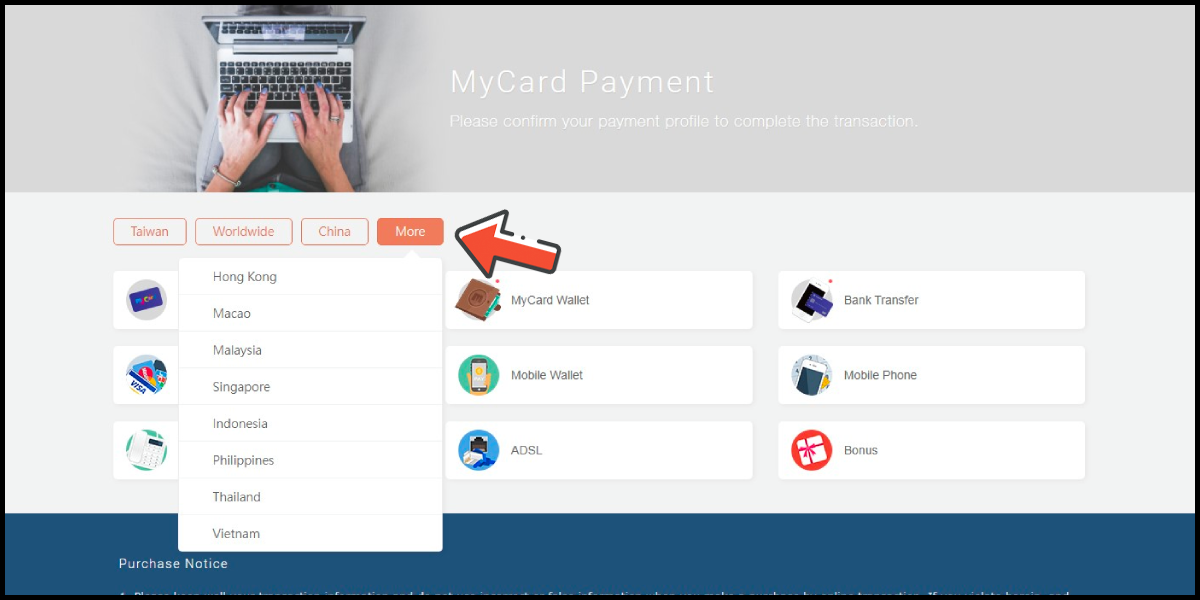
You will enter the MyCard Payment page, the available payment methods vary depending on your location, click "More" as shown by the arrow in the image to switch to the payment method for each country/region.
Step 5
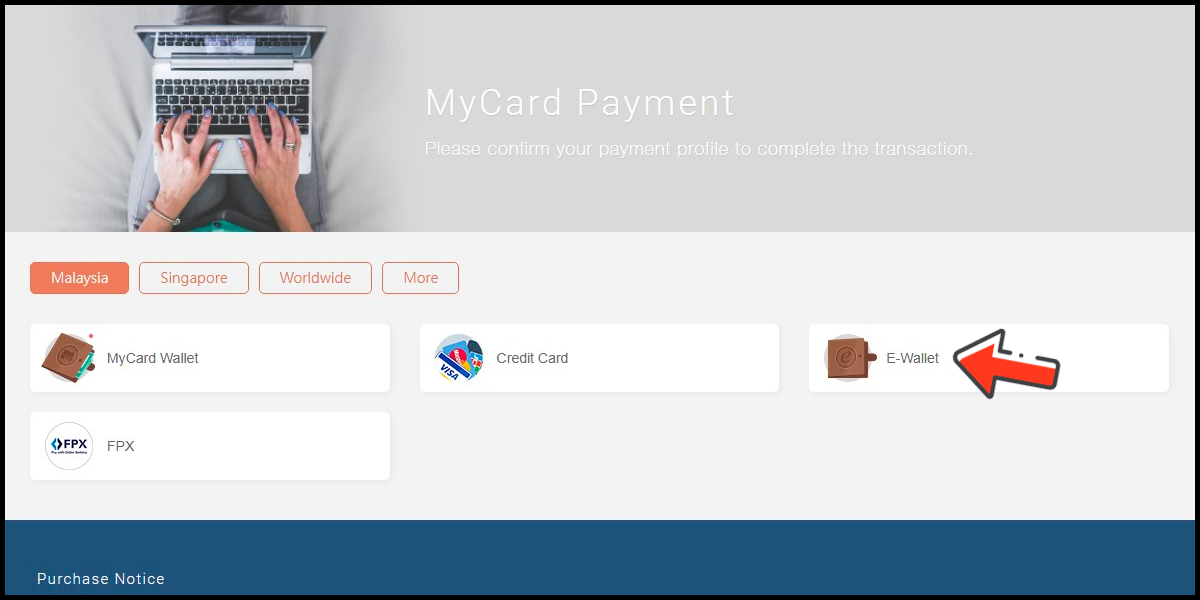
Select the payment method you want to use. (this guide use E-Wallet as an example)
Step 6
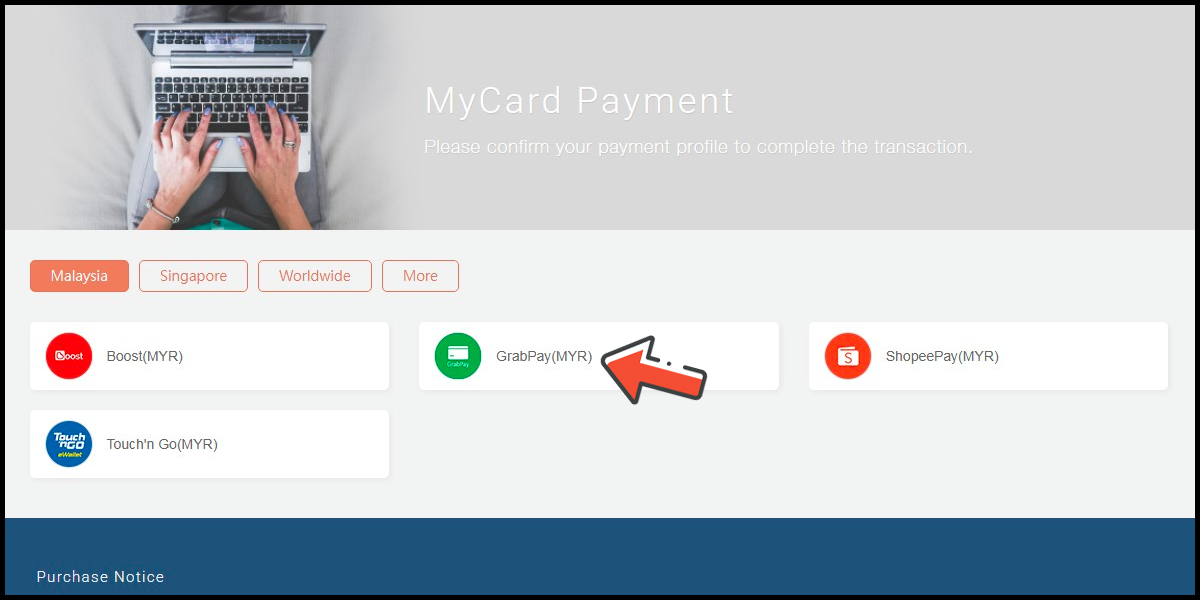
Select the payment channel. (this guide use Grab(MYR) as an example)
Step 7
Fill in the required transaction information, then click the "Agree and Submit" button.

Step 8
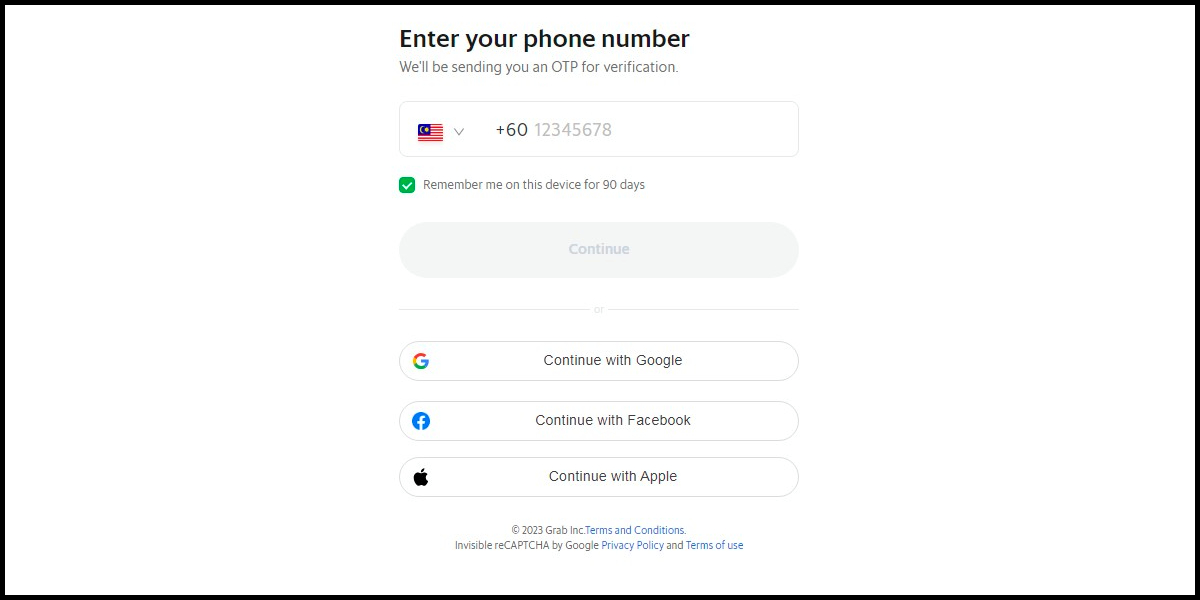
Carry out the Grab payment procedure to complete the transaction.
Singapore Payment Method
Step 1
Click here to go to the top-up page. Click the 綁定角色 (Bind A Character) button, then enter your UID and click the 確認 (OK) button.
Step 2
Select MyCard線上支付 (MyCard Online Payment) as the payment method.
Step 3
Select the item you want to top up, then click the 立即支付 (Pay) button.
Step 4
You will enter the MyCard Payment page, the available payment methods vary depending on your location, click "More" as shown by the arrow in the image to switch to the payment method for each country/region.
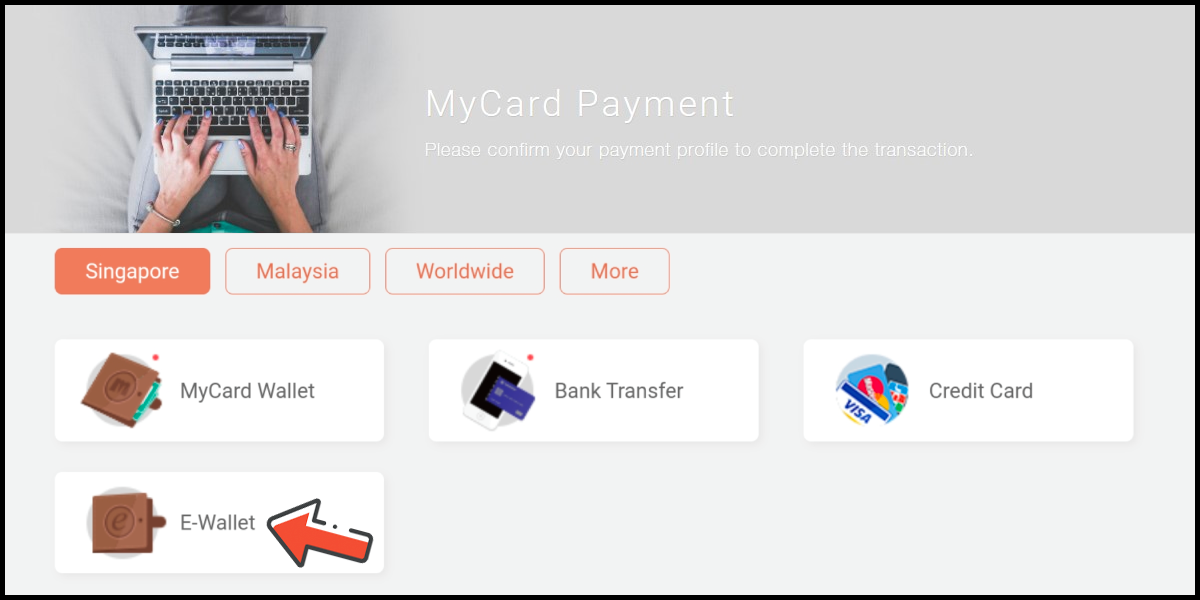
Step 5
Select the payment method you want to use. (this guide use E-wallet as an example)
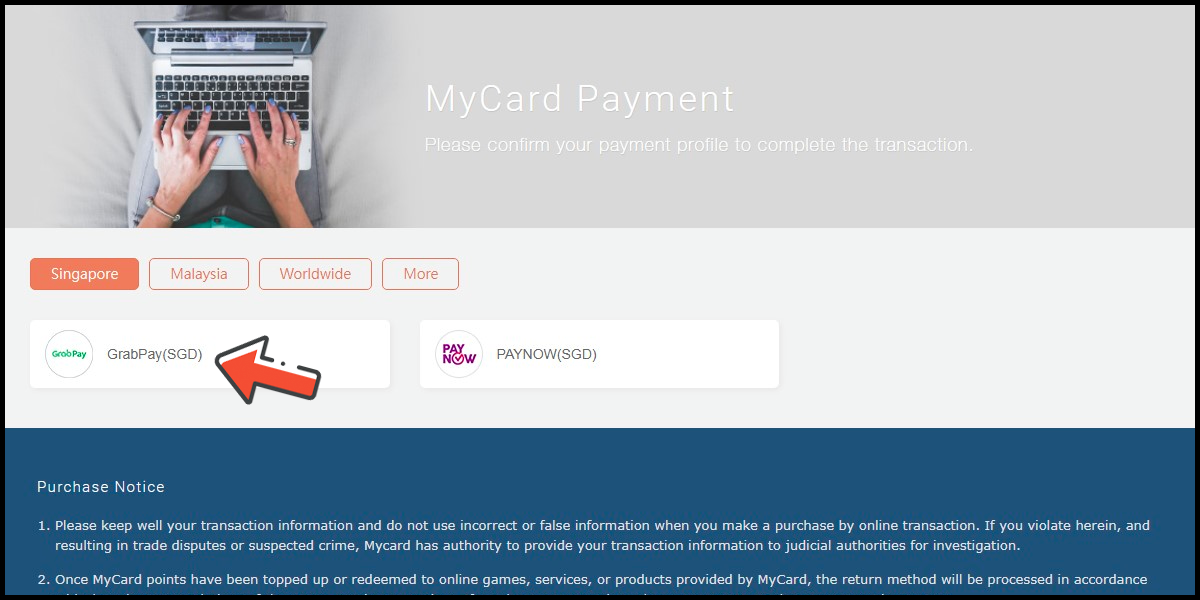
Step 6
Select the payment channel. (this guide use GrabPay (SGD) as an example)
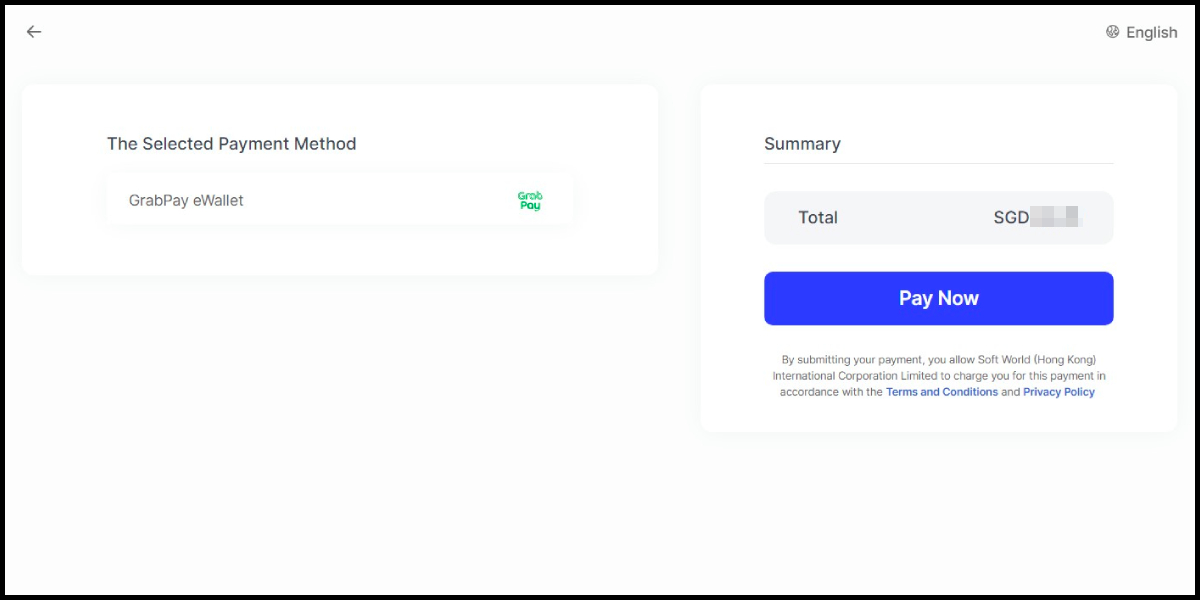
Step 7
Fill in the required transaction information, then click the "Agree and Submit" button.

Step 8
Carry out the payment procedure to complete the transaction.
Taiwan Payment Method
Step 1
Click here to go to the top-up page. Click the 綁定角色 (Bind A Character) button, then enter your UID and click the 確認 (OK) button.
Step 2
Select MyCard線上支付 (MyCard Online Payment) as the payment method.
Step 3
Select the item you want to top up, then click the 立即支付 (Pay) button.
Step 4
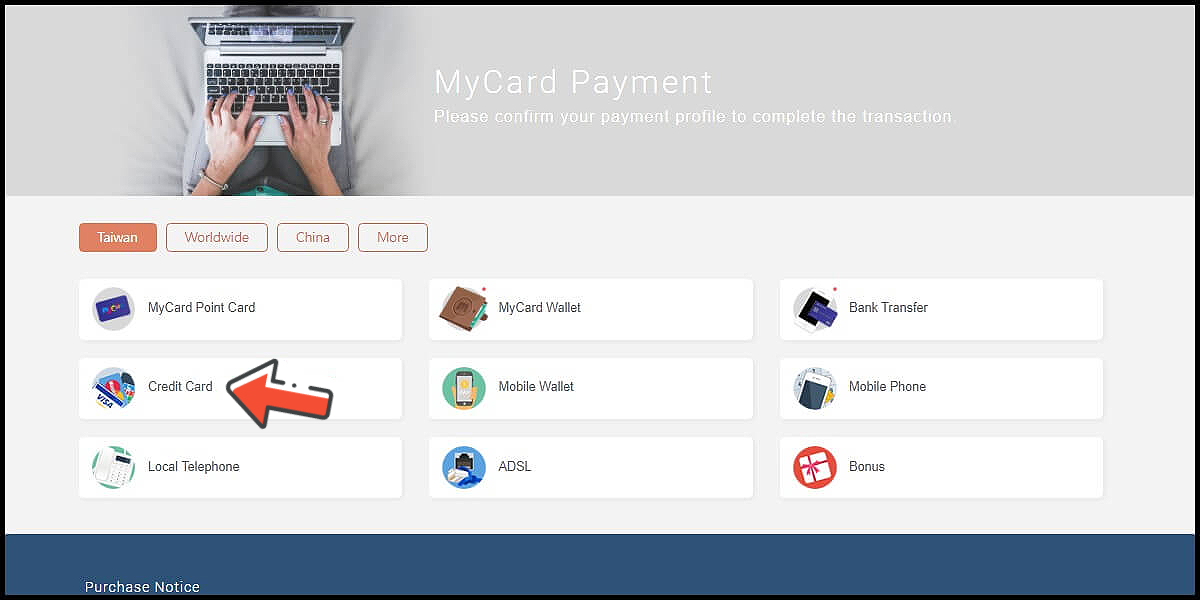
You will enter the MyCard Payment page, the available payment methods vary depending on your location, click "More" as shown by the arrow in the image to switch to the payment method for each country/region. (Please choose Taiwan as the payment region)
Step 5
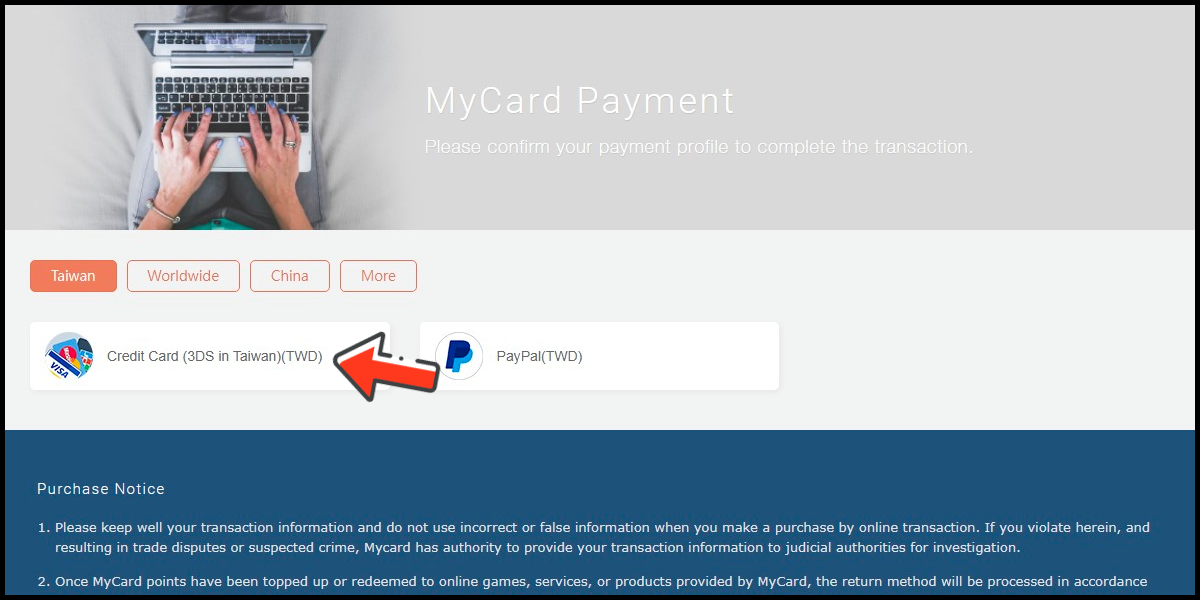
Select the payment method and channel you want to use. (this guide use Taiwan 3DS credit card as an example, Taiwan region credit card payment is only available for the Taiwan's bank credit card)
Step 6
Fill in the required transaction information, then click the "Agree and Submit" button.

Step 7
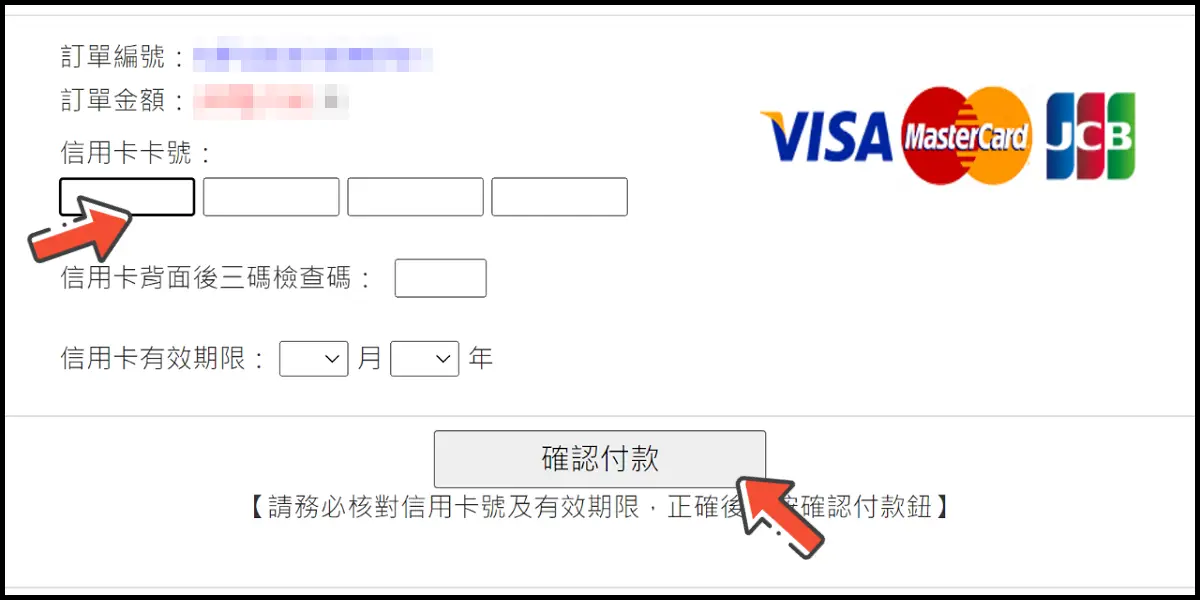
Enter your credit card number (信用卡卡號), credit card security code (信用卡背面後三碼檢查碼), and card expired date (信用卡有效期限) (month 月; year 年), click "Pay" (確認付款).
Step 8
Check your mobile device to receive the OTP code message. Enter the OTP verification code to the credit card payment page, and click "Submit" (送出) to complete the payment process.

MyCard Point Card
※MyCard point card only available for specified top up amount, if you wish to top up different amount, you can top up your MyCard point card to your MyCard member account, and use MyCard Wallet to top up the game. How to top up MyCard Point Card to member account
Step 1
Click here to go to the top-up page. Click the 綁定角色 (Bind A Character) button, then enter your UID and click the 確認 (OK) button.
Step 2
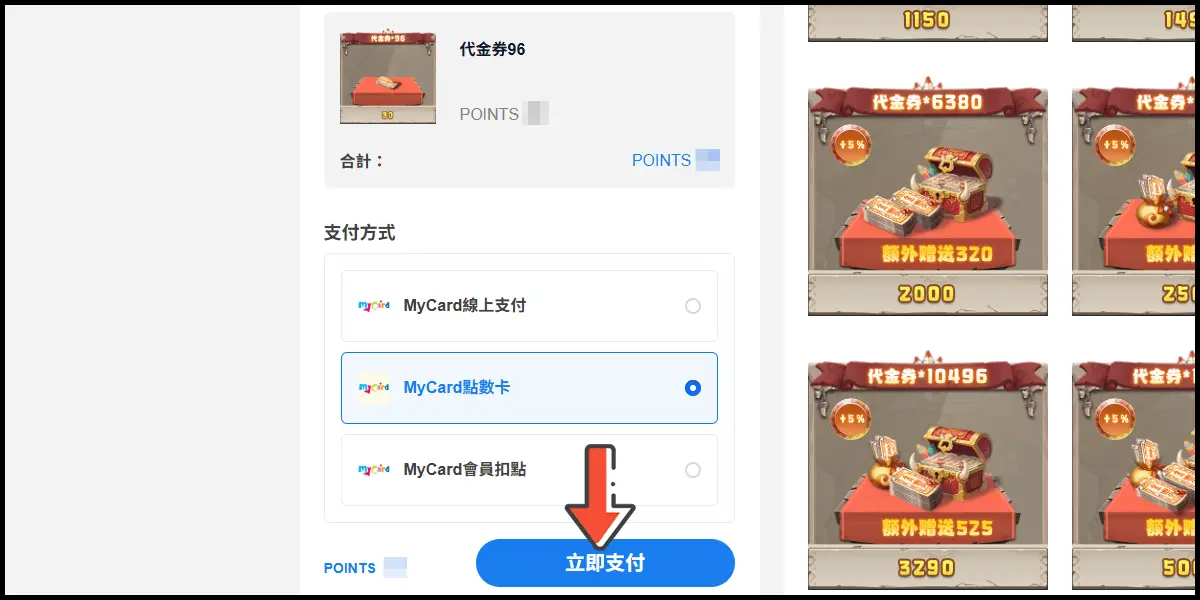
Select MyCard點數卡 (MyCard Point Card) as the payment method.

Step 3
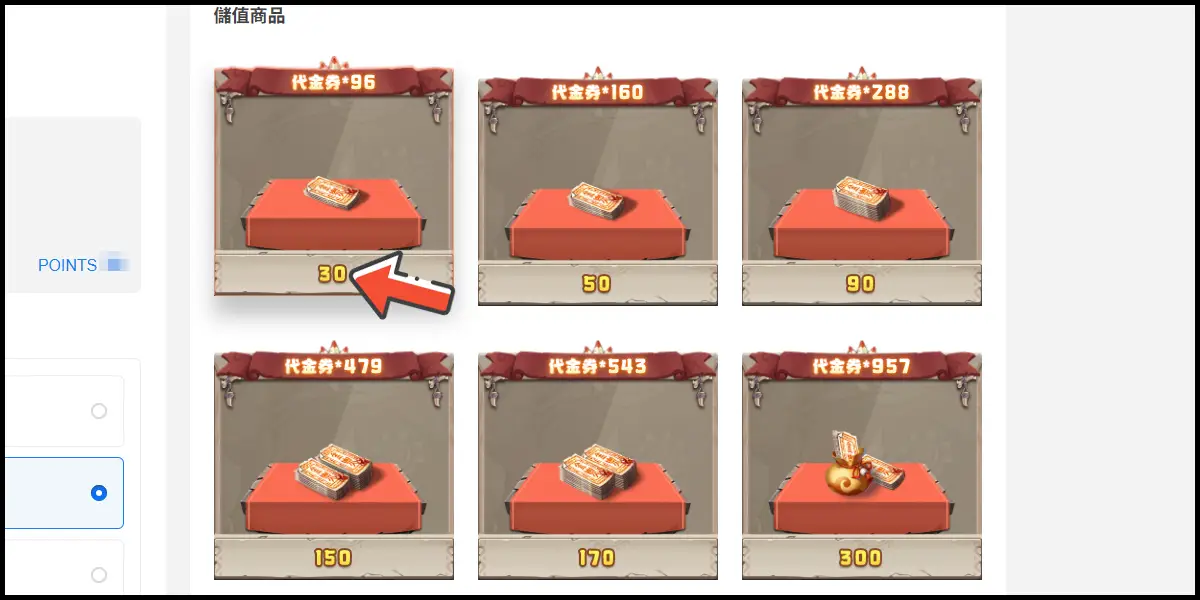
Select the item you want to top up, then click the 立即支付 (Pay) button.
Step 4
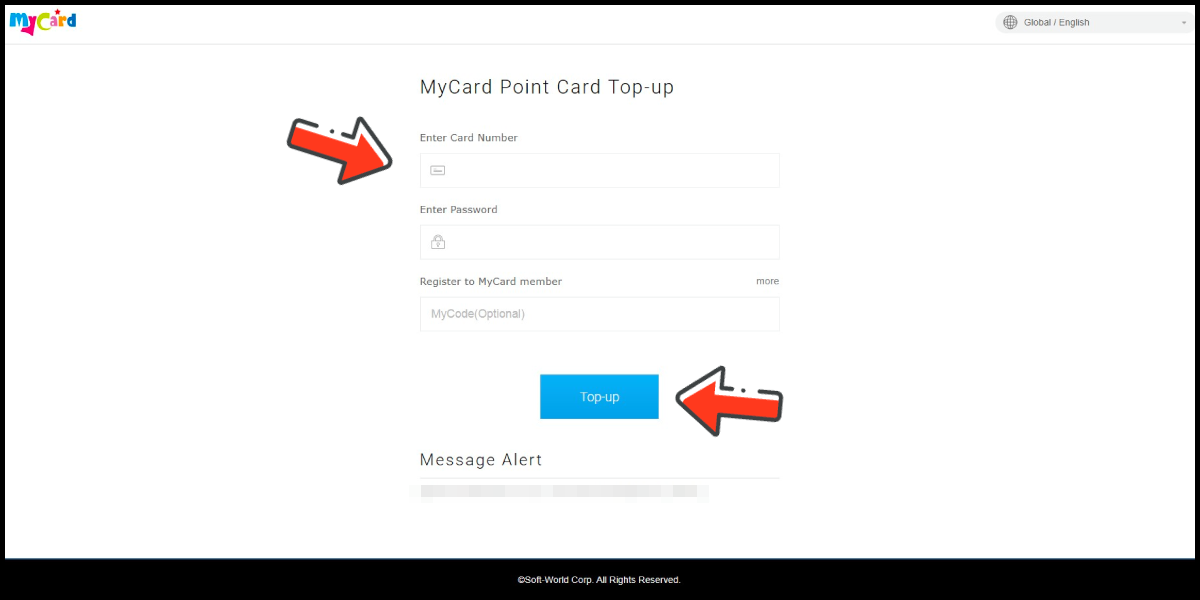
Enter MyCard card number and password and click "Top-up" to complete the top up process.
MyCard Wallet
Step 1
Click here to go to the top-up page. Click the 綁定角色 (Bind A Character) button, then enter your UID and click the 確認 (OK) button.
Step 2
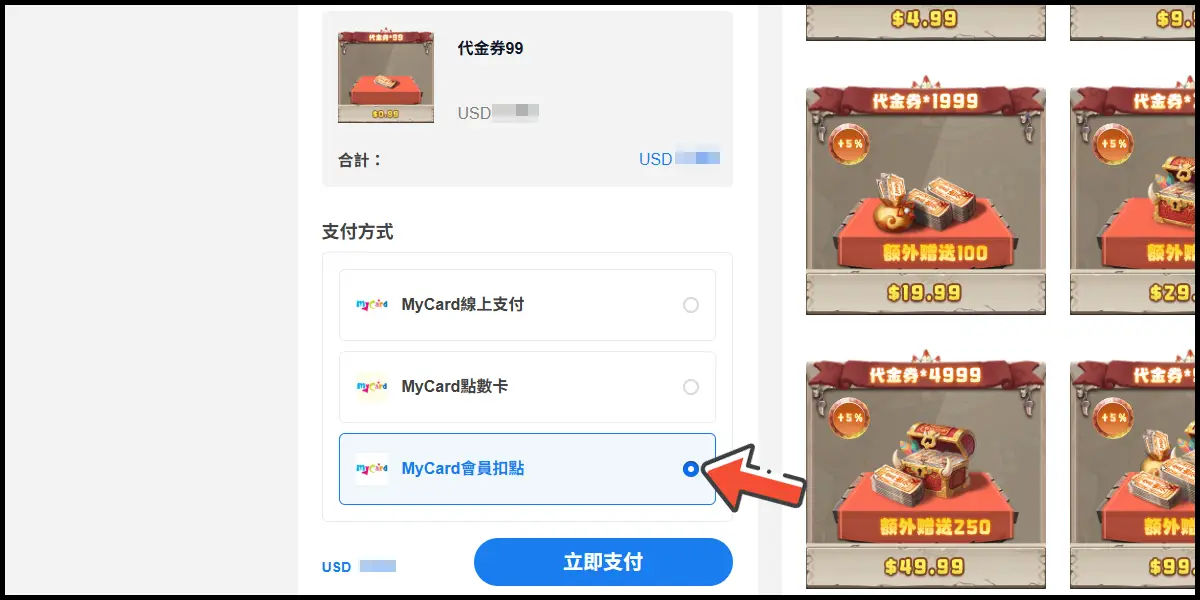
Select MyCard會員扣點 (MyCard Wallet) as the payment method.
Step 3
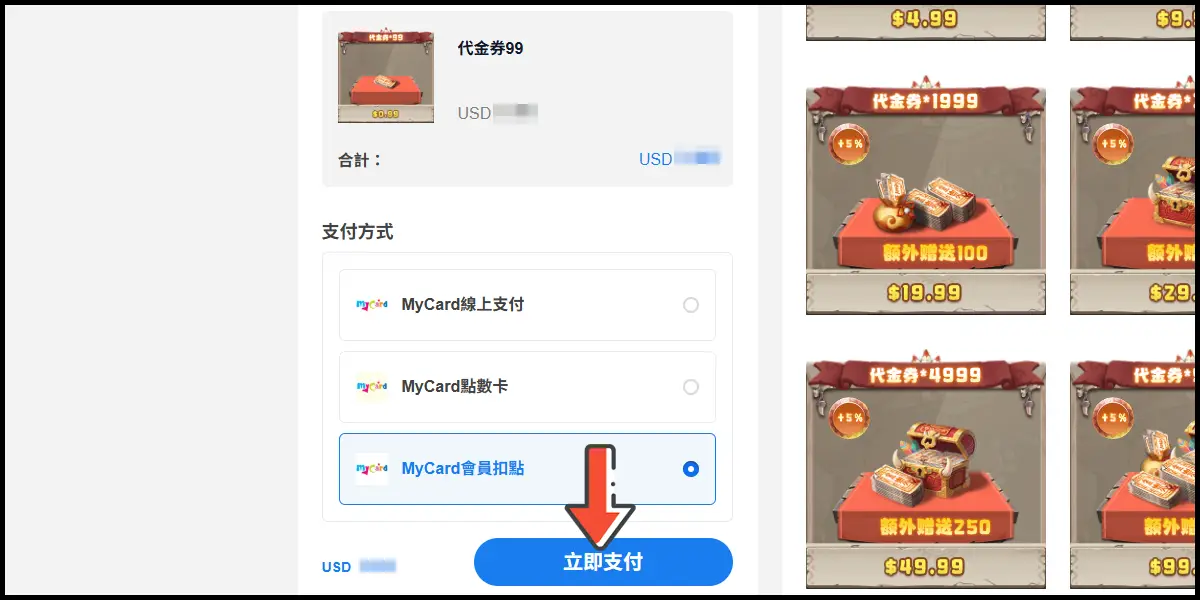
Select the item you want to top up, then click the 立即支付 (Pay) button.
Step 4
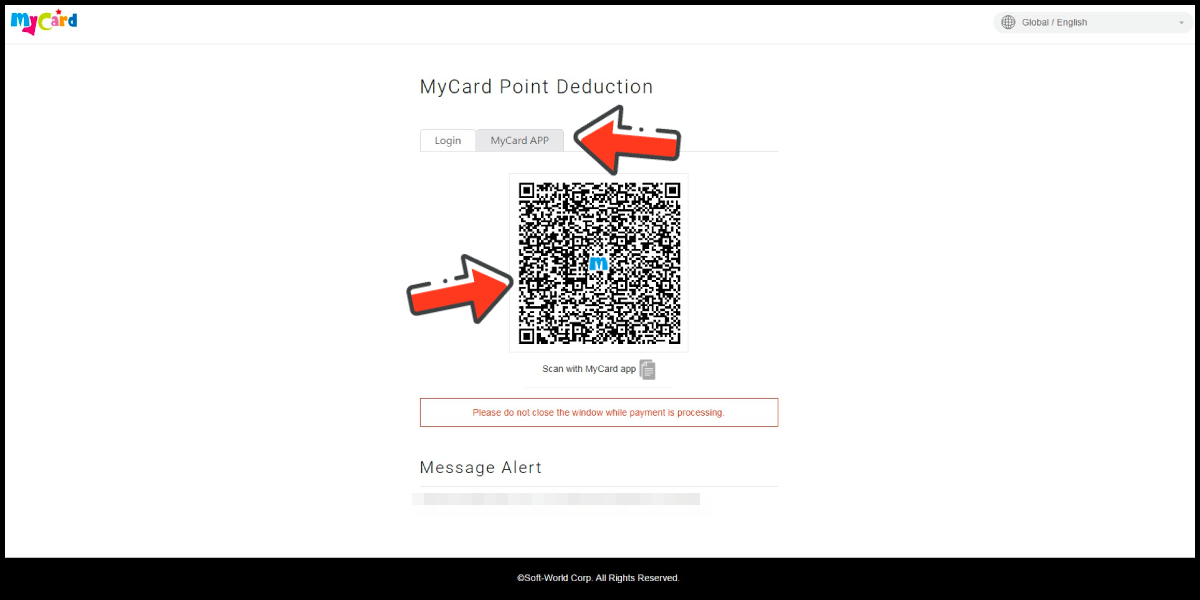
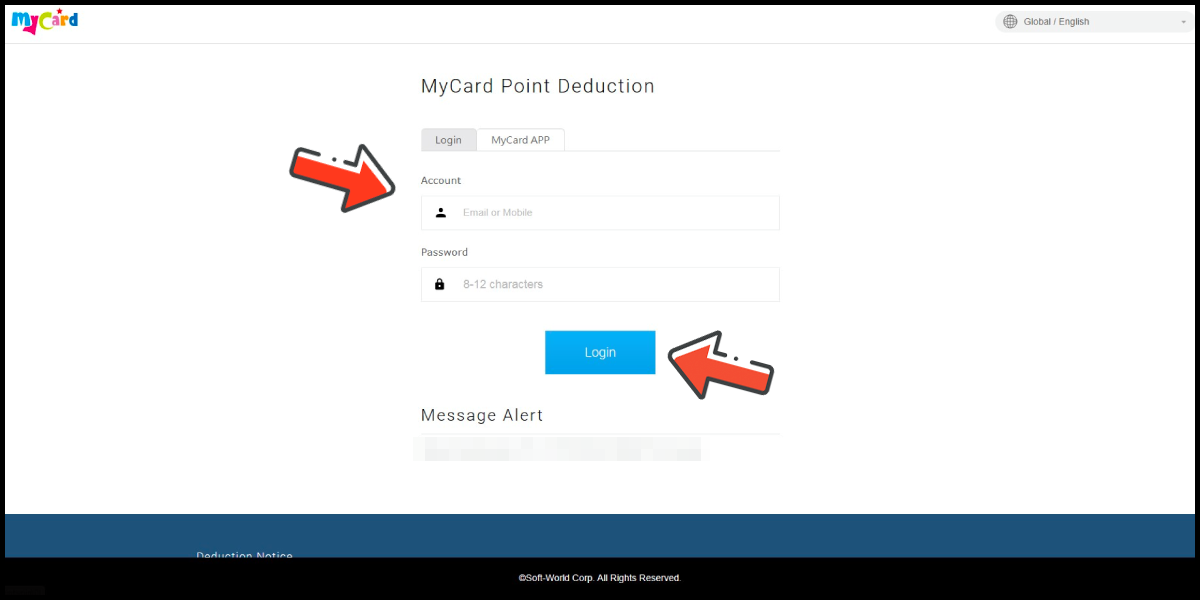
Log in to your MyCard member account. (You can also pay by MyCard App)
Step 5
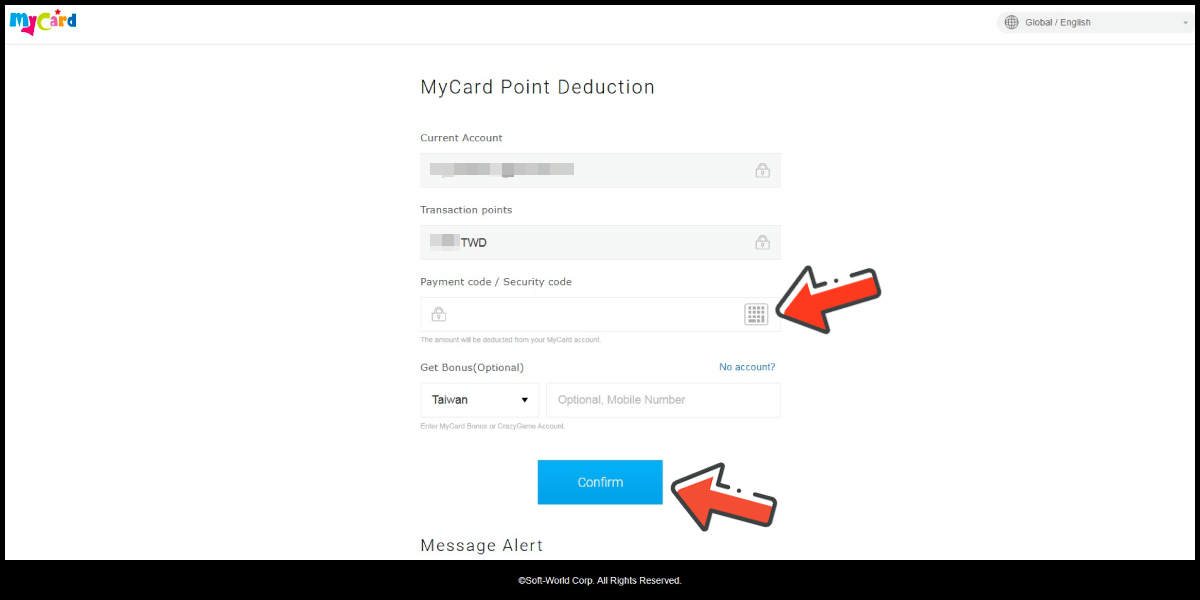
Enter the payment password, mobile number (optional), and then click "Confirm" to complete the top up process.
Pay by MyCard App
Click the "MyCard APP" tab which is pointed by the arrow in the picture, open the MyCard app in your mobile device and scan the QR Code on the top up page to complete the top up process. (Not the QR Code in this guide page)