Popular Keyword
Tian Long Ba Bu 2: Bloodbath in the Jianghu (Taiwan)

- MyCard Wallet
- MyCard Point Card
- Taiwan Payment
MyCard Wallet
Step 1
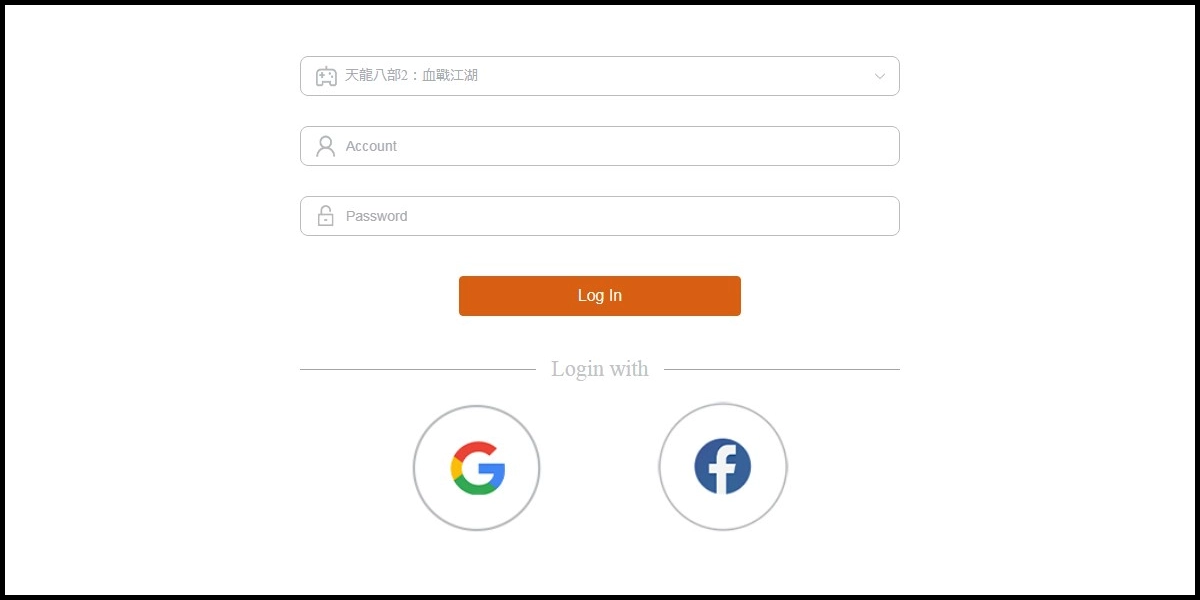
Click here to go to the top up page, and log in to your game account.
Step 2
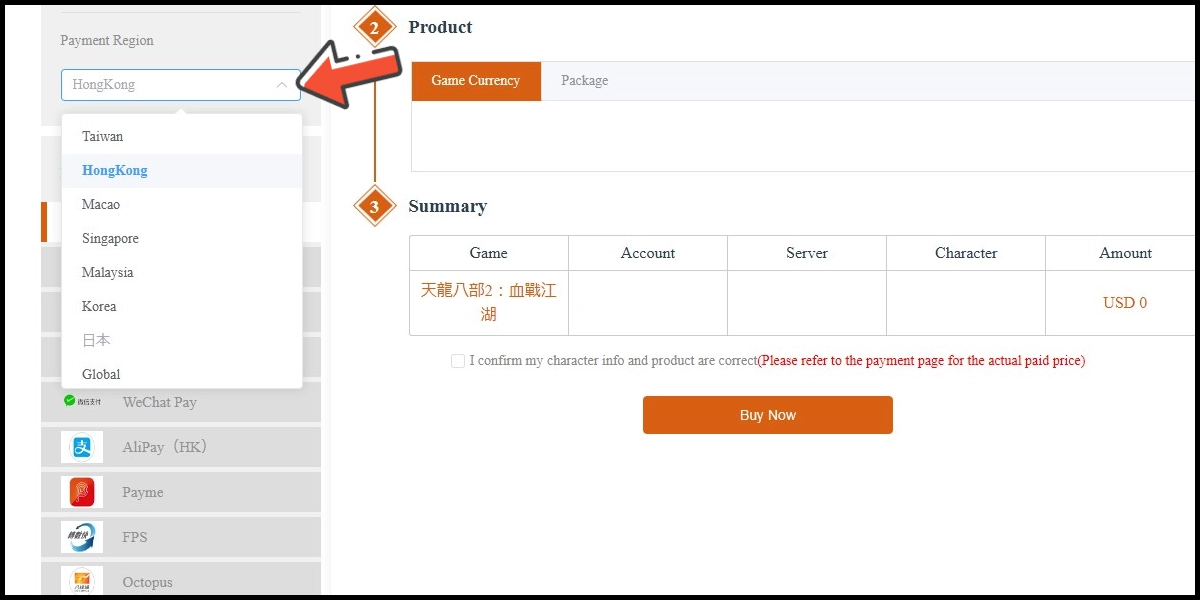
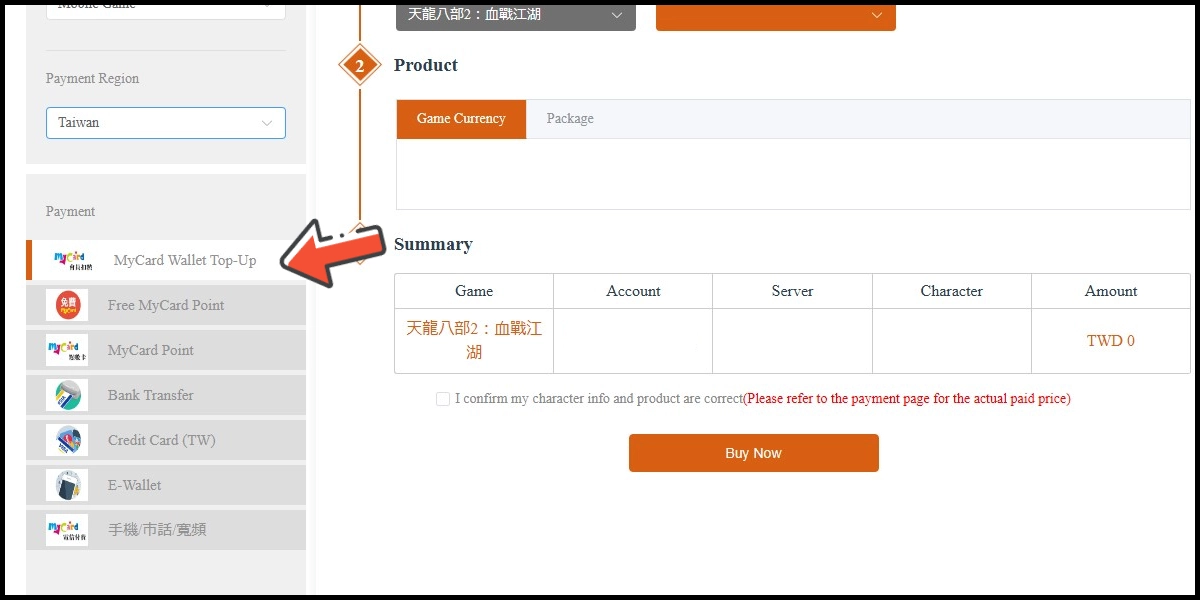
Select Taiwan as the payment region, then select MyCard Wallet as the payment method.
Step 3
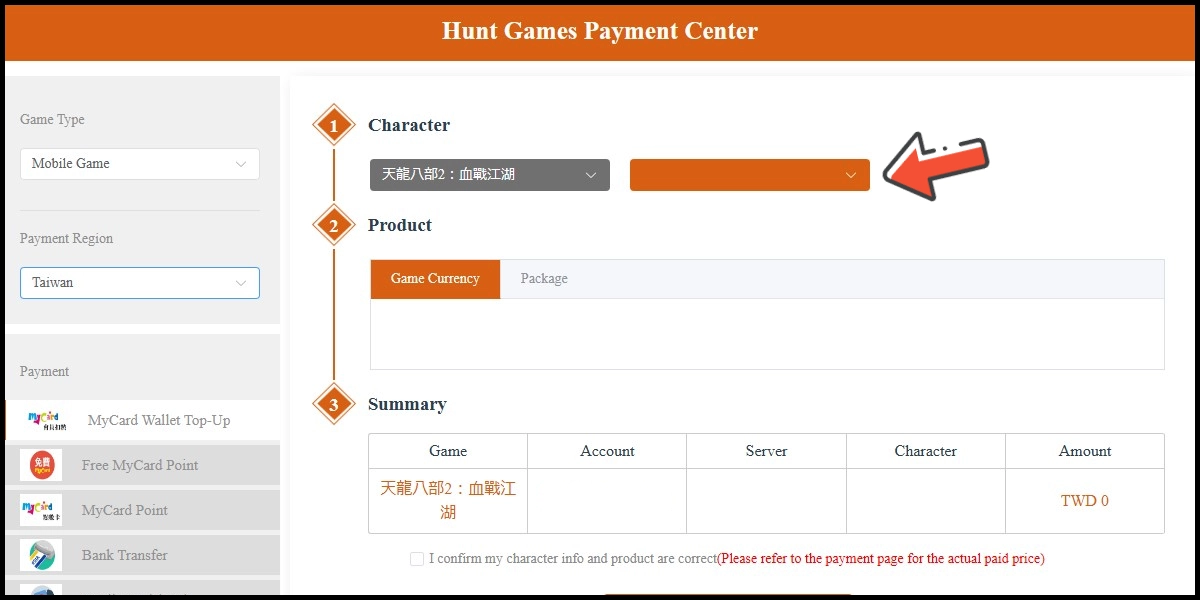
Select the character you wish to top up.
Step 4
Select the item you wish to top up, tick the agreement box, then click the Buy Now button.
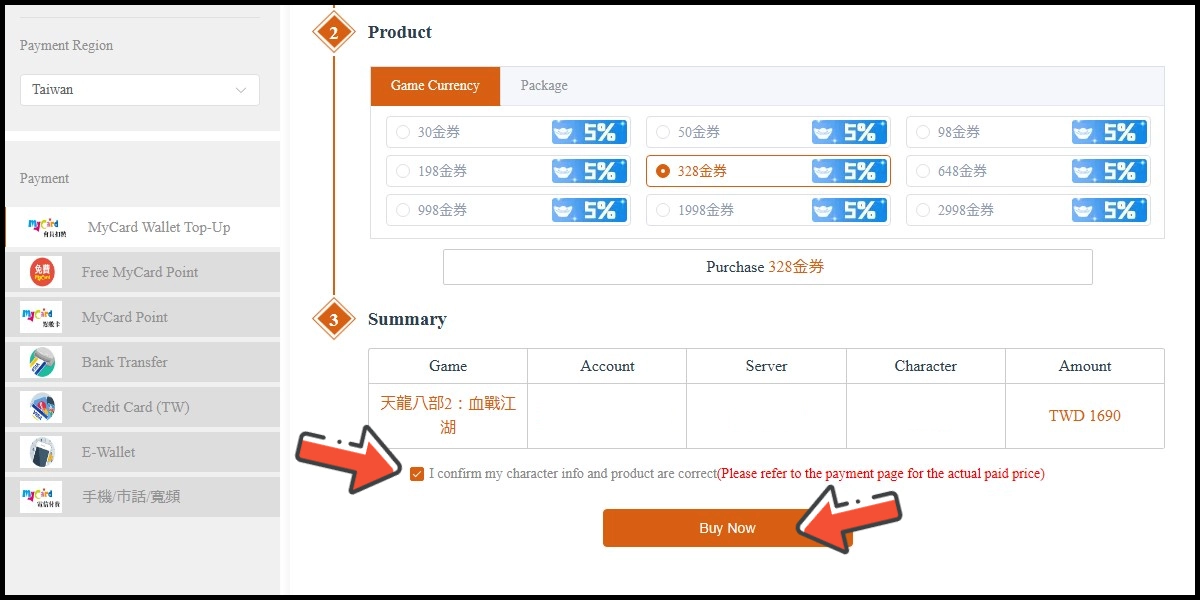
Step 5
Confirm your top-up information, then click the Buy Now button.
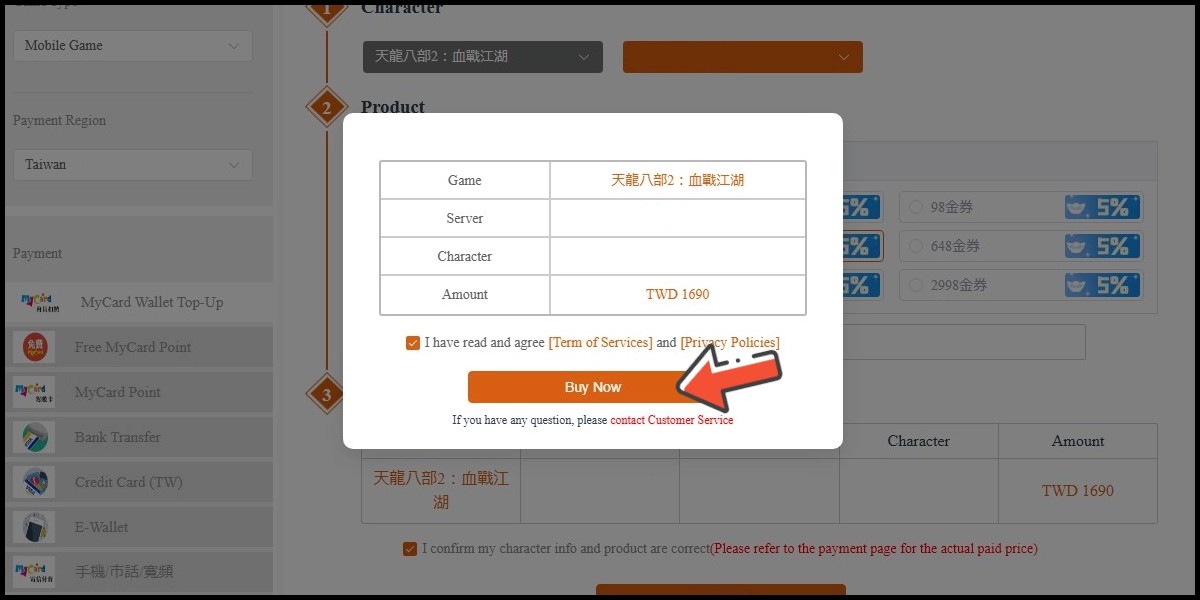
Step 6
Log in to your MyCard member account. (You can also pay by MyCard App)
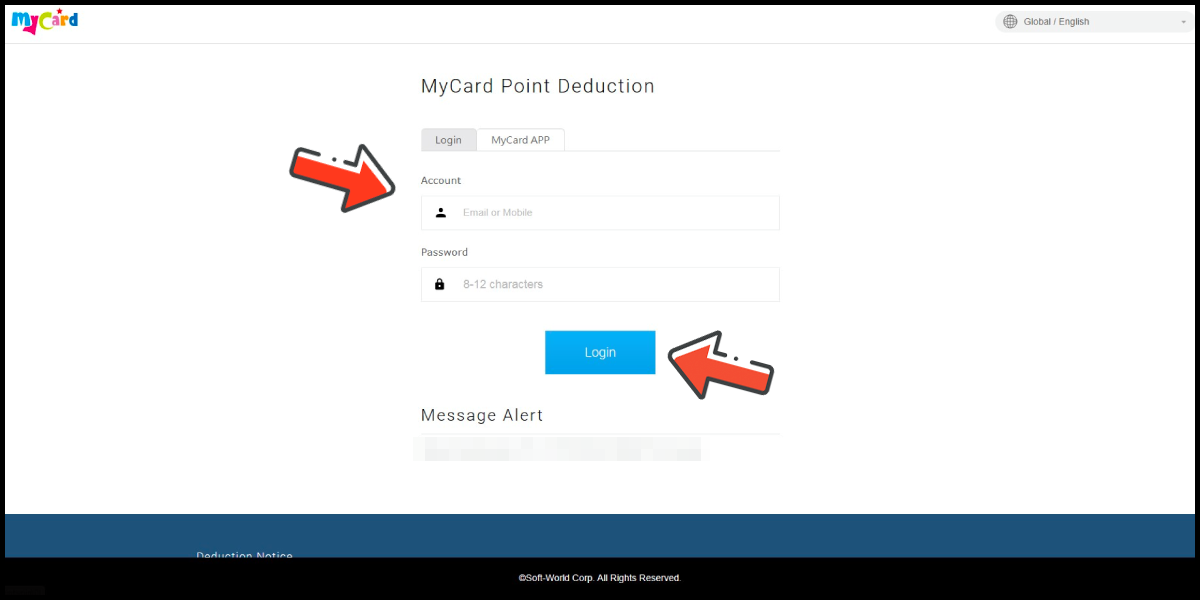
Step 7
Enter the payment password, mobile number (optional), and then click "Confirm" to complete the top up process.
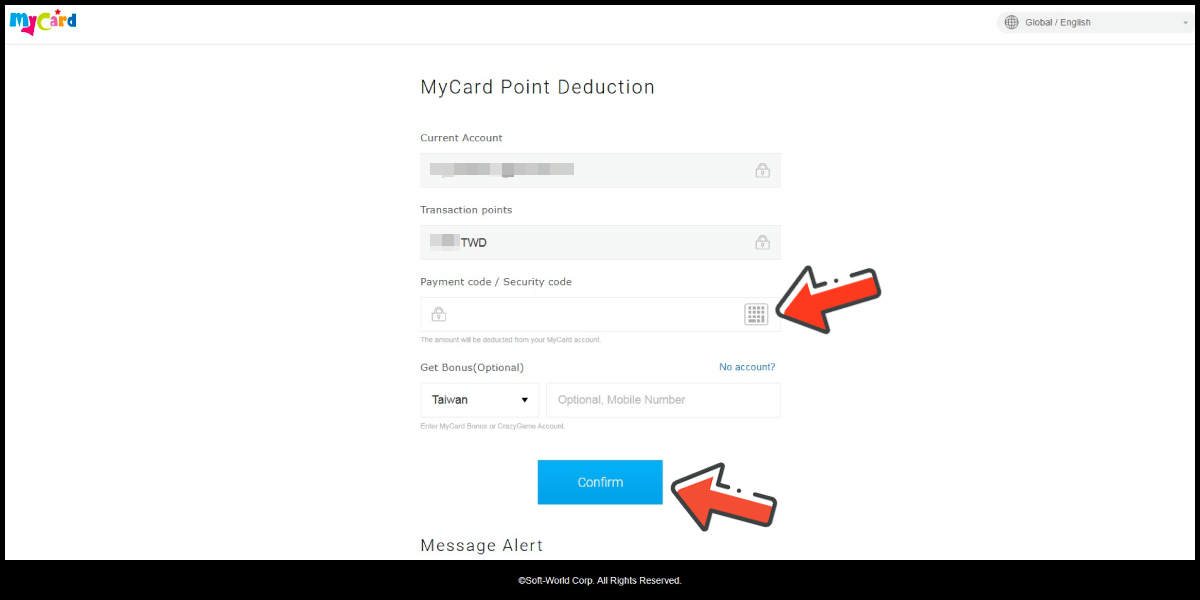
Pay by MyCard App
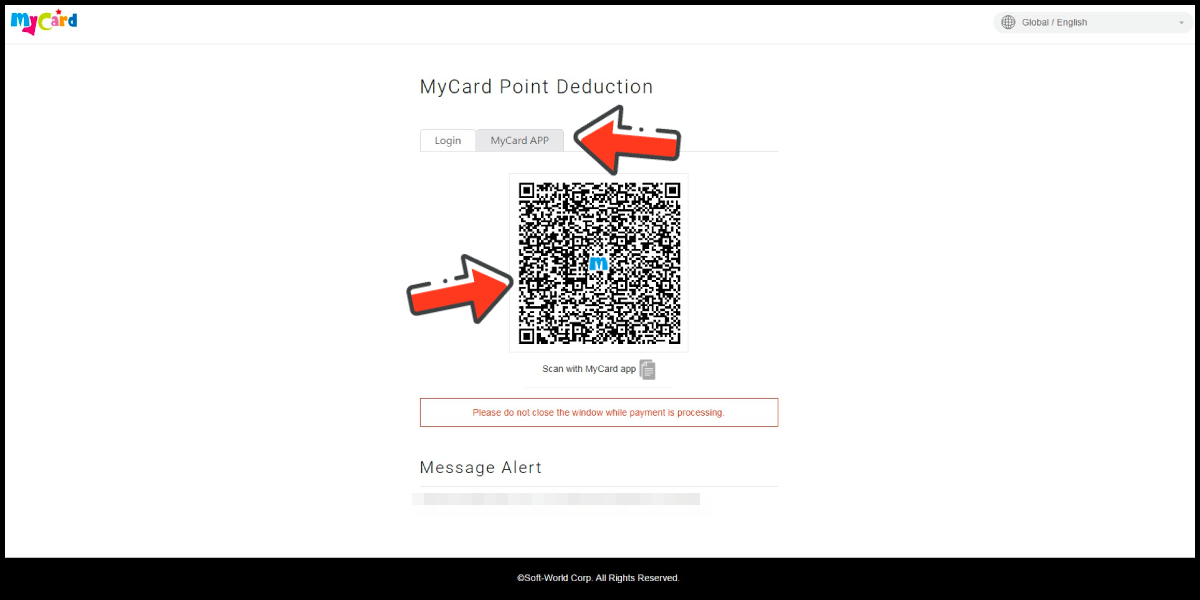
Click the "MyCard APP" tab which is pointed by the arrow in the picture, open the MyCard app in your mobile device and scan the QR Code on the top up page to complete the top up process. (Not the QR Code in this guide page)
MyCard Point Card
※MyCard point card only available for specified top up amount, if you wish to top up different amount, you can top up your MyCard point card to your MyCard member account, and use MyCard Wallet to top up the game. How to top up MyCard Point Card to member account
Step 1
Click here to go to the top up page, and log in to your game account.
Step 2
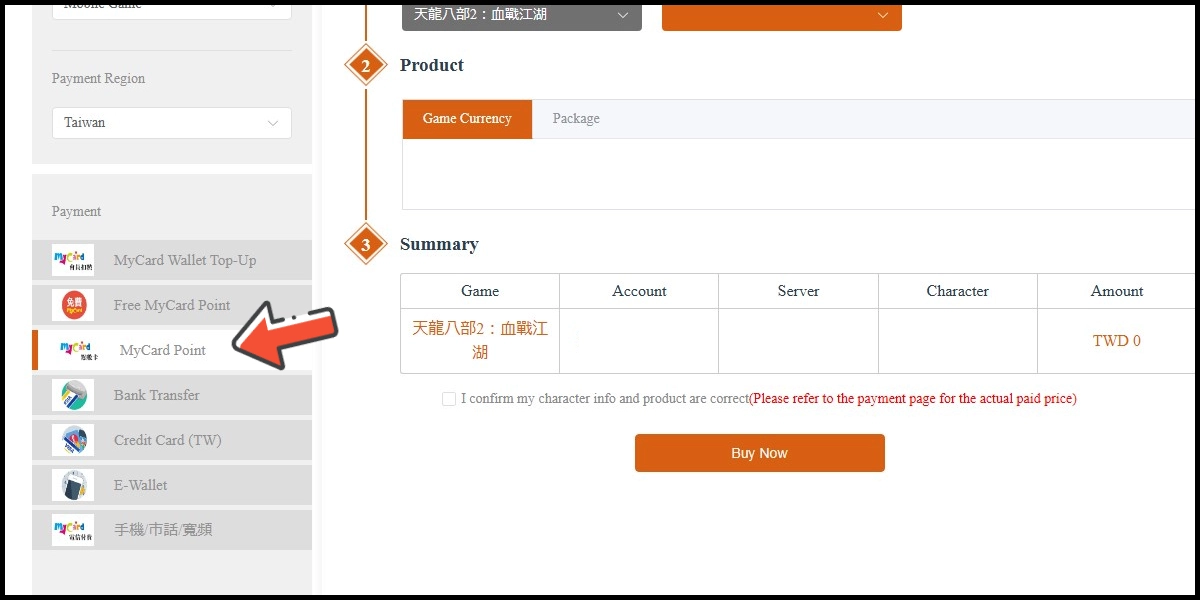
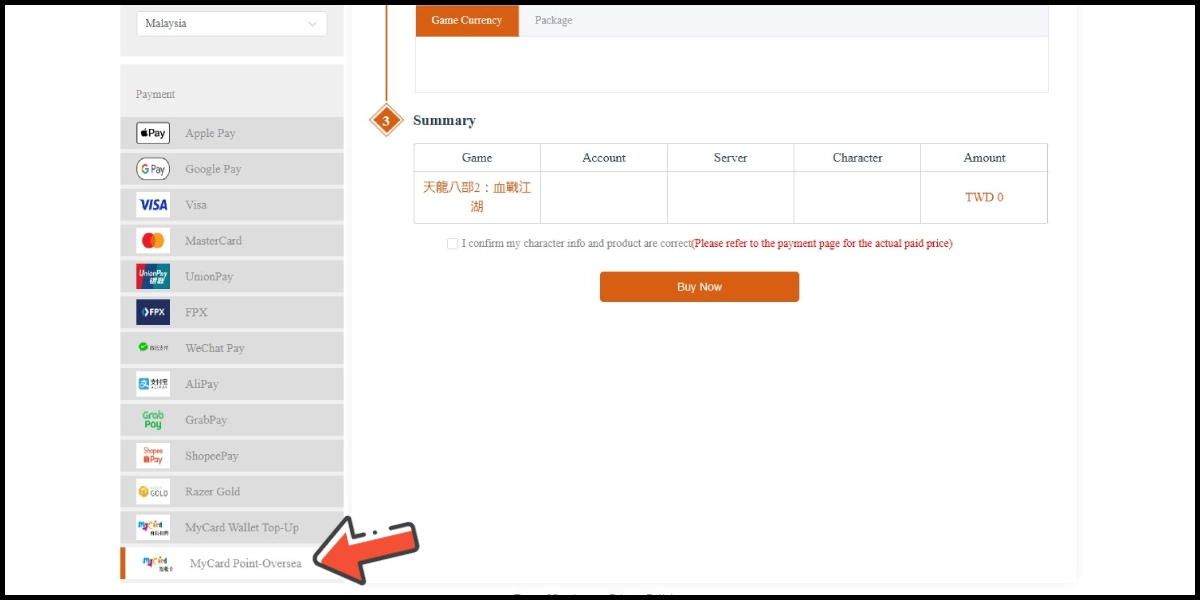
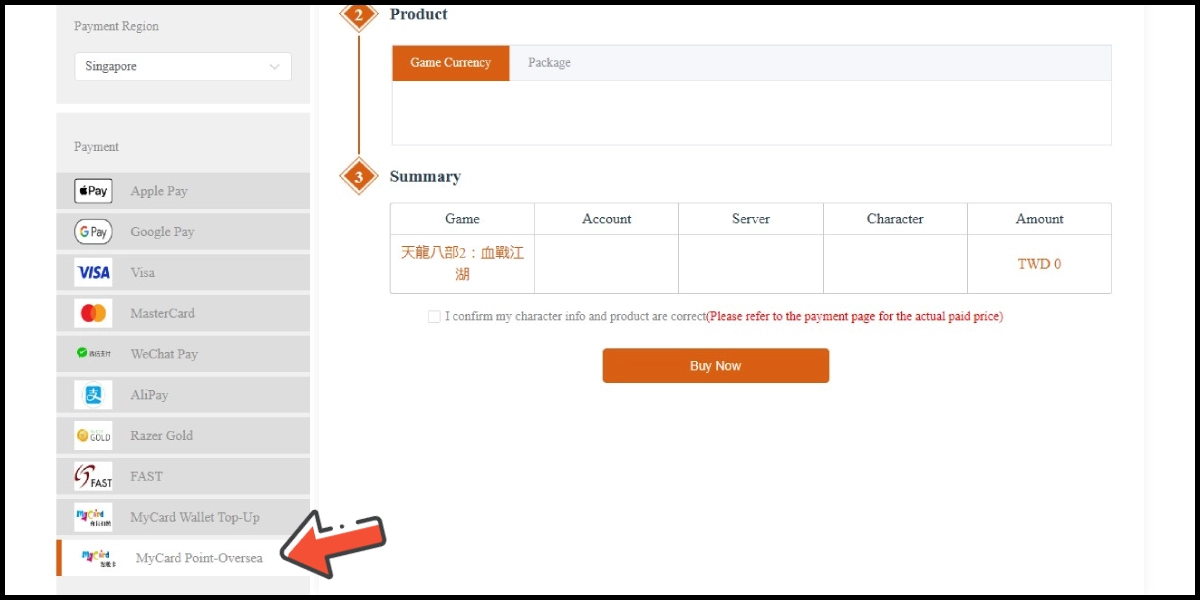
Select Taiwan as the payment region (or Malaysia / Singapore, depend on the point card region you have), then select MyCard Point Card as the payment method.
Step 3
Select the character you wish to top up.
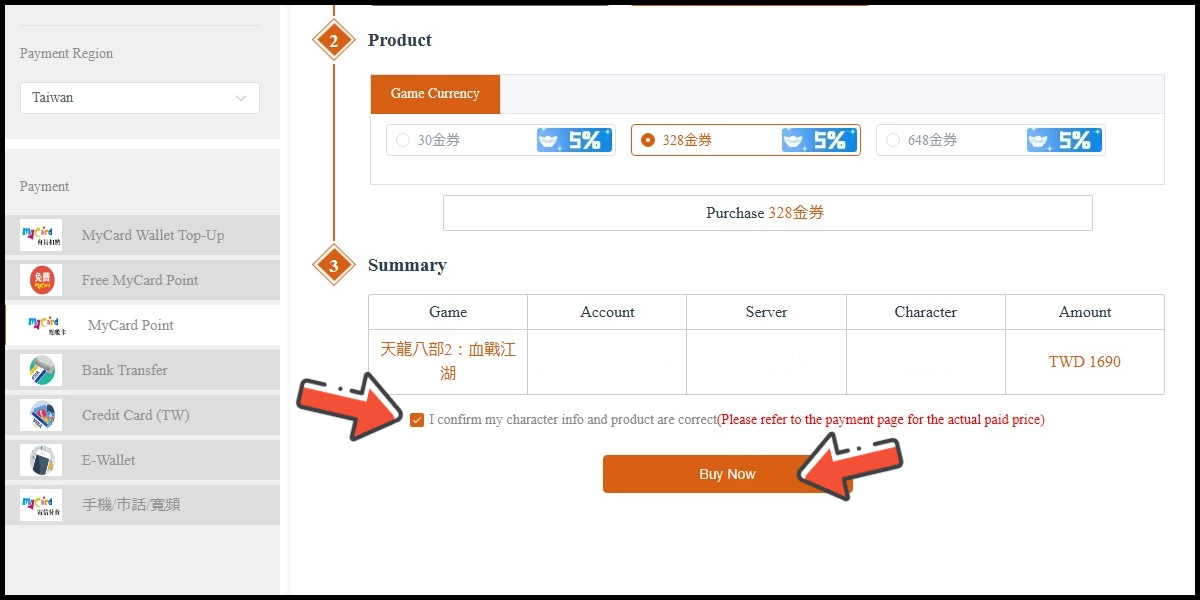
Step 4
Select the item you wish to top up, tick the agreement box, then click the Buy Now button.
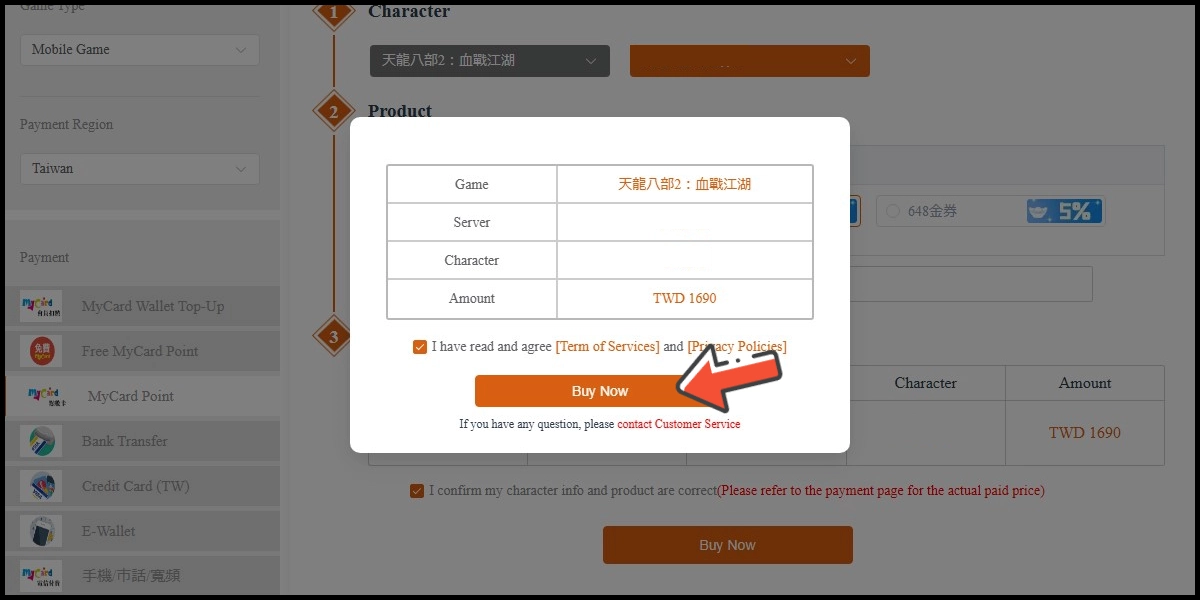
Step 5
Confirm your top-up information, then click the Buy Now button.
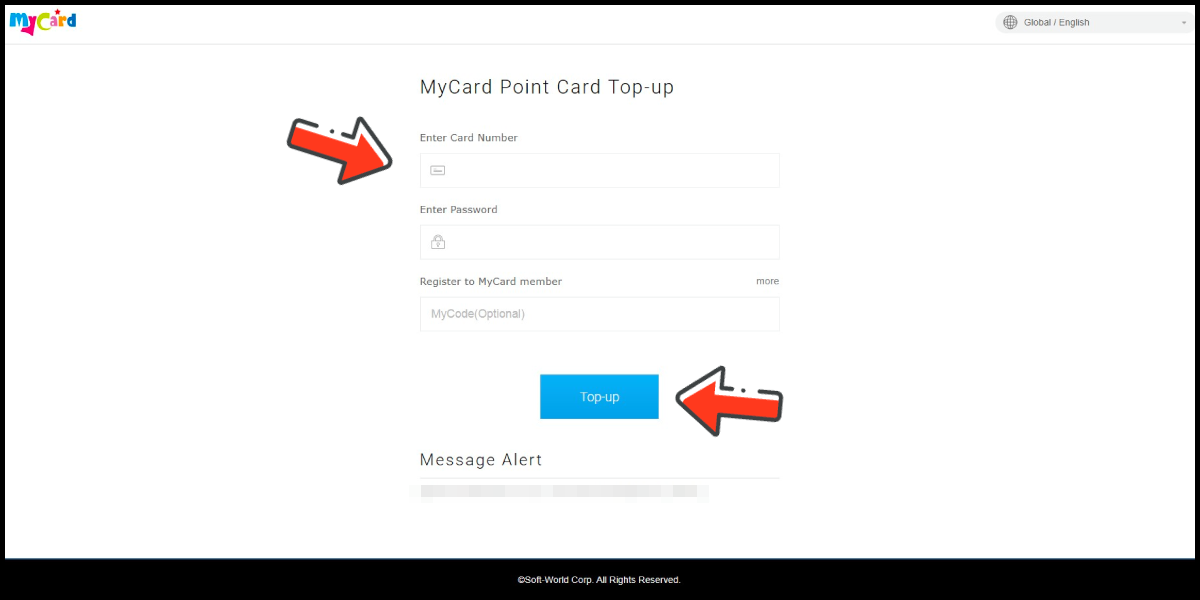
Step 6
Enter MyCard card number and password and click "Top-up" to complete the top up process.
Taiwan Payment Method
Step 1
Click here to go to the top up page, and log in to your game account.
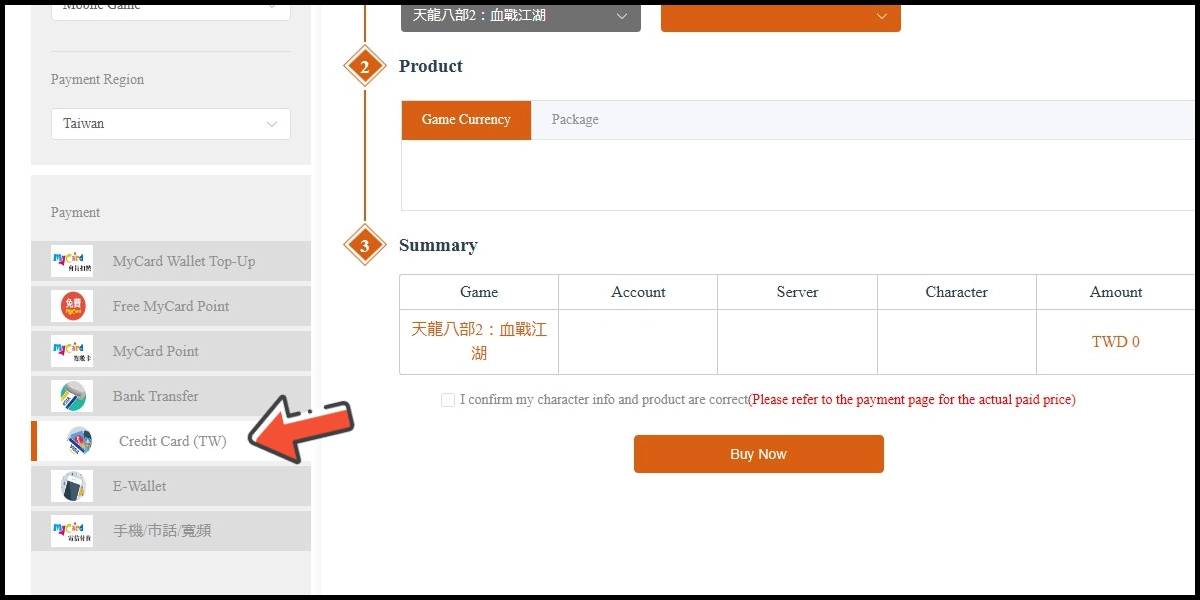
Step 2
Select Taiwan as the payment region, then select Credit Card as the payment method. (this guide use Taiwan 3DS credit card as an example, Taiwan region credit card payment is only available for the Taiwan's bank credit card)
Step 3
Select the character you wish to top up.
Step 4
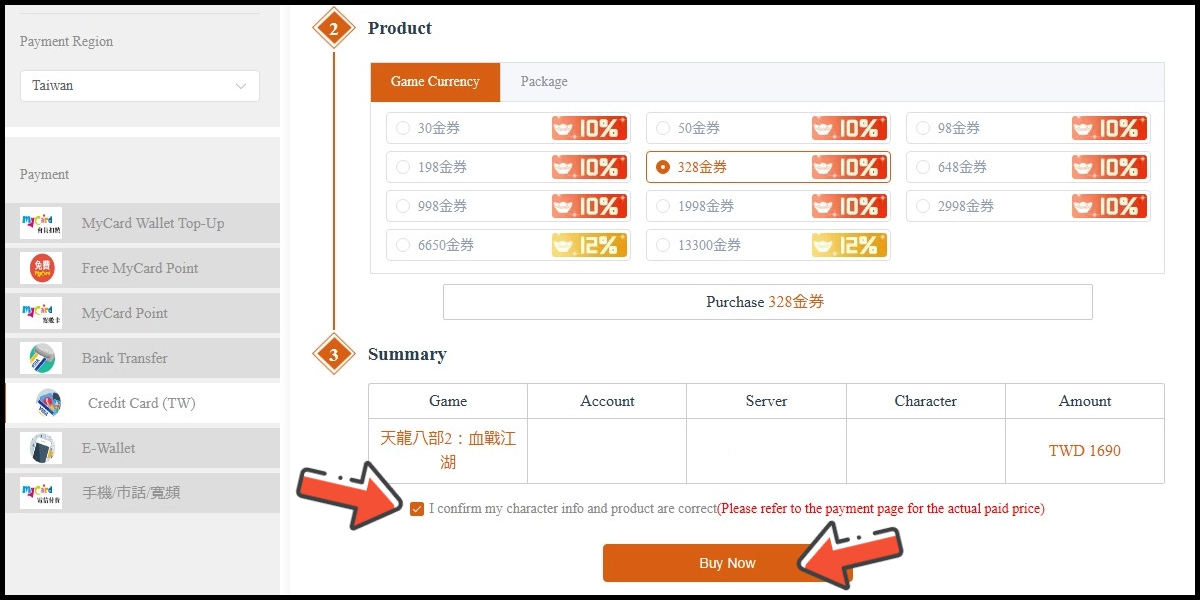
Select the item you wish to top up, tick the agreement box, then click the Buy Now button.
Step 5
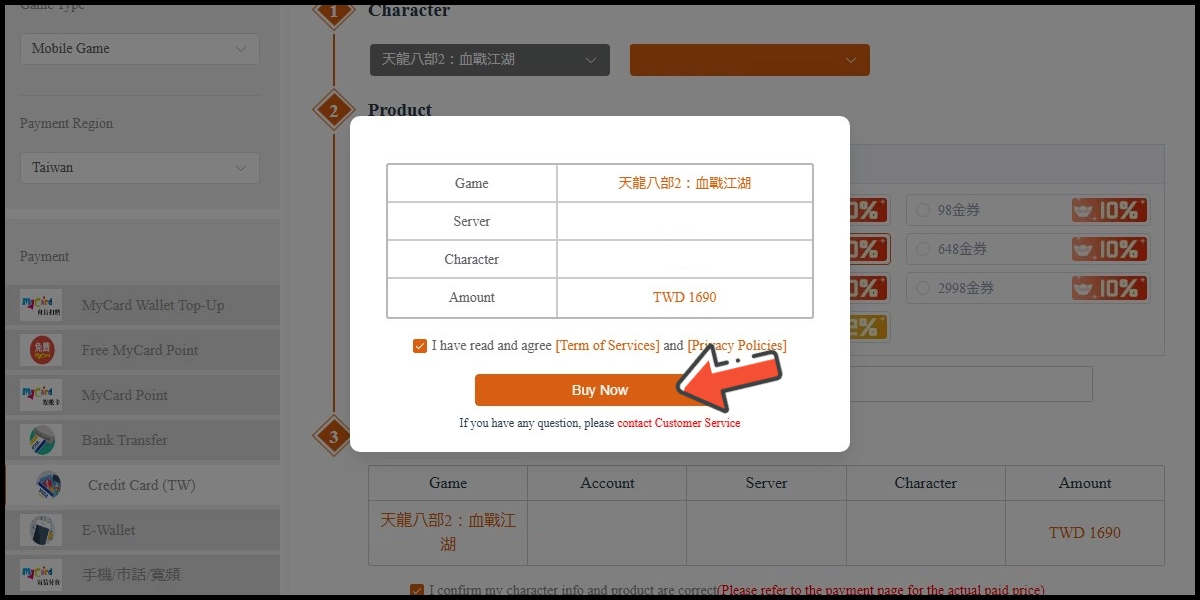
Confirm your top-up information, then click the Buy Now button.
Step 6
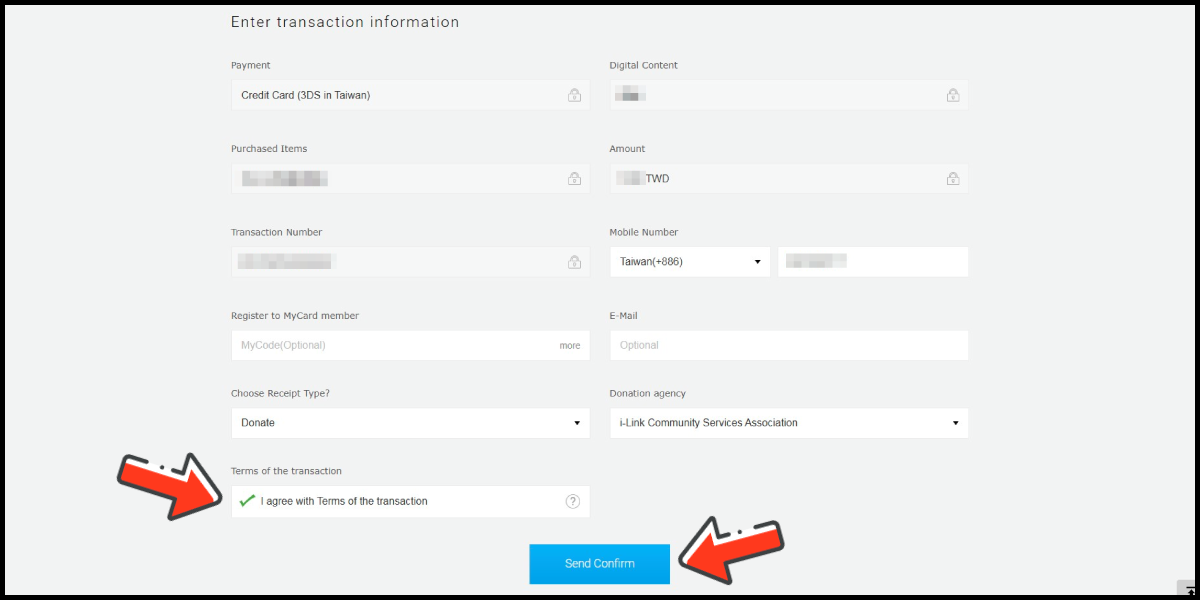
Fill in the required transaction information, then click the "Agree and Submit" button.
Step 7
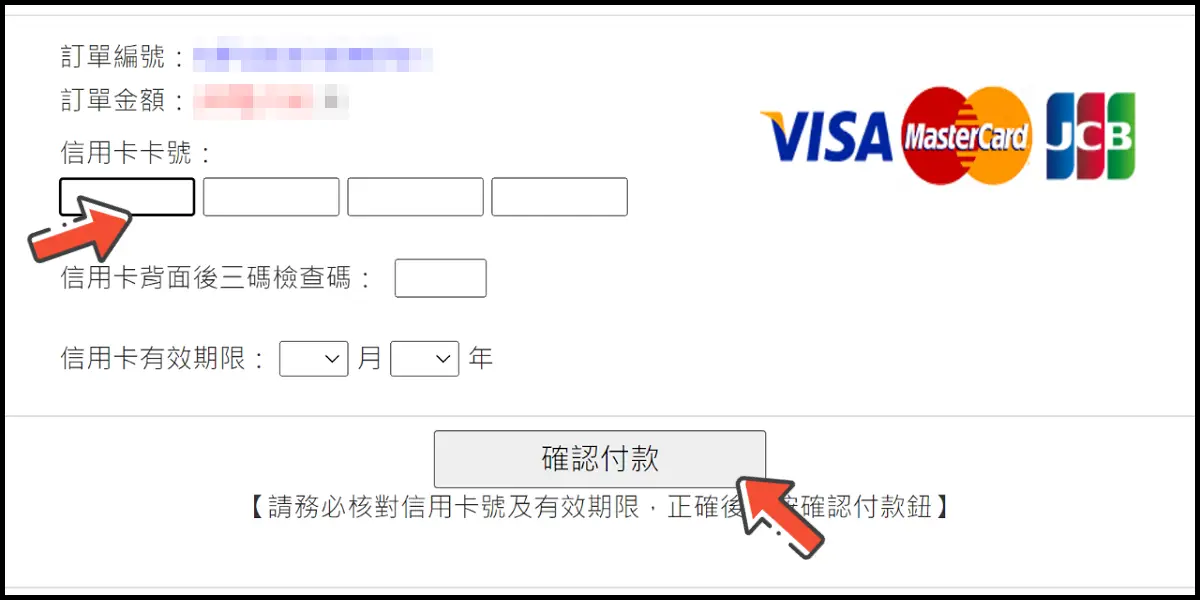
Enter your credit card number (信用卡卡號), credit card security code (信用卡背面後三碼檢查碼), and card expired date (信用卡有效期限) (month 月; year 年), click "Pay" (確認付款).
Step 8
Check your mobile device to receive the OTP code message. Enter the OTP verification code to the credit card payment page, and click "Submit" (送出) to complete the payment process.